1
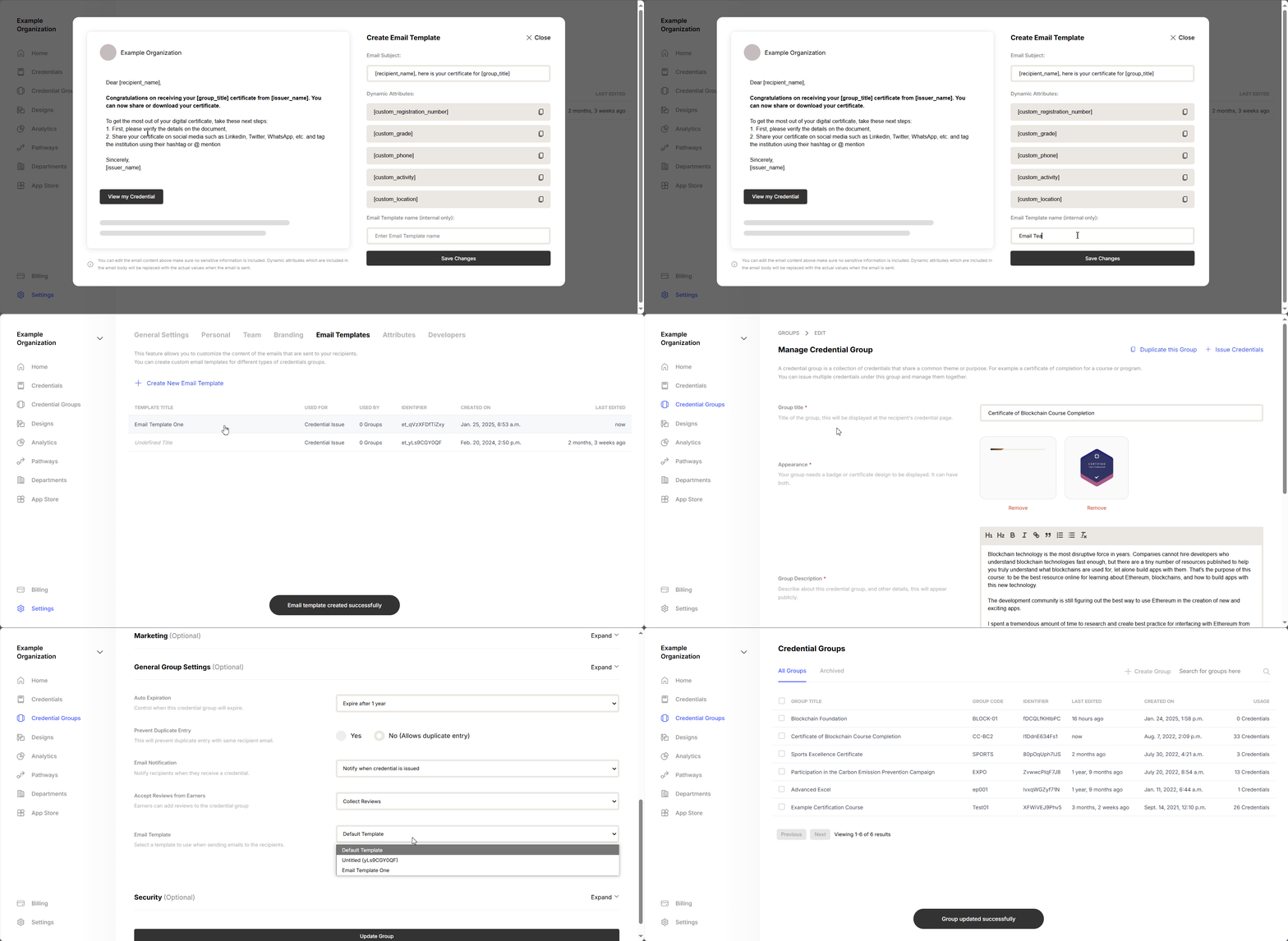
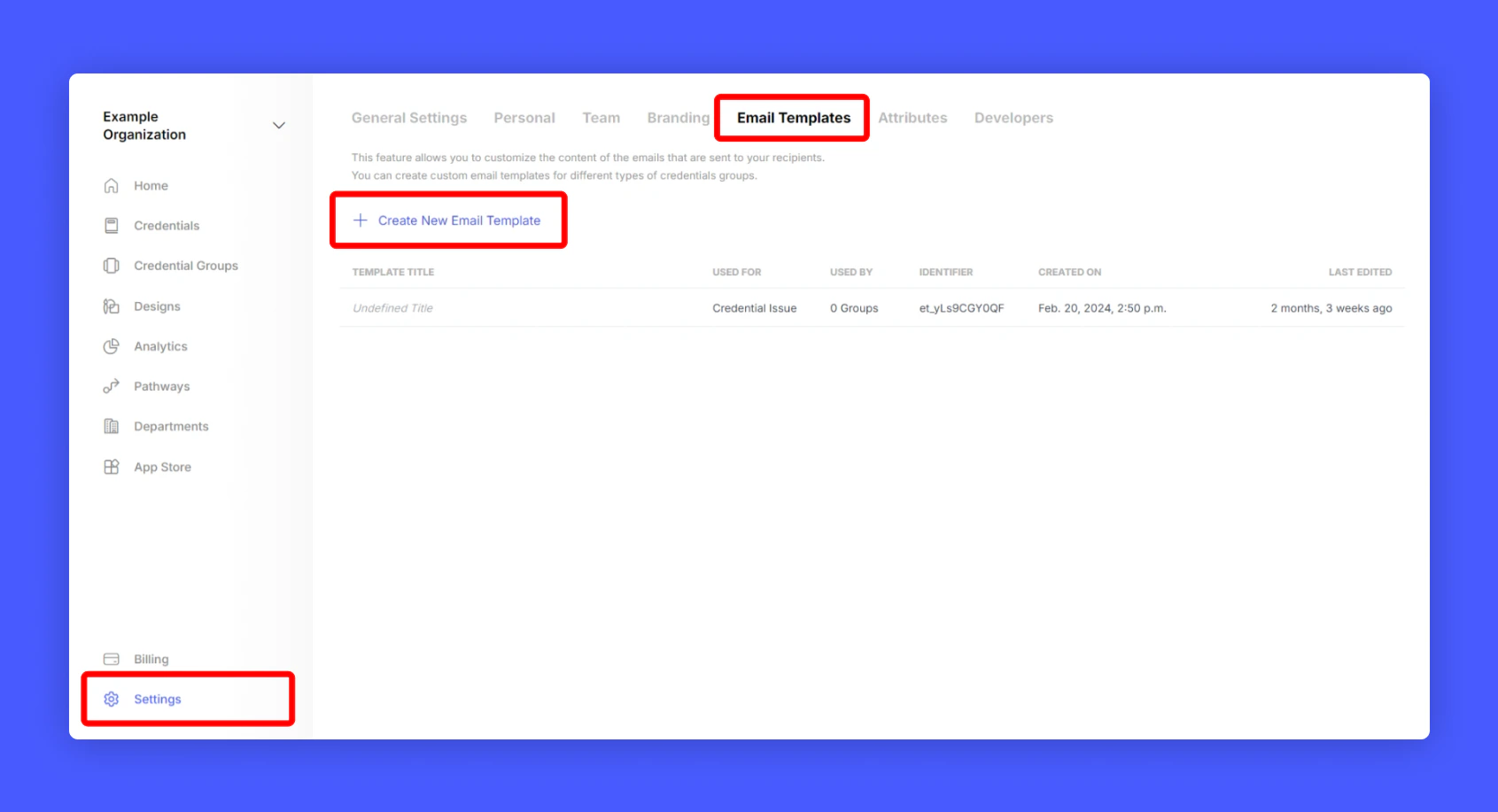
Click Settings > Email Templates from your issuer home screen and select Create Email Template
2
Edit the Email Template
A popup will appear to customization your Email templatea. Email Subjectb. Email Bodyc. Dynamic Tags that can be used inside subject and body.d.A name for this template for identification.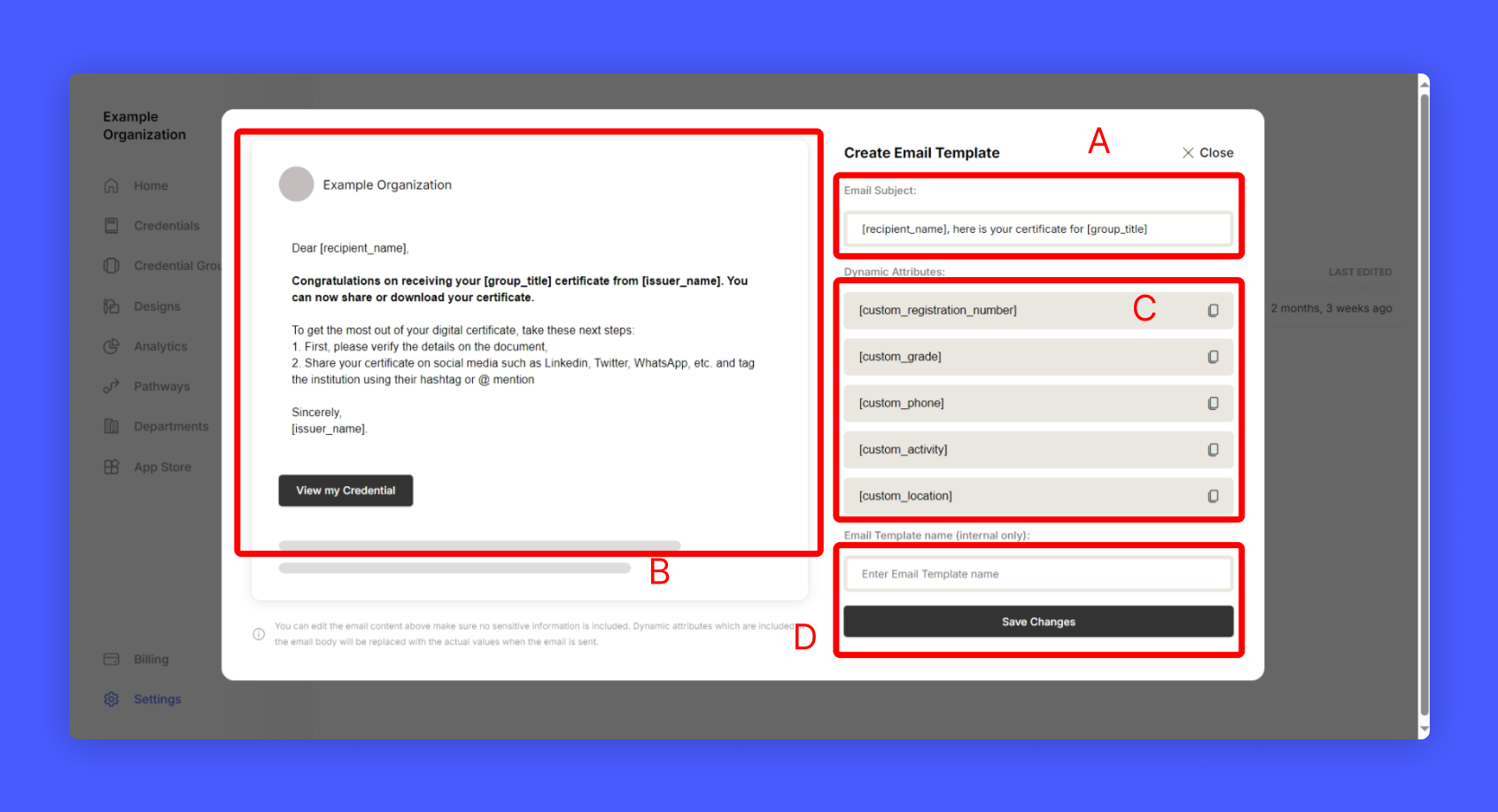
3
After Editing, save the template
4
Assign the newly created email template to your credential group