> ## Documentation Index
> Fetch the complete documentation index at: https://thehyperstack.com/docs/llms.txt
> Use this file to discover all available pages before exploring further.
# Verification Page Walkthrough
> The verification page helps the verification organizations/parties to verify credentials issued on the hyperstack credential cloud platform.
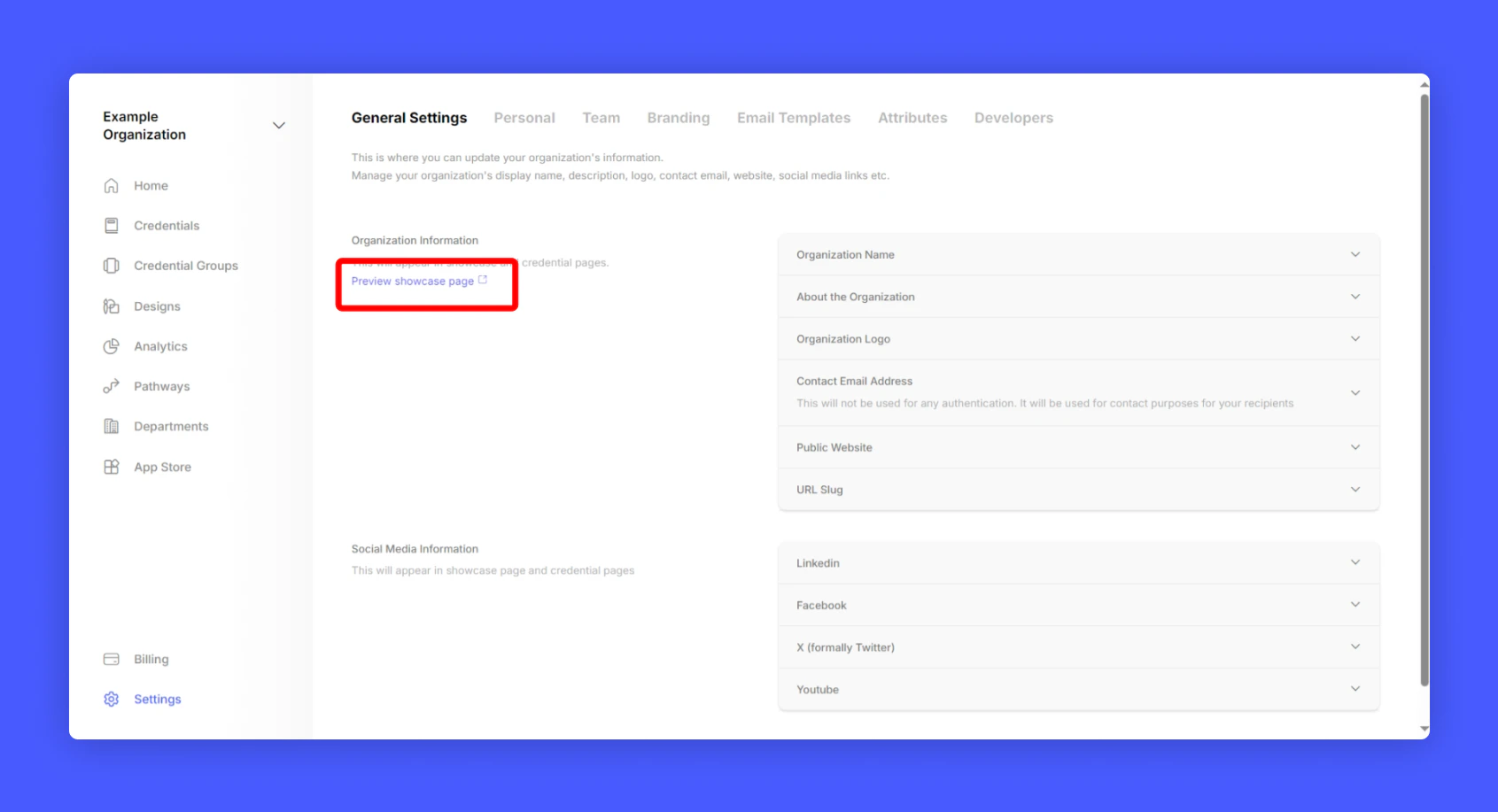
To open your public verification page: On General Settings, Click as mentioned below
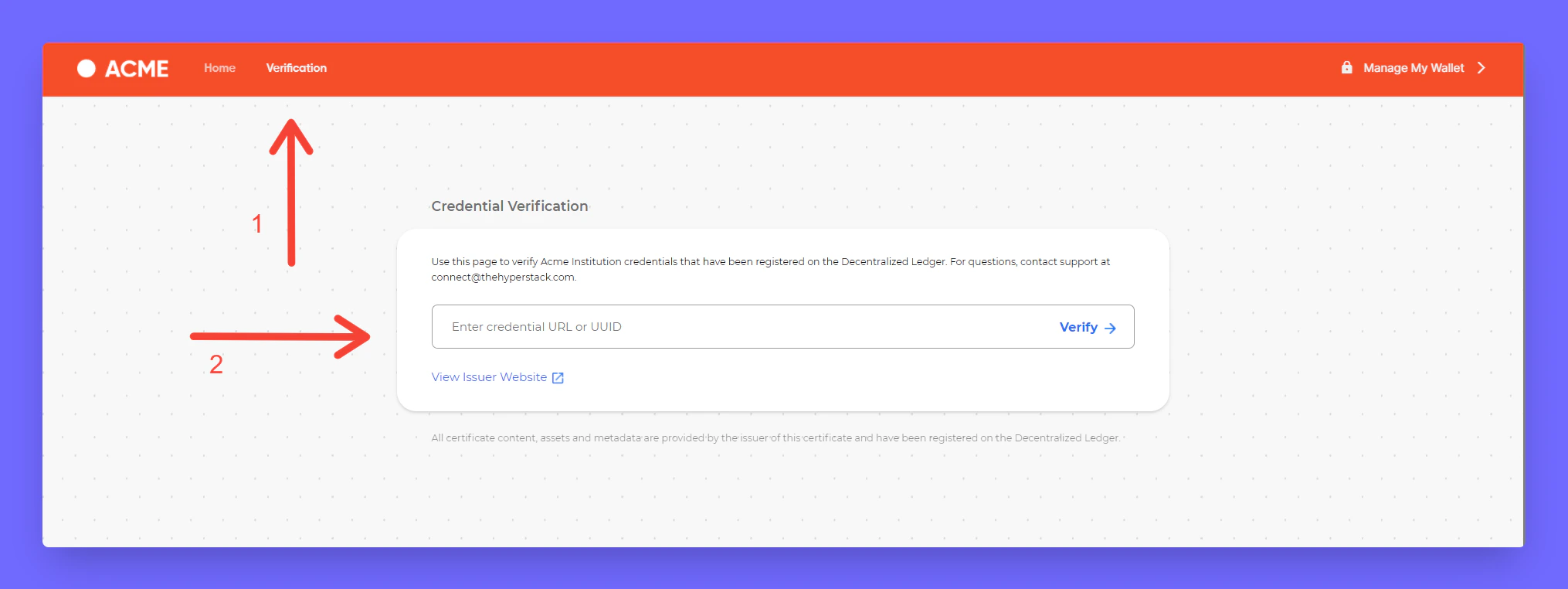
 You'll be redirected to your issuer showcase page, Select Verification in navigation bar.
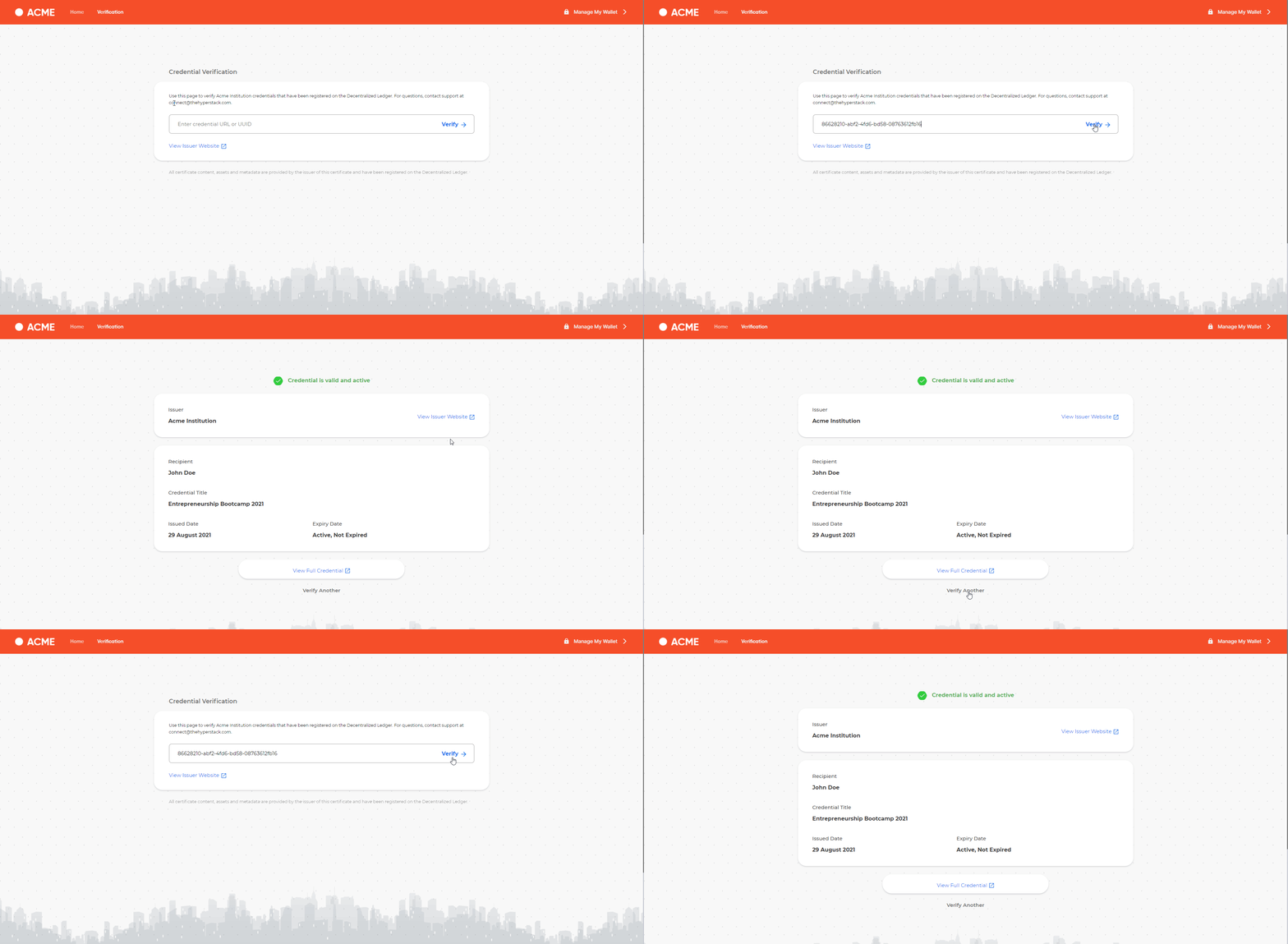
 To verify a credential, enter the ID or URL of the credential to verify.
 To brand your showcase page with your company logo and colors, click the link below.