> ## Documentation Index
> Fetch the complete documentation index at: https://thehyperstack.com/docs/llms.txt
> Use this file to discover all available pages before exploring further.

# Suspending Credentials

# How to Suspend a Credential?

### To suspend a credential
<Steps>
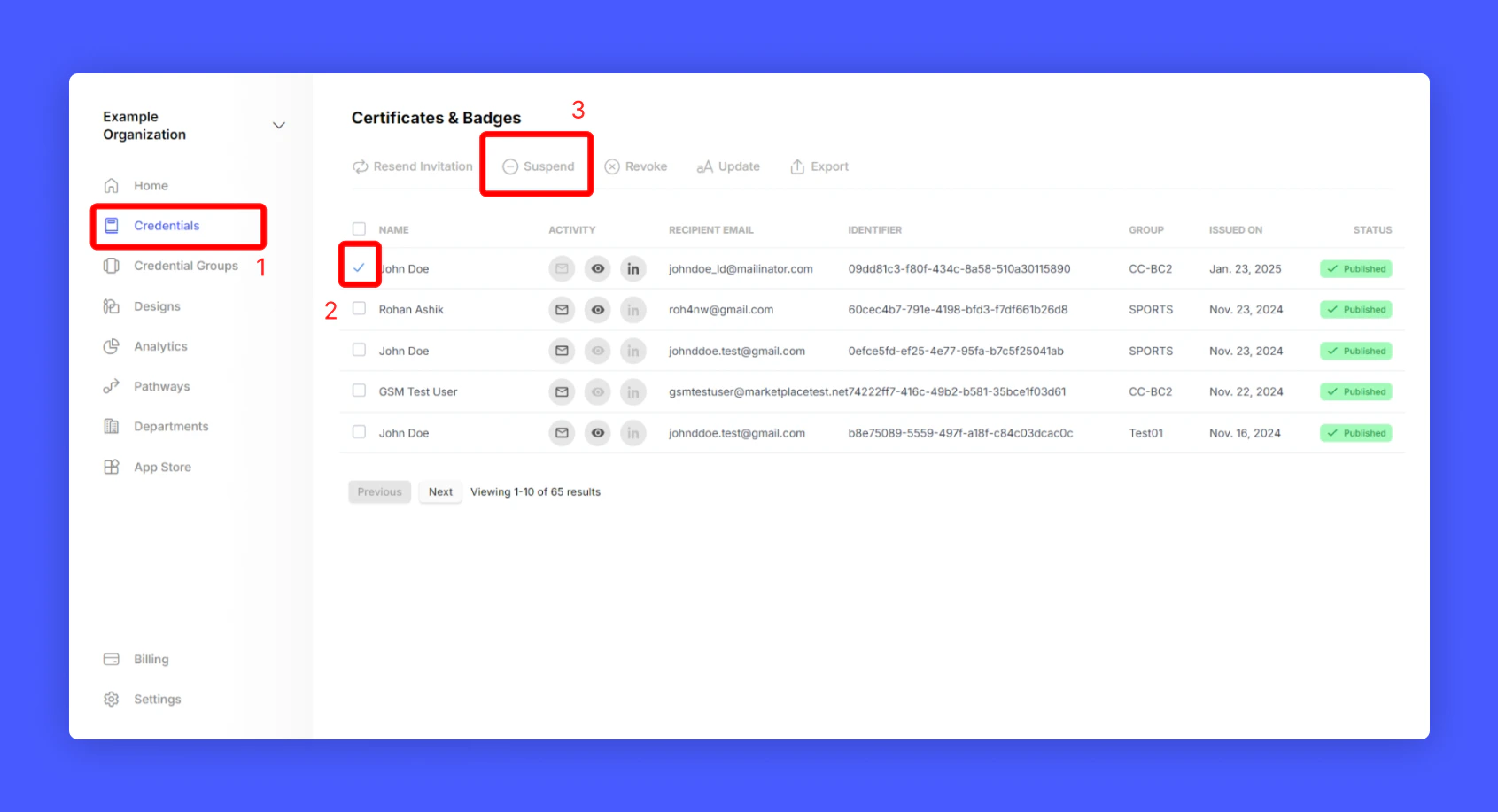
  <Step title="Navigate to your credential listing (Home > Credentials)" />

  <Step title="Select a credential that you want to Suspend" />

  <Step title="Click Suspend from top menu to suspend the credential">
    <Frame>
      <img src="https://mintcdn.com/hyperstack/IJj3eNeM7esUzmVV/images/credential-suspension-1.png?fit=max&auto=format&n=IJj3eNeM7esUzmVV&q=85&s=b3b4488525d3657aadd44e962afadda7" alt="Screenshot of a deployment confirmation message that says All checks have passed." style={{ borderRadius: "0.5rem" }} width="1691" height="917" data-path="images/credential-suspension-1.png" />
    </Frame>
  </Step>
</Steps>

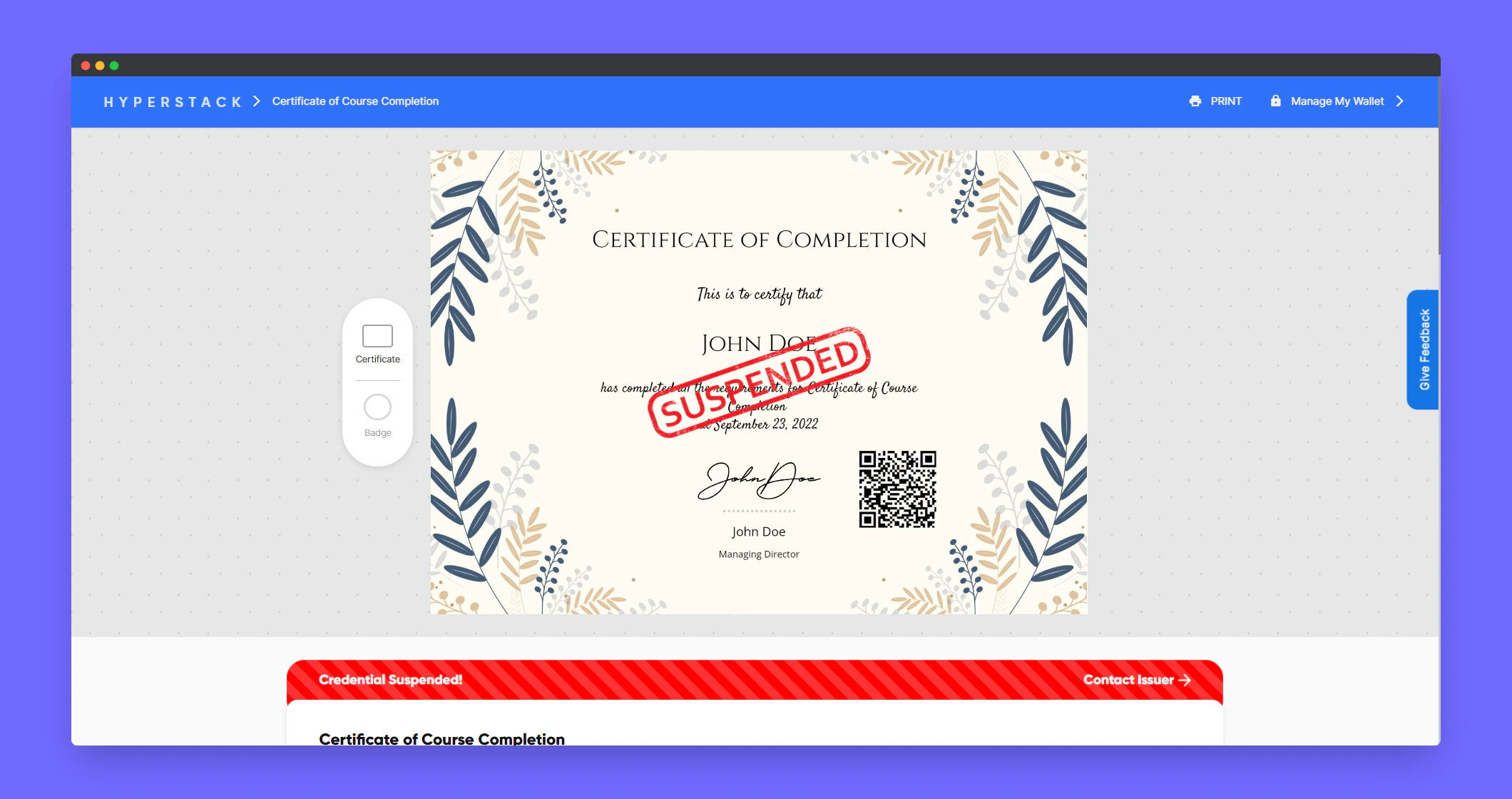
Sample preview of the Suspended credential
<Frame>
  <img src="https://mintcdn.com/hyperstack/IJj3eNeM7esUzmVV/images/credential-suspension-2.png?fit=max&auto=format&n=IJj3eNeM7esUzmVV&q=85&s=cc788985589b284cc64bb9c3622ab06c" alt="Screenshot of a deployment confirmation message that says All checks have passed." style={{ borderRadius: "0.5rem" }} width="2120" height="1120" data-path="images/credential-suspension-2.png" />
</Frame>

Sample preview of the Suspended credential in verification page
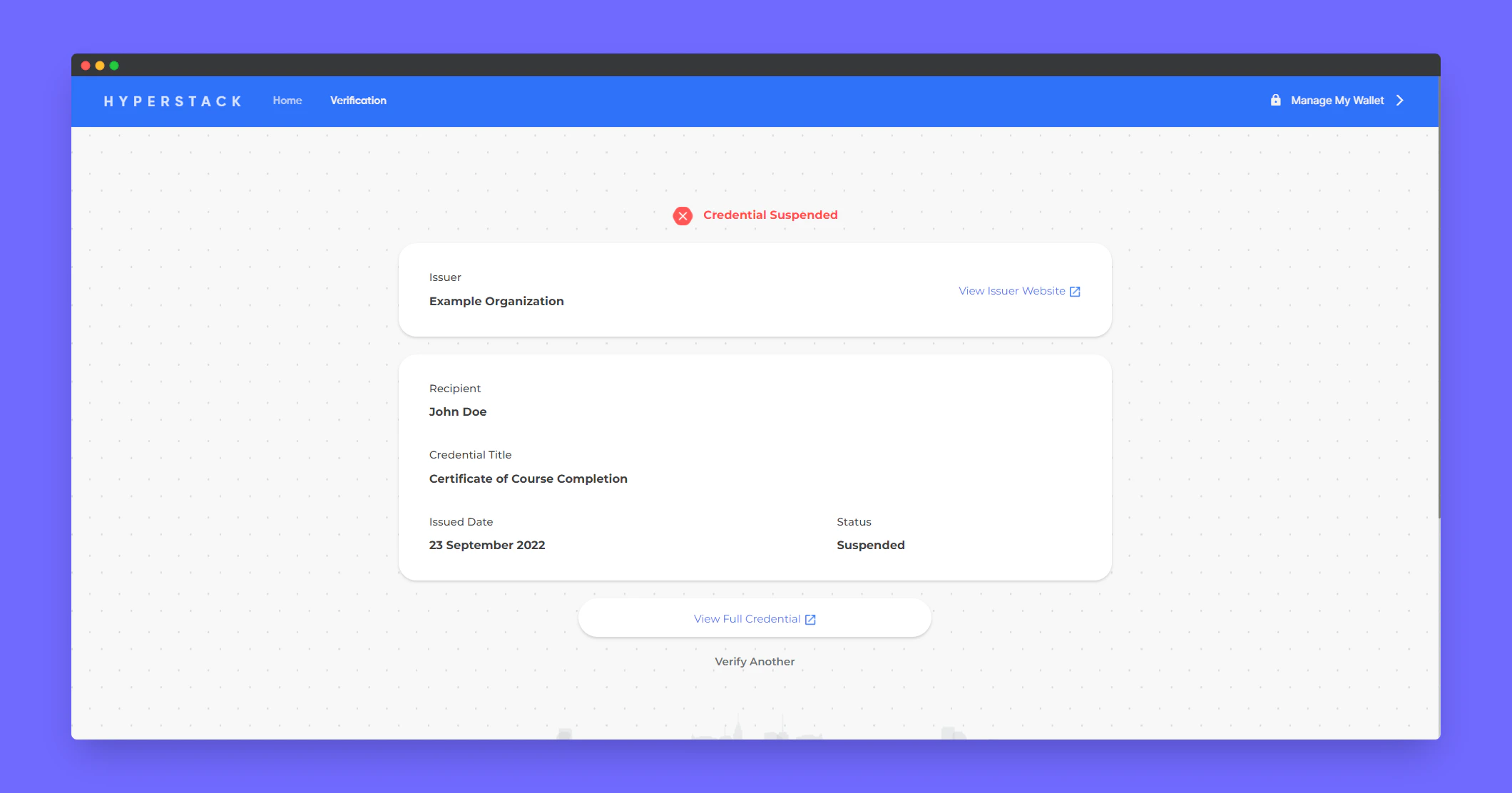
<Frame>
  <img src="https://mintcdn.com/hyperstack/IJj3eNeM7esUzmVV/images/credential-suspension-4.png?fit=max&auto=format&n=IJj3eNeM7esUzmVV&q=85&s=9cb0366976d627b5b96570a5be421457" alt="Screenshot of a deployment confirmation message that says All checks have passed." style={{ borderRadius: "0.5rem" }} width="2120" height="1112" data-path="images/credential-suspension-4.png" />
</Frame>

## To unsuspend a credential

<Steps>
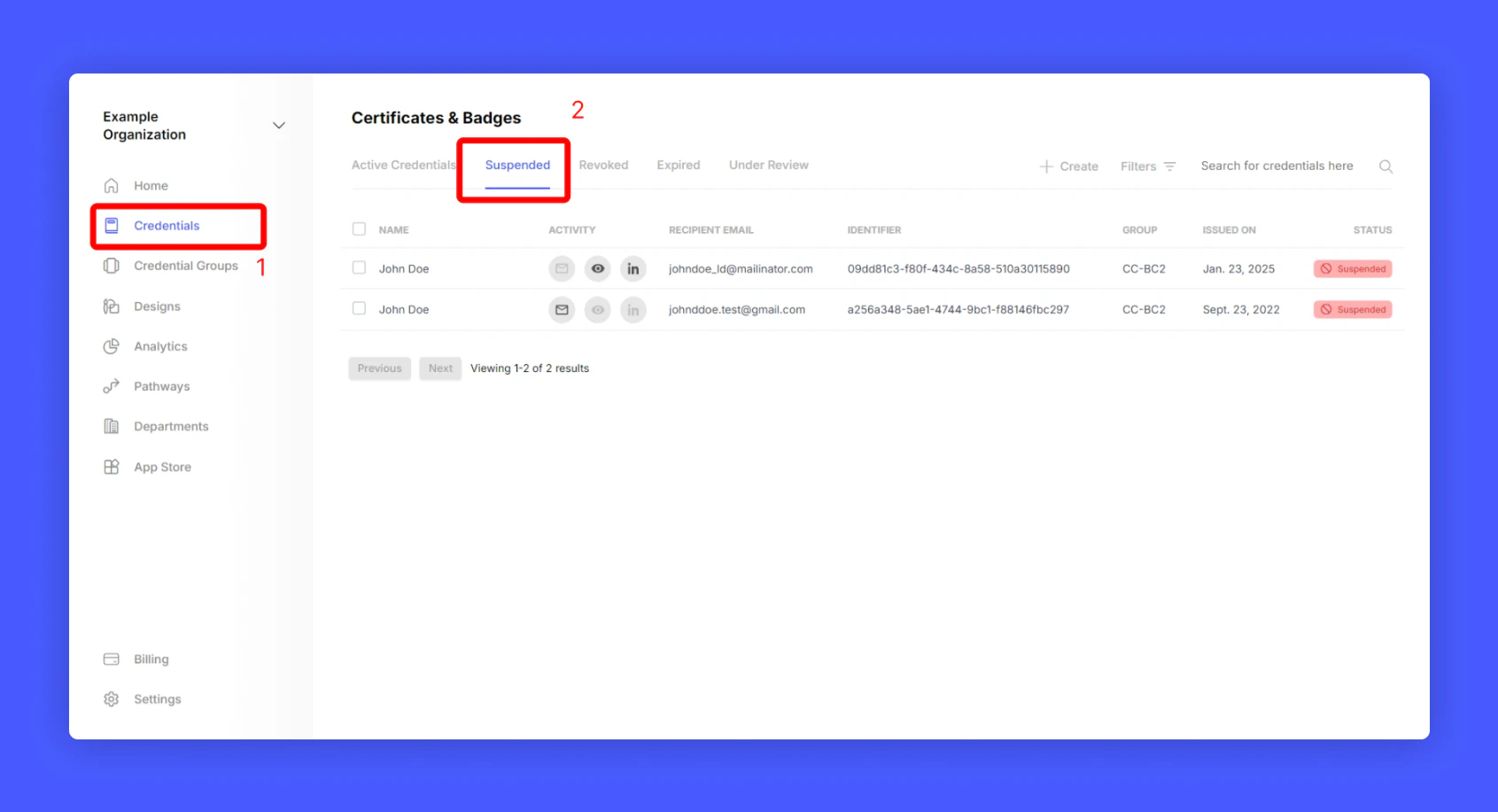
  <Step title="Go to Hyperstack Home > Credentials > Suspended">
    <Frame>
      <img src="https://mintcdn.com/hyperstack/IJj3eNeM7esUzmVV/images/credential-suspension-3.png?fit=max&auto=format&n=IJj3eNeM7esUzmVV&q=85&s=2eeab964c4c6148543a631f4ca0b7054" alt="Screenshot of a deployment confirmation message that says All checks have passed." style={{ borderRadius: "0.5rem" }} width="1691" height="917" data-path="images/credential-suspension-3.png" />
    </Frame>
  </Step>

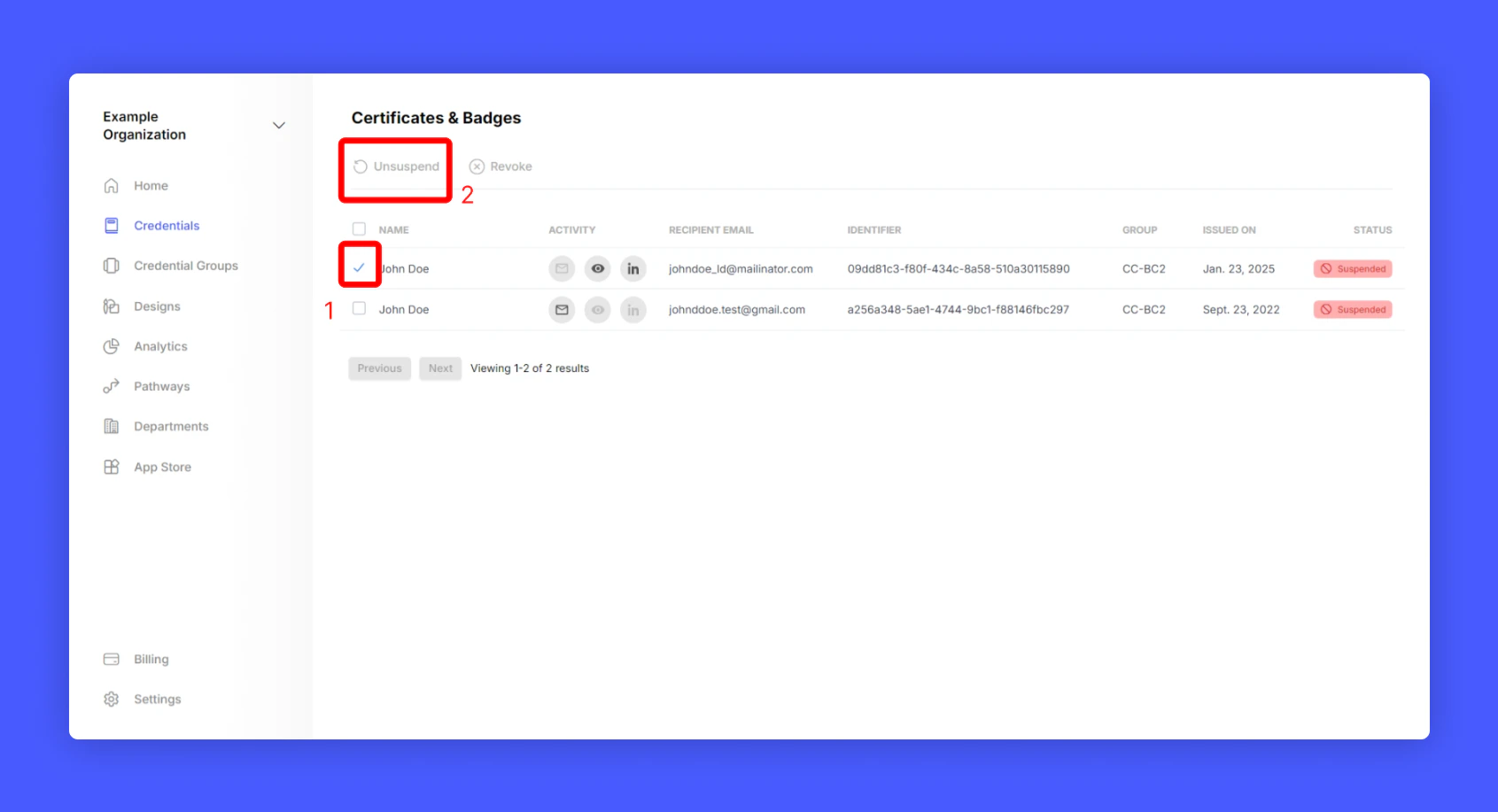
  <Step title="Select the credential you want to unsuspend" />

  <Step title="Click Unsuspend">
    <Frame>
      <img src="https://mintcdn.com/hyperstack/IJj3eNeM7esUzmVV/images/credential-suspension-5.png?fit=max&auto=format&n=IJj3eNeM7esUzmVV&q=85&s=297d04ec0bad32f707afa4448e9f56c4" alt="Screenshot of a deployment confirmation message that says All checks have passed." style={{ borderRadius: "0.5rem" }} width="1691" height="917" data-path="images/credential-suspension-5.png" />
    </Frame>
  </Step>
</Steps>

Now you have learnt to suspend and unsuspend a credential 🎉🎉🎉!