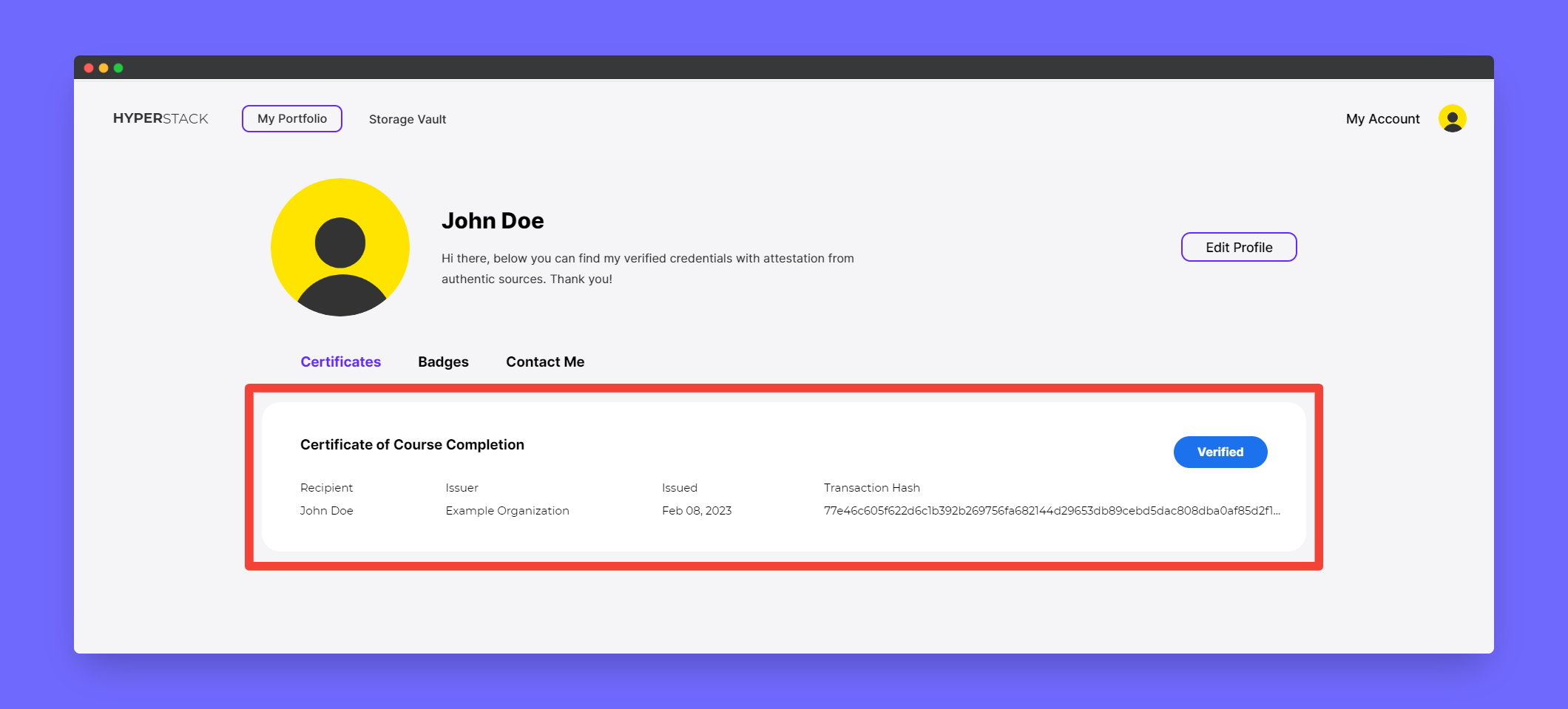
Issuing certificates and badges without email address
You can issue certificates and badges without a recipient’s email address, and they can claim their credential using the provided claimable URLHow to issue email-less credential?
1
Go to Create Credential page
2
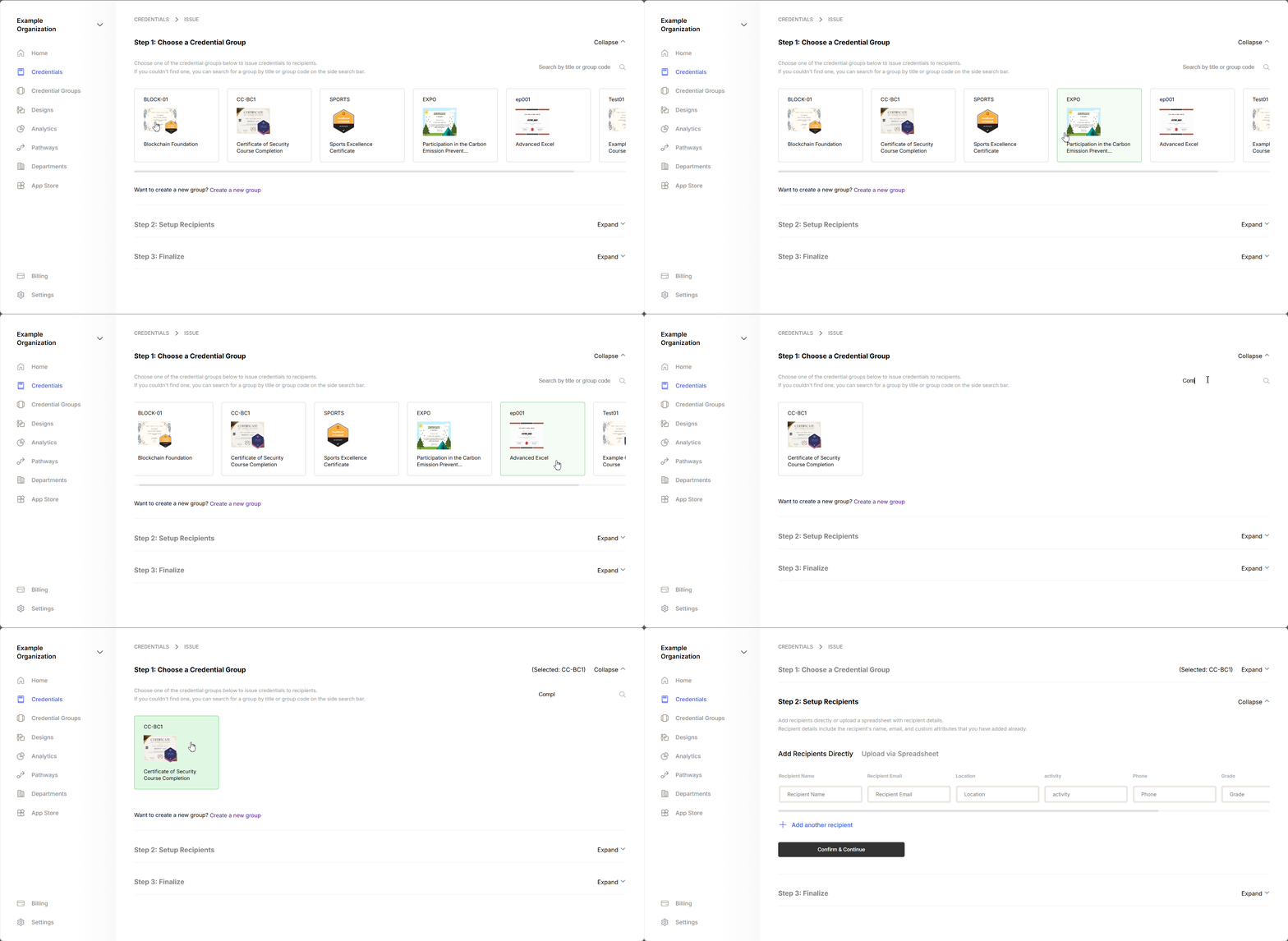
Select the Credential Group as usual
3
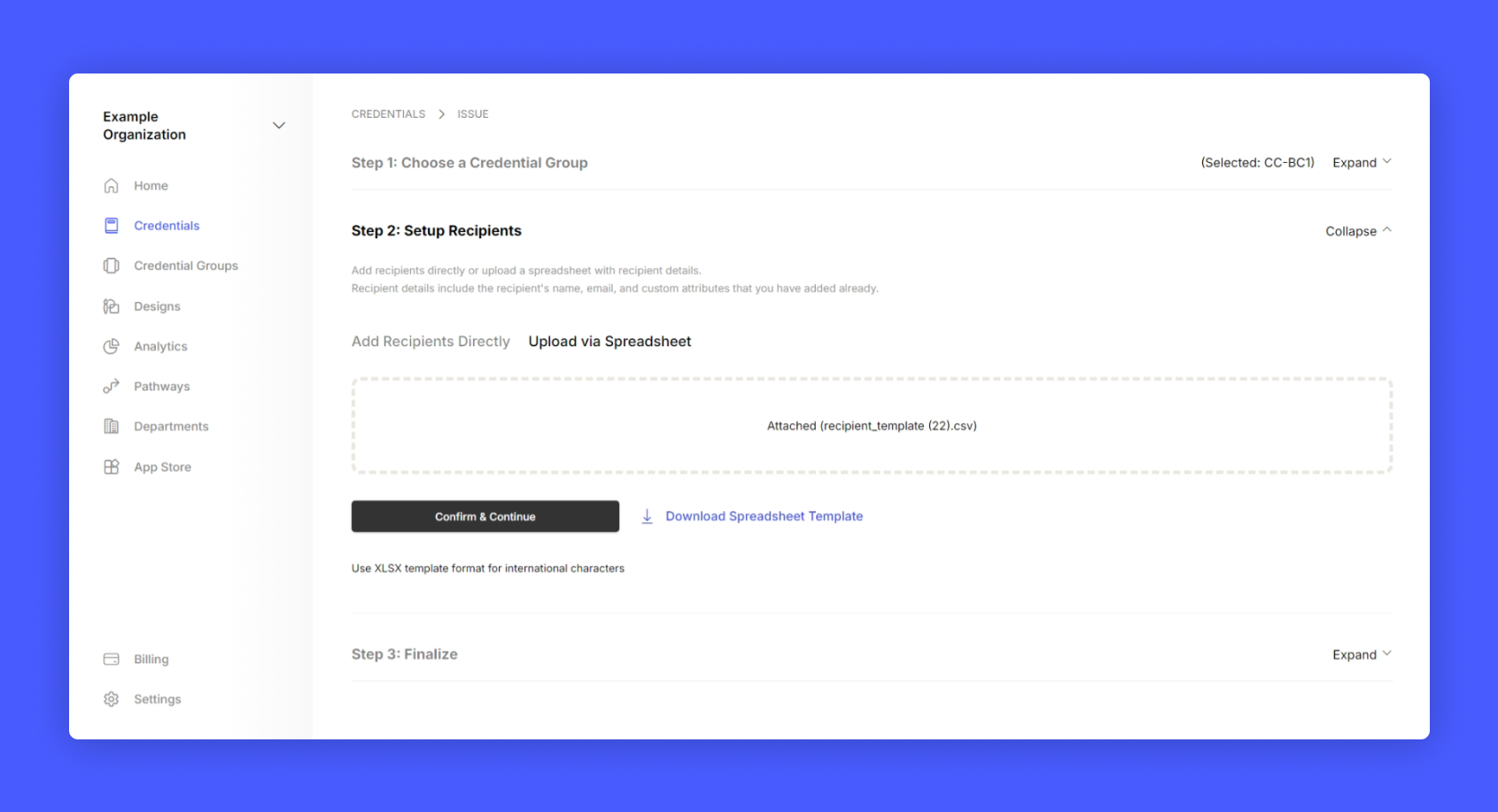
Download the template
4
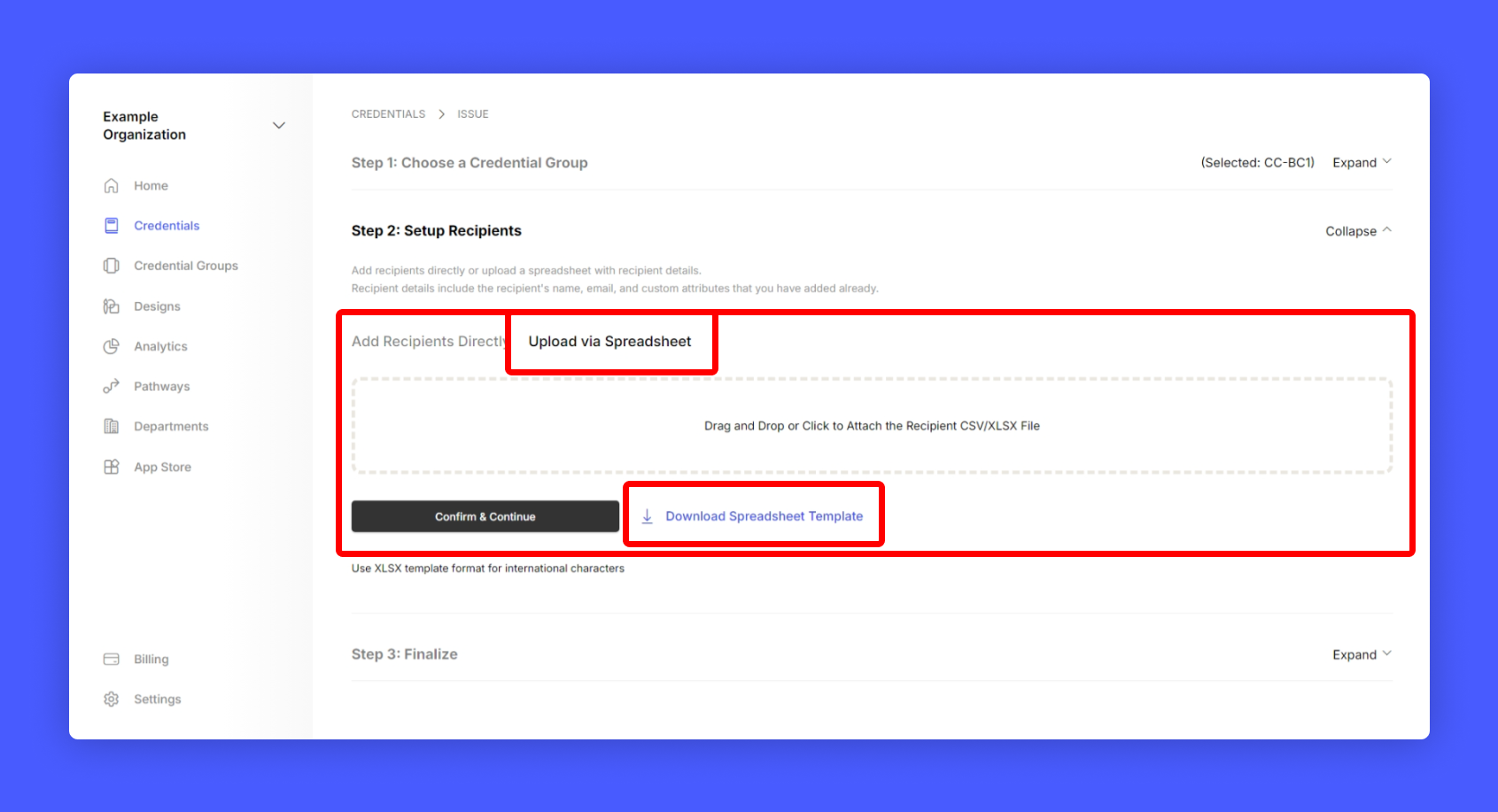
Open the downloaded template and fill every column except the receiver mail
5
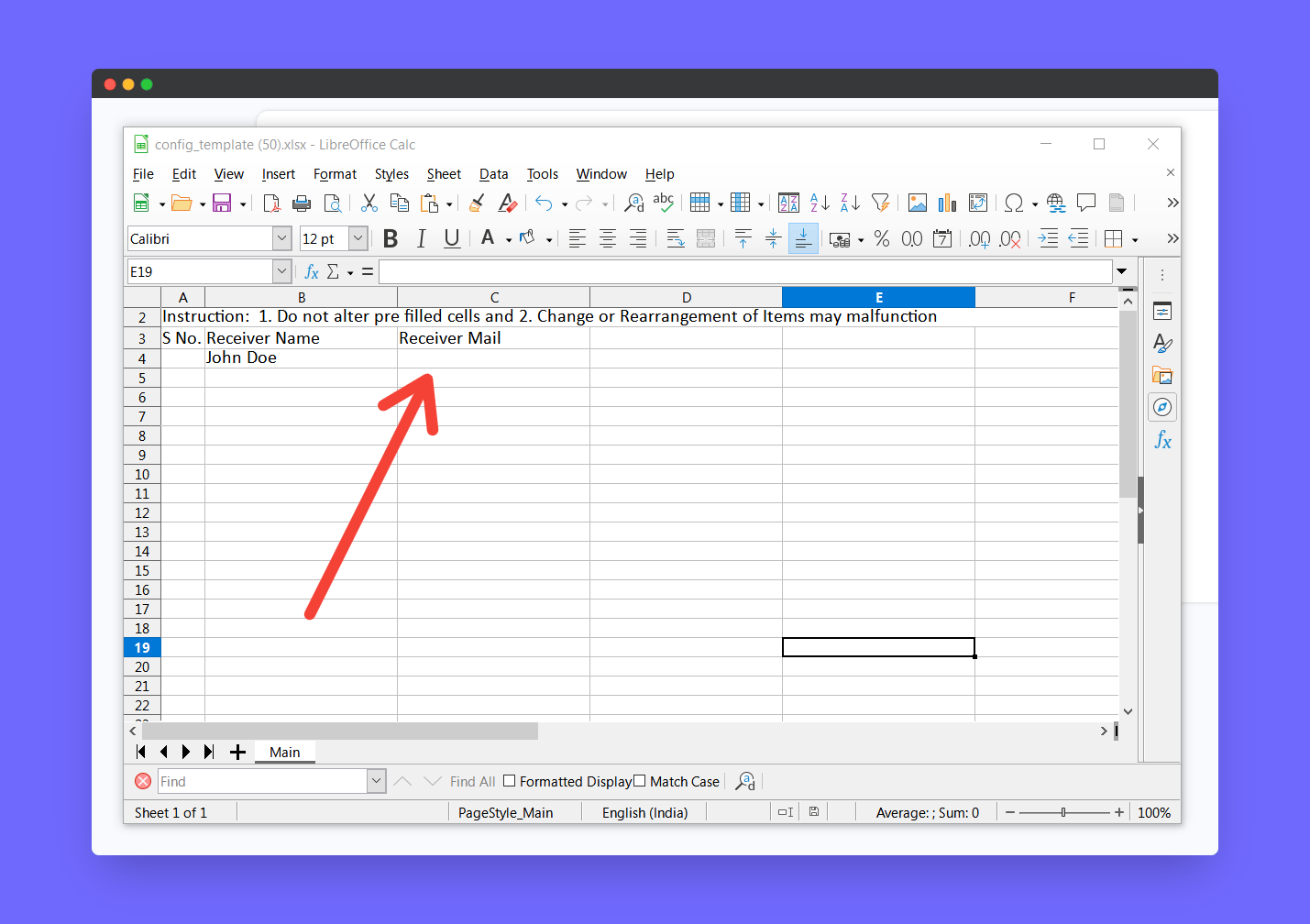
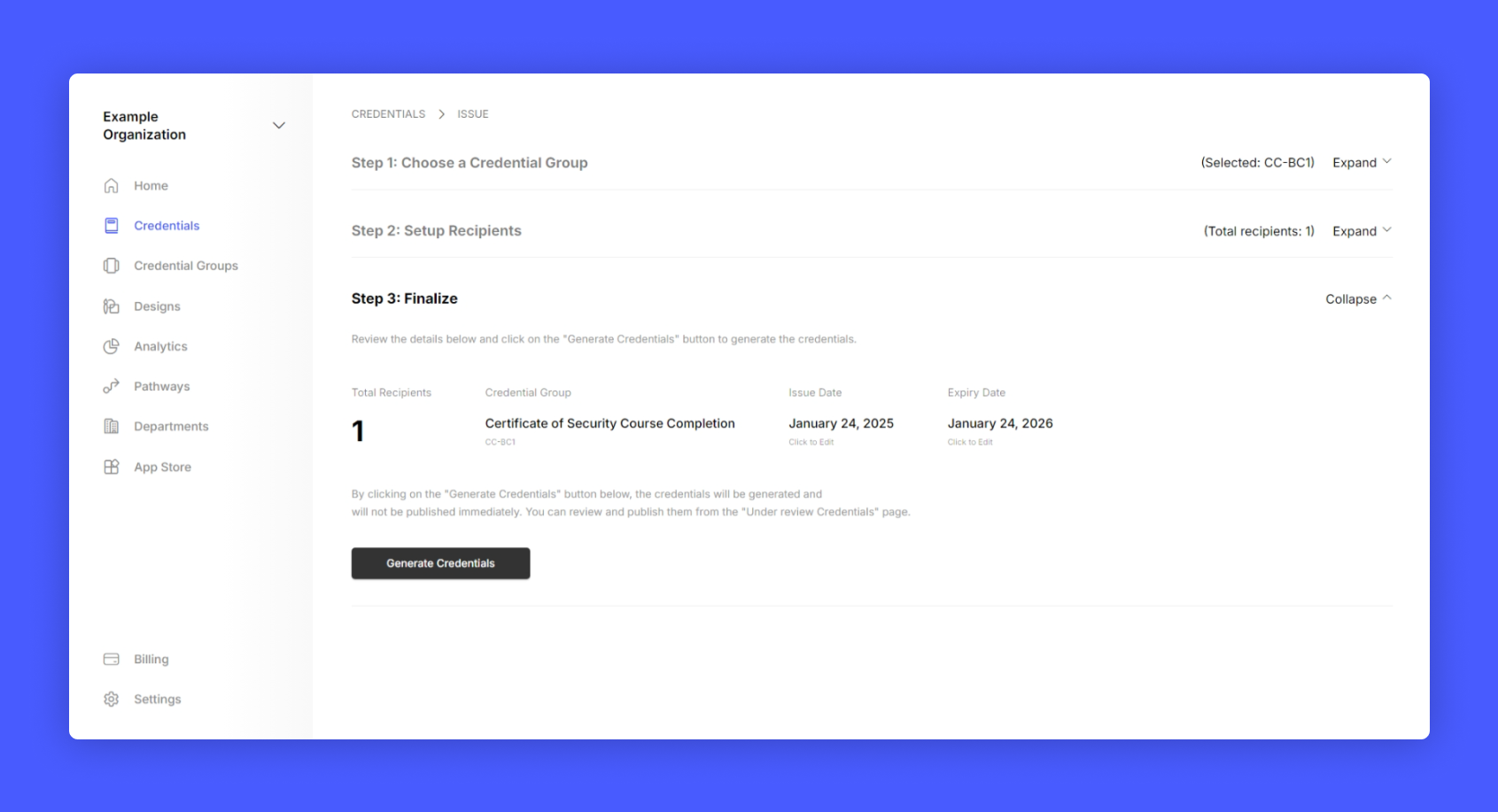
Upload the spreadsheet, continue to next step and click generate credential
6
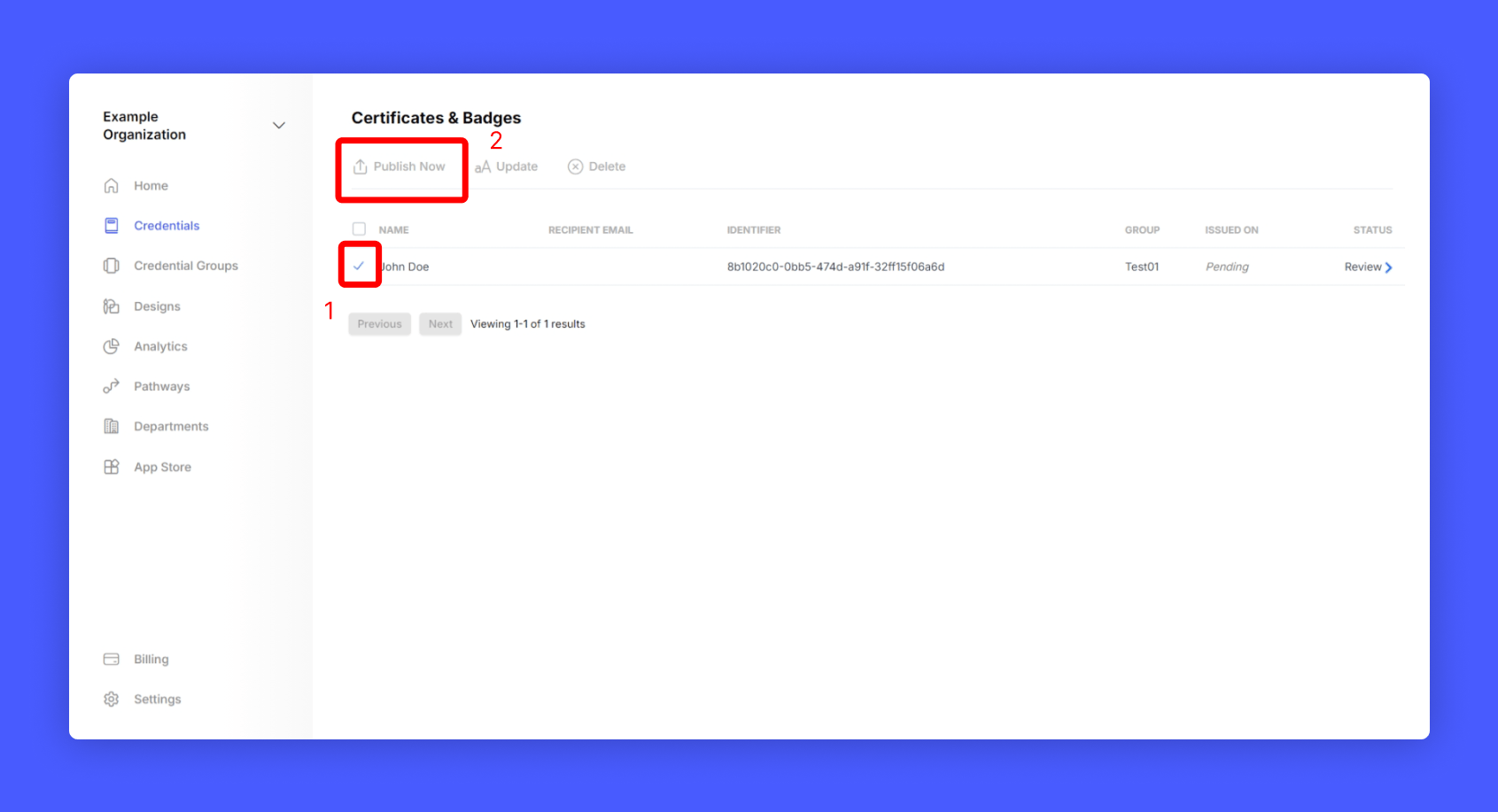
Review the credential and publish it
Retrieve claimable URL for the credential
1
Go to Credentials from home page
2
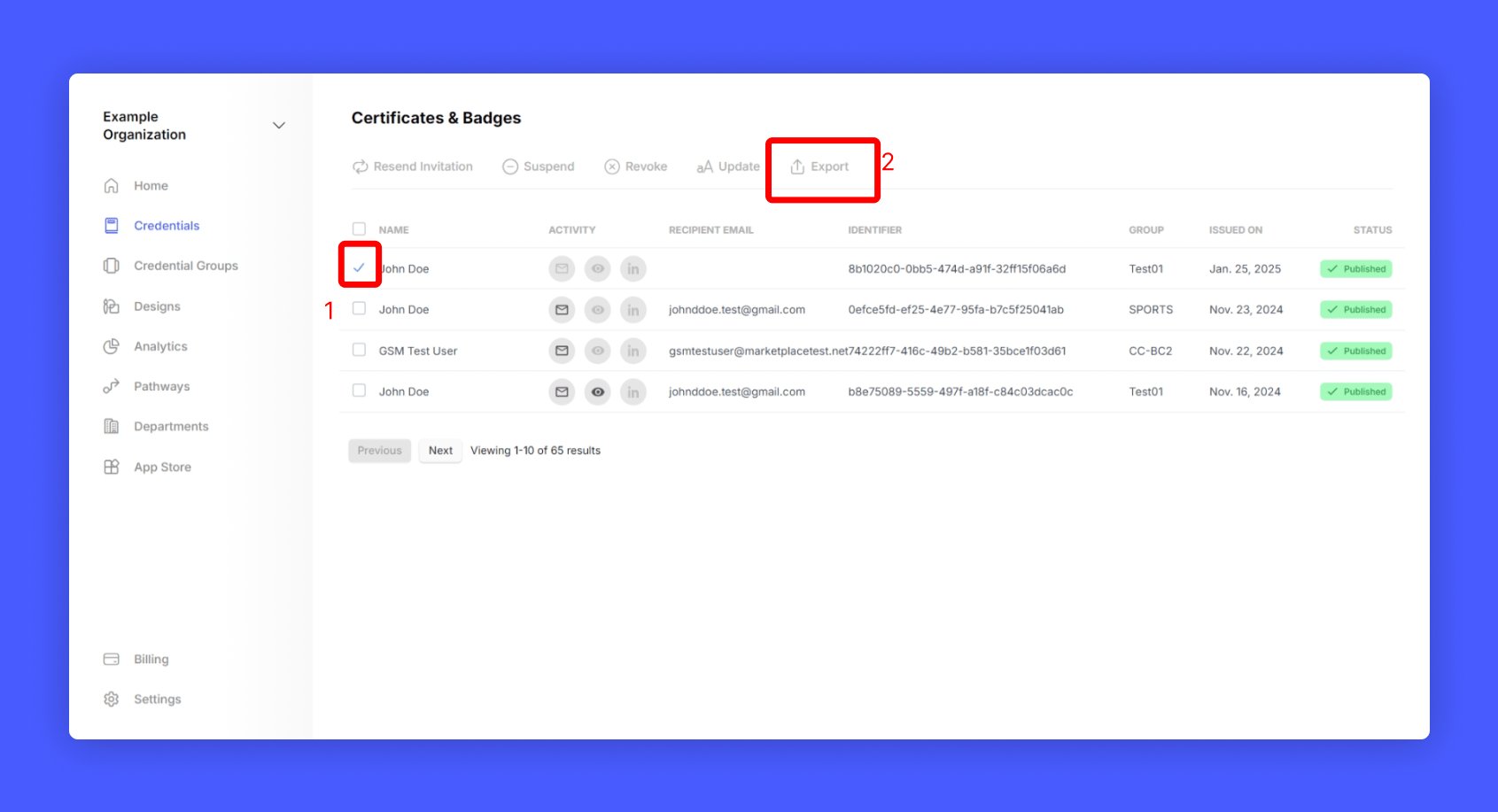
Select the Credential you want to retrieve the claimable url
3
Click Export credential data
4
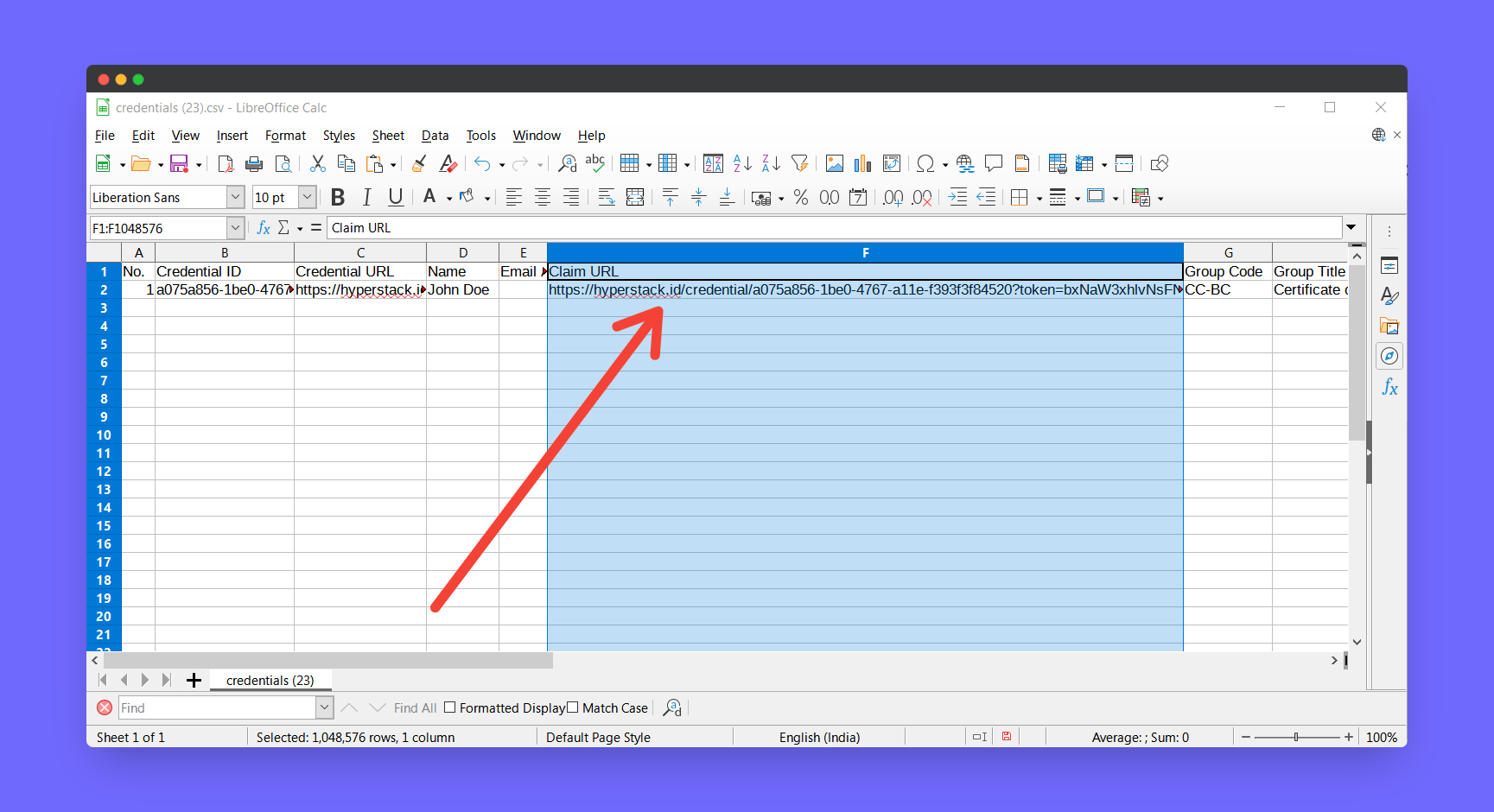
Open the downloaded spreadsheet
5
There you can find the claimable url for your credential
6
You can pass this claimable url to your participant to claim from their end
How to claim this credential as a receiver?
1
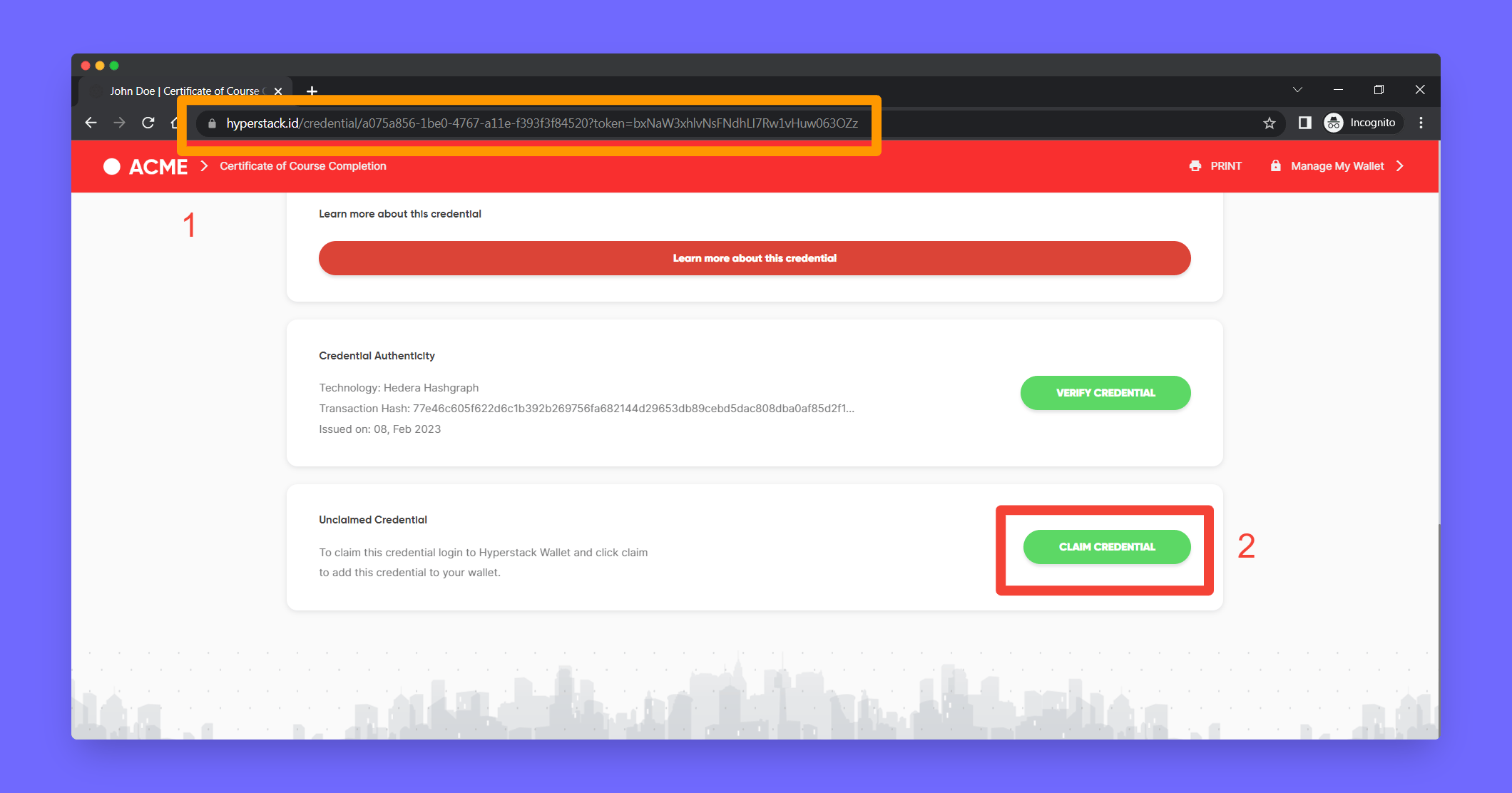
Receiver should open their claimable url in their browser
2
Scroll to bottom and click Claim Credential
3
Now the user can see the credential in their own wallet