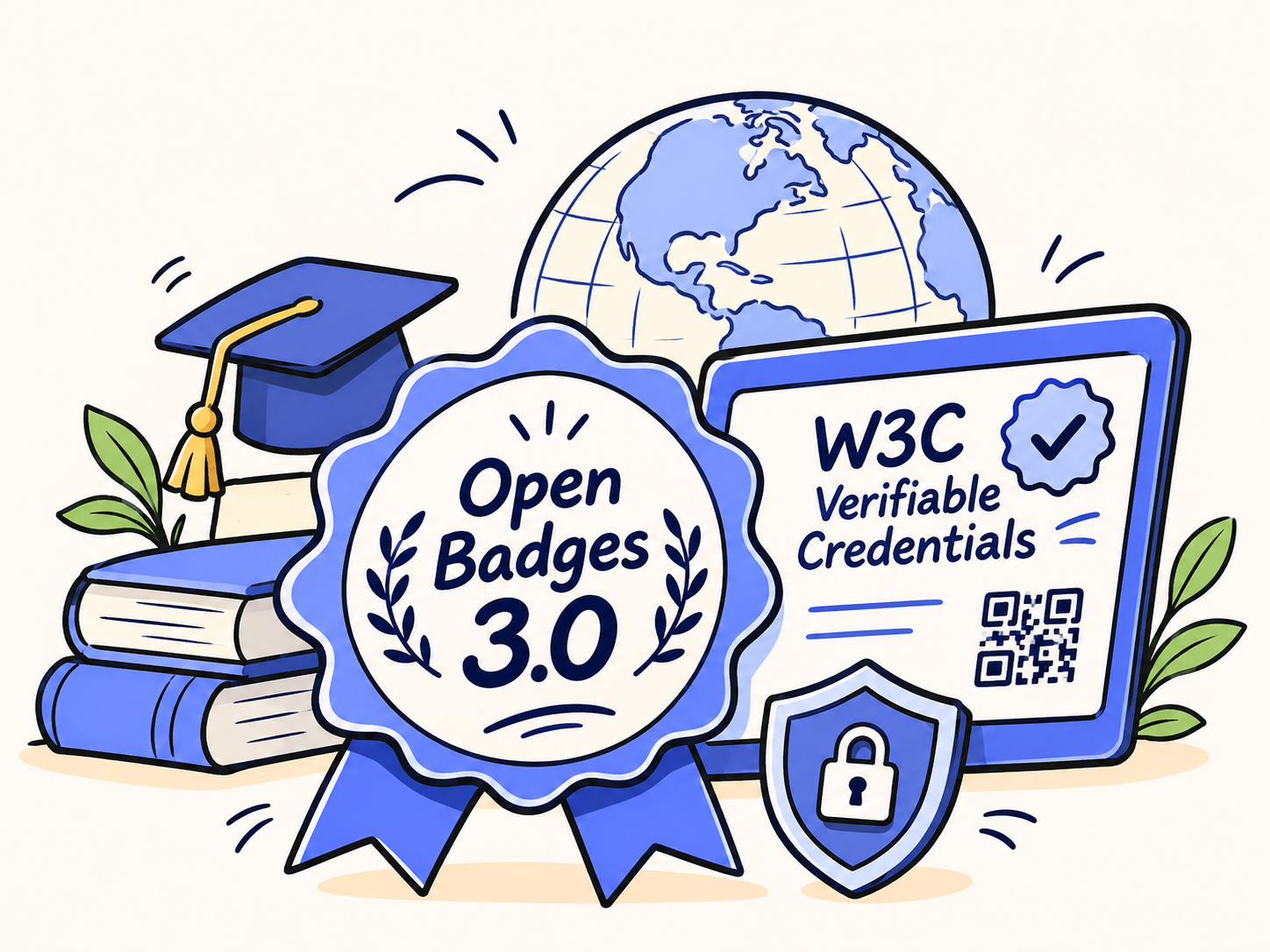
Open Badges 2.0 is the version most platforms have issued since the standard's early days, and it's still a fully valid, widely supported format. 1EdTech, formerly IMS Global, which inherited Open Badges from its originator, the Mozilla Foundation, has since published Open Badges 3.0, adding cryptographic signing on top of that same core badge model. Here's what changed, how it connects to the W3C Verifiable Credentials standard, and how we prove our own 3.0 support, which we issue by default rather than just claiming it. We'll start with where the standard came from.
A Quick Recap of Open Badges 2.0
In short: a badge is three linked JSON documents, an Issuer, a BadgeClass, and an Assertion, and the badge carries enough information inside it to verify itself, either against a public URL or against the issuer's public key. That's what let a badge move between platforms without losing its proof. Version 3.0 keeps that same core idea and changes how the proof itself gets built. If you're still weighing badges against a traditional certificate for your program, we've covered that decision separately.
What Actually Changes in 3.0
Three things actually change in Open Badges 3.0:
- Digital signing. Every 3.0 credential is signed by the issuer as a Verifiable Credential, compatible with the W3C's Verifiable Credentials Data Model 2.0, a broader standard for how any digital credential, not only badges, carries cryptographic proof of who issued it. It's also the data model behind most digital identity wallets, including the kind governments and the EU's wallet infrastructure are building toward.
- Endorsements. A professional body, an employer, or another institution can now attach a dated, authenticated statement to someone else's achievement credential, signed with the same cryptographic methods as the credential itself, instead of a standalone testimonial nobody can check.
- A folded-in API. Open Badges 2.1 split its API into a separate specification, Badge Connect. 3.0 folds that API directly into the main spec, and 1EdTech publishes a 3.0 Wallet Reference Implementation and certification suite alongside it.
None of this matters much in the abstract, though, until you ask what it means for a badge you issue or receive today.
Why We Default to Open Badges 3.0
We default every credential to Open Badges 3.0 because the extra signature costs nothing and buys real protection: a 3.0 credential can't be altered without breaking its proof, a meaningfully stronger guarantee than a 2.0 assertion or a PDF ever offered. If a specific wallet, registry, or workflow you work with still expects the 2.0 format, you can choose that instead at the time of issuance. Either way, the credential is fully yours to verify, independent of us, through our free validator tool. That's the backdrop against which we built our own approach.
How We Issue Open Badges 3.0
We issue Open Badges 3.0 by default on every plan, built directly as W3C Verifiable Credentials: OpenBadgeCredential and AchievementCredential types, with embedded proof or VC-JWT signing. If a use case calls for it, you can choose Open Badges 2.0 instead at the time of issuance, no separate charge either way. Our free, public Open Badges validator distinguishes a 2.0 assertion from a 3.0 verifiable credential automatically and checks each against its own specification, so a recipient or an employer can confirm which version they're looking at rather than taking a badge's word for it. That transparency is also the standard we think any vendor claiming 3.0 support should be held to.
What To Ask a Vendor Who Claims 3.0 Support
Treat "Open Badges 3.0 compliant" the way you'd treat any unverified spec sheet: ask for the receipt. Ask whether the claim covers issuing, verifying, or both, "compatible with the data model" and "issues signed 3.0 credentials by default" are not the same claim, and a vendor who blurs the two is usually hoping you won't ask which one they mean. Then ask to see it work: run an actual credential through a validator that can tell a 2.0 assertion from a 3.0 verifiable credential, rather than taking a homepage badge at face value, the same scrutiny issuers use to catch fake certificates before they reach an employer's inbox.
Our own answer to that test: Open Badges 3.0, built directly as W3C Verifiable Credentials, by default on every plan, with the option to issue Open Badges 2.0 instead at the time of issuance. Hyperstack’s free, public validator tool settles it either way: it tells a 2.0 assertion from a 3.0 verifiable credential on sight and checks each against its own specification, so you're looking at a checkable fact, not a marketing line. Here's what that check looks like in practice.
A 10-Minute Way to Check Any Vendor's Claim
Take any credential the vendor has actually issued, not a sample on a marketing page, and run it through a 2.0/3.0-aware validator like ours. A genuine 3.0 verifiable credential will validate its signature and show you the credential type (OpenBadgeCredential or AchievementCredential) and the proof method used. A 2.0 assertion will validate too, just against the older specification, and the tool will tell you which one you're looking at. If a vendor can't produce a real credential for you to check, or what you run through the validator doesn't match what their marketing page claims, that's your answer.
If it does match, you've confirmed the claim yourself in less time than it took to read their pricing page.
A specific, checkable version of a vendor's claim, a credential you can actually run through a validator; a documented credential type and proof method is worth more than the word "compliant" on a features page, however confidently it's written.
Before you commit to any platform, ask for a real credential to test, run it through a validator yourself, and confirm which version, and which guarantees you're actually getting. That five-minute check is the difference between trusting a badge and verifying one.
Frequently asked questions
The Mozilla Foundation started the Open Badges standard. 1EdTech, formerly IMS Global, maintains it now, including the current Open Badges 3.0 specification.
Not exactly the same thing, but compatible: an Open Badges 3.0 credential is digitally signed as a Verifiable Credential, in a format compatible with the W3C's Verifiable Credentials Data Model 2.0, which is a broader standard used well beyond badges.
Yes, by default, on every plan. Open Badges 3.0 credentials, built as W3C Verifiable Credentials, are what we issue unless you choose Open Badges 2.0 instead at the time of issuance.
You don't need to. A platform that issues Open Badges 3.0 by default, with 2.0 available when you need it, gives you the stronger cryptographic guarantees of 3.0 today and a fallback for any system that still expects the older format.
Not on its own. A badge or claim on a homepage isn't verification. Ask the vendor for an actual credential they've issued and run it through a 2.0/3.0-aware validator yourself, that will show you whether it's genuinely signed as a W3C Verifiable Credential, which type, and which proof method. That's a checkable fact; a badge on a page is just a claim.