With Thinkific integration you can easily issue certificates/badges to your students in hassle free way. You don’t need to worry about collecting participant’s details manually. With this integration you can automatically issue certificates to your participants when they complete the course.
What is thinkific?
Thinkific is an online course platform that allows you to create, market, and sell online courses under your own brand. It is a powerful, all-in-one platform that makes it easy to share your knowledge, grow your audience, and scale the business you already love.
What is Hyperstack?
Hyperstack is a platform that allows you to issue certificates/badges to your participants in a hassle-free way. You don’t need to worry about collecting participant’s details manually. With this integration, you can automatically issue certificates to your participants when they complete the course.
How does this integration work?
This integration allows you to issue certificates to your students when they complete the course. You can easily integrate Thinkific into Hyperstack and issue certificates to your students in a hassle-free way.
How will Hyperstack Affect my Thinkific Site?
Hyperstack will not affect your Thinkific site in any way. It will only allow you to issue certificates to your students when they complete the course.
How to Install:
To integrate Thinkific into Hyperstack, follow the below steps
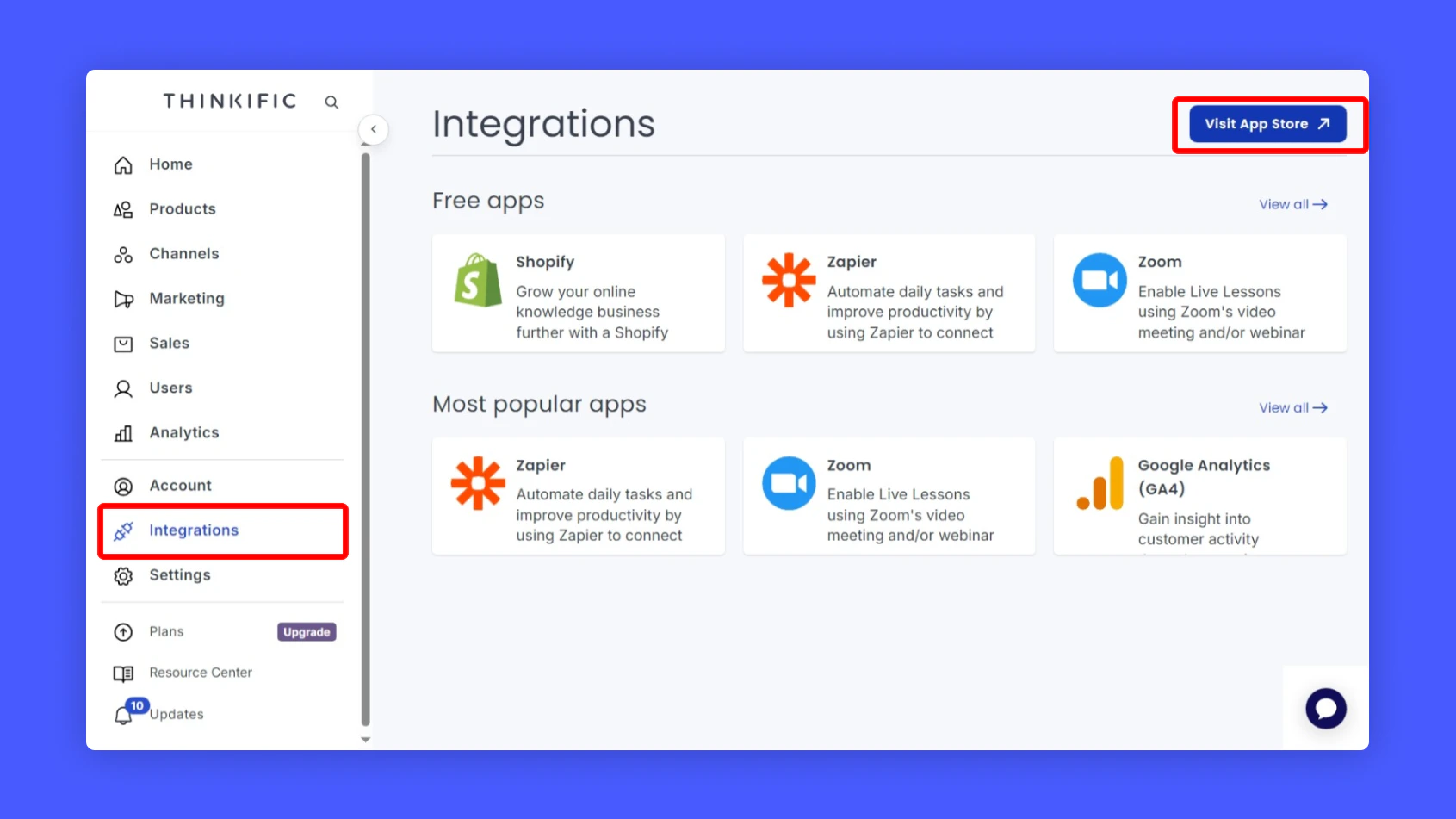
Login to your Thinkific account and navigate to the Integrations section
Click Visit App Store in the top right corner
Search for Hyperstack in the search bar and install the app
(You will need an active Hyperstack account to complete the installation) Configuring Hyperstack Integration:
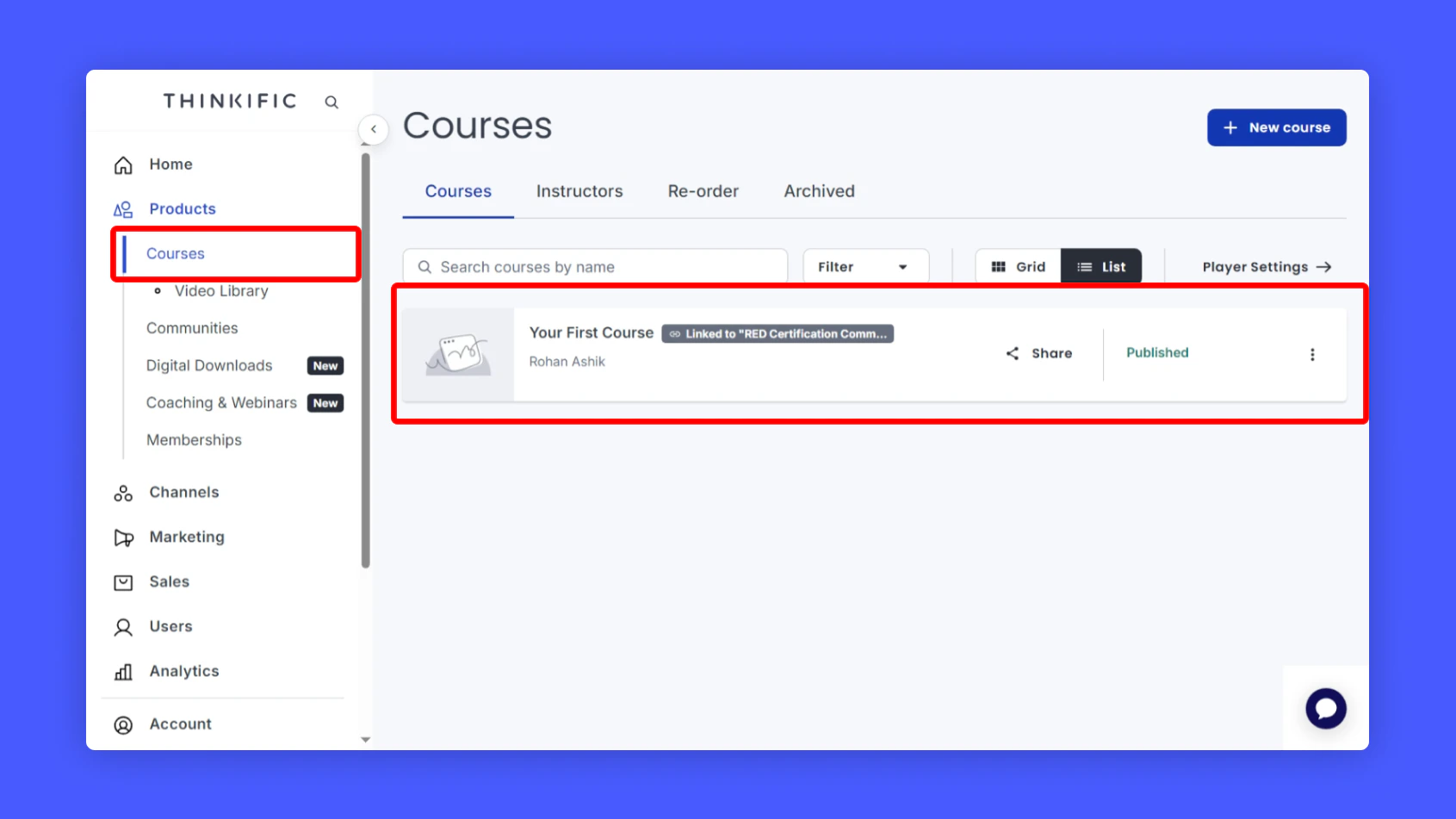
You will atleast one course in your Thinkific account to proceed with the integration
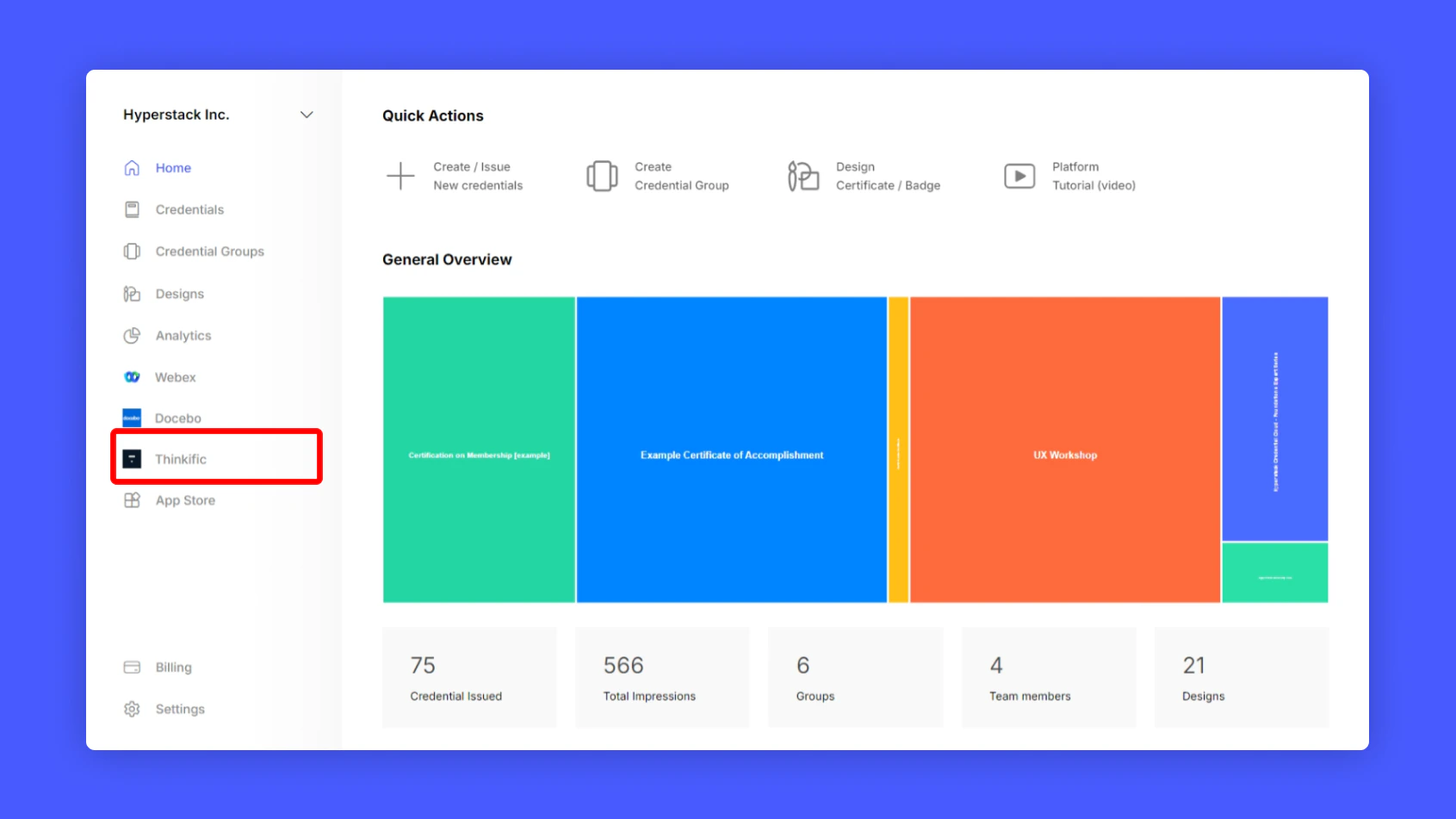
Once you installed the Hyperstack app in Thinkific, go to Hyperstack and navigate to the Thinkific section
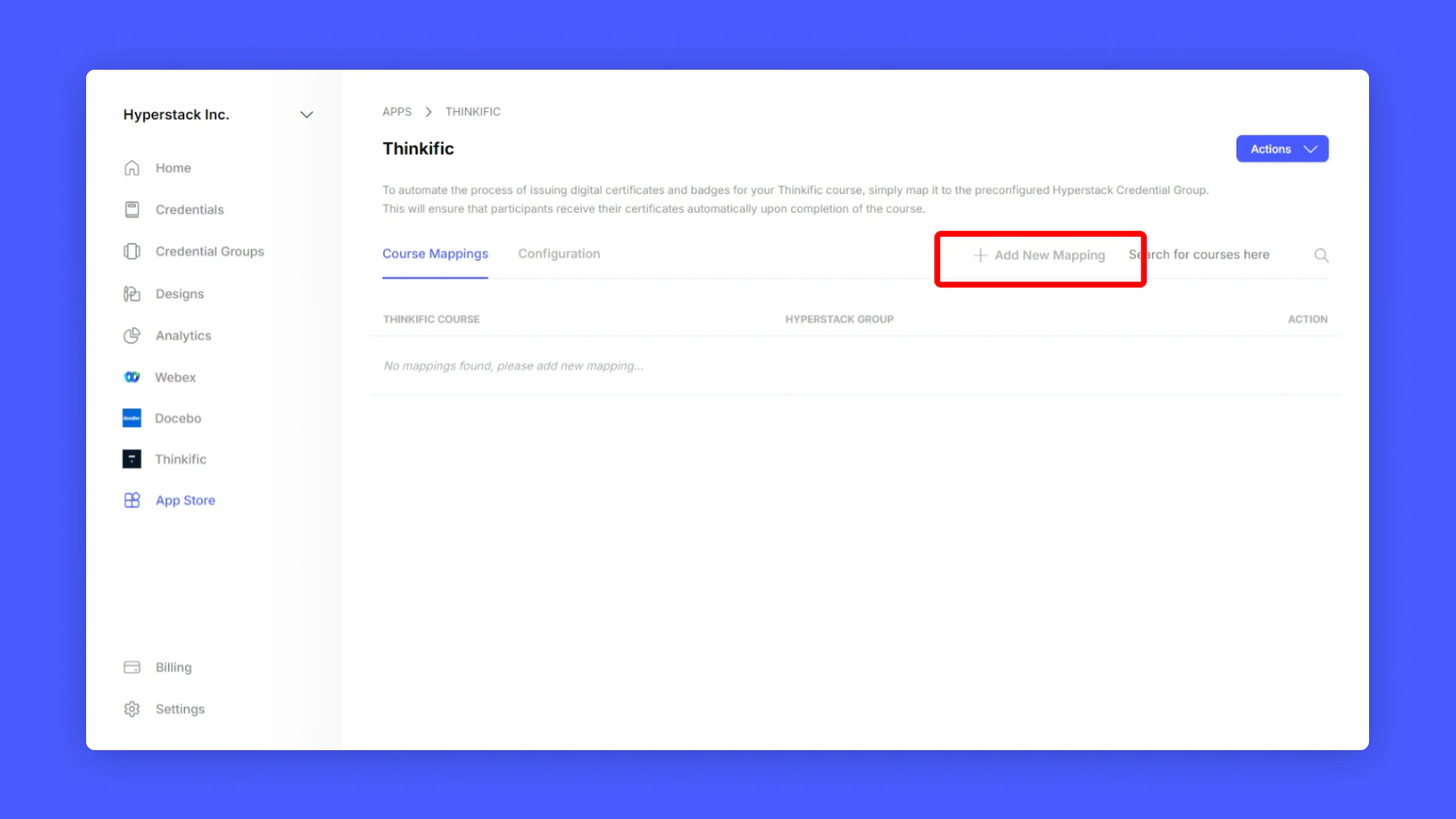
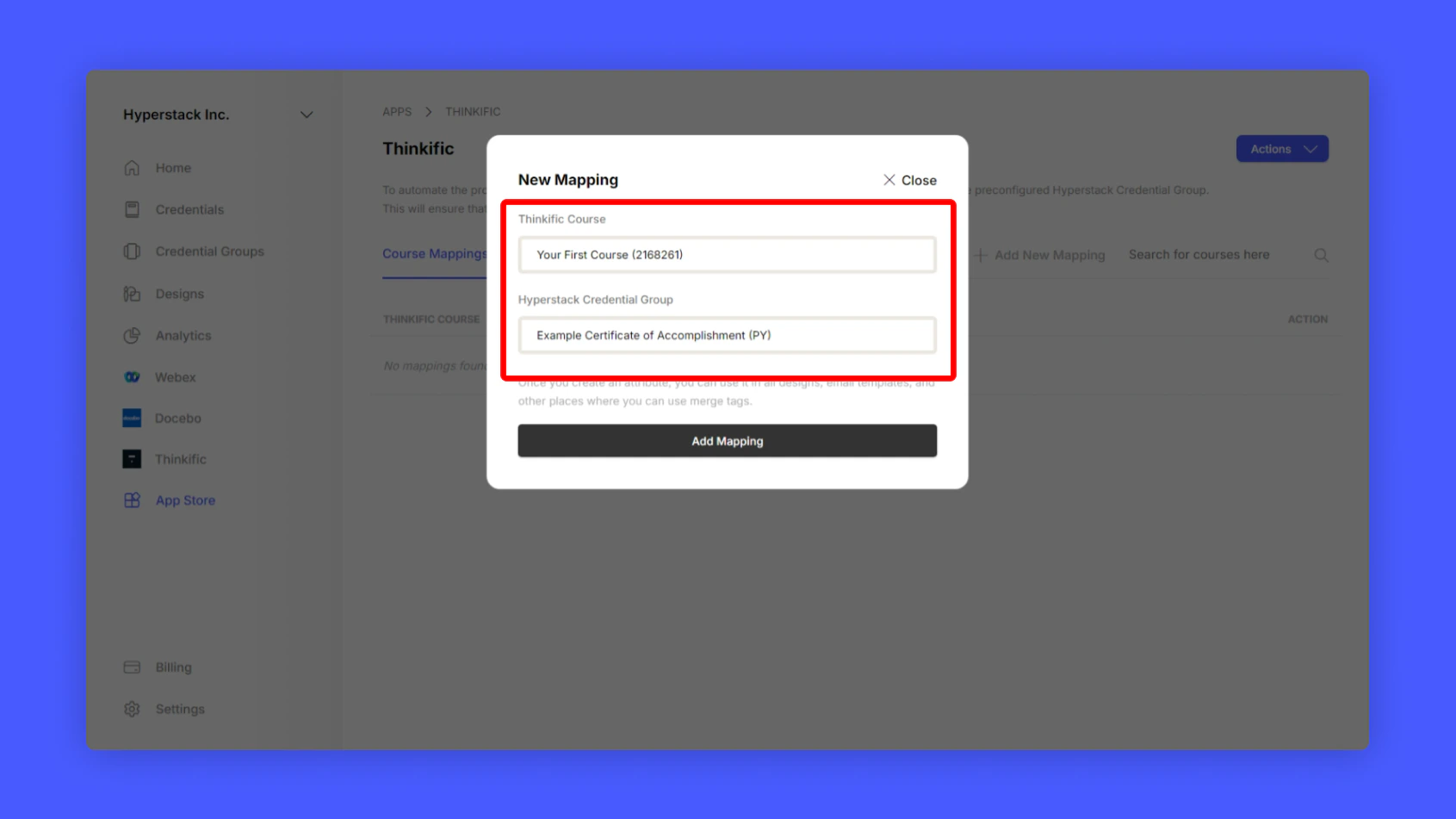
Click Add New Mapping to map your Thinkific course with Hyperstack
Select the course you want to map and select the credential group you want to issue in
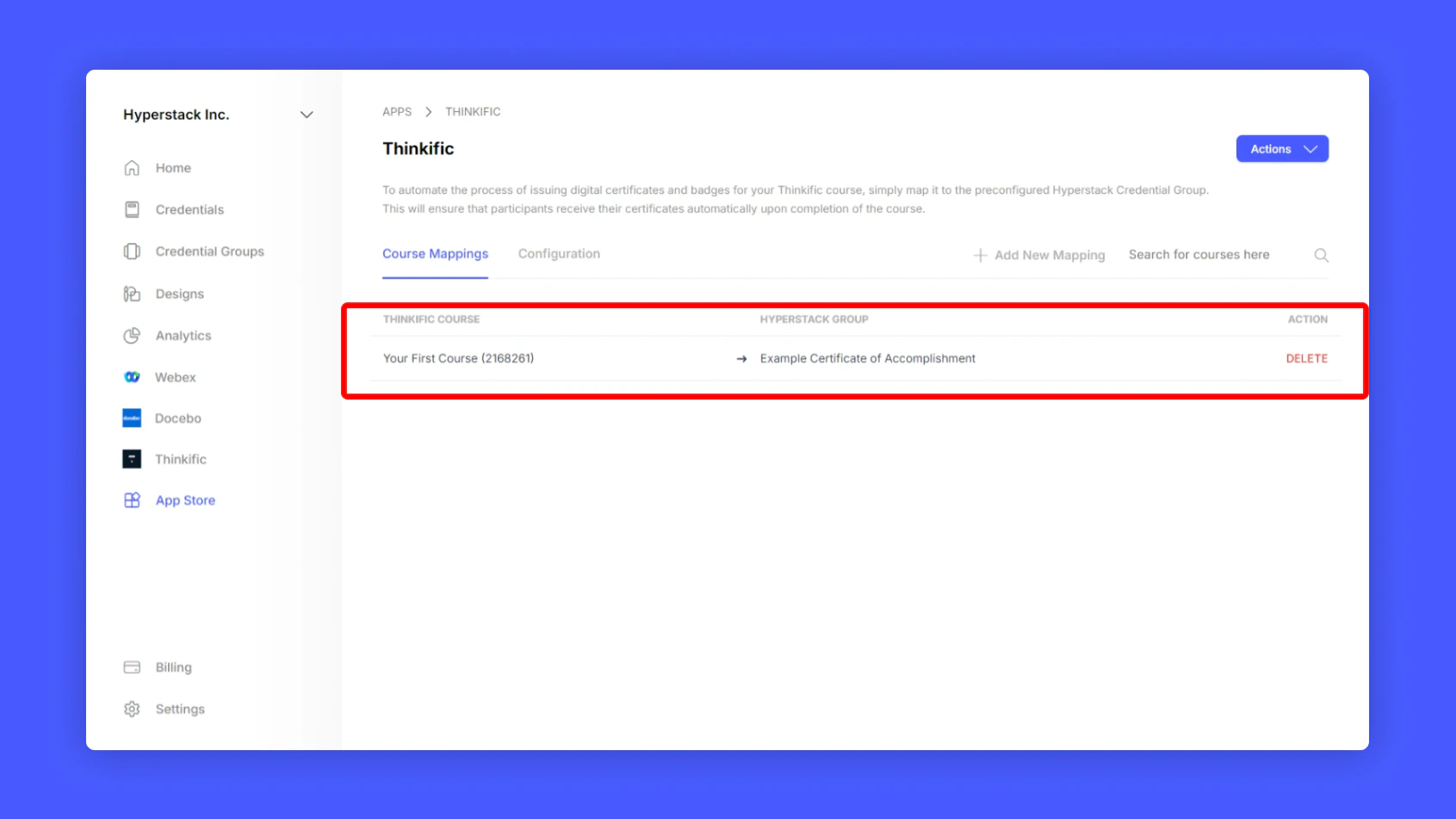
Click Save Mapping to save the mapping
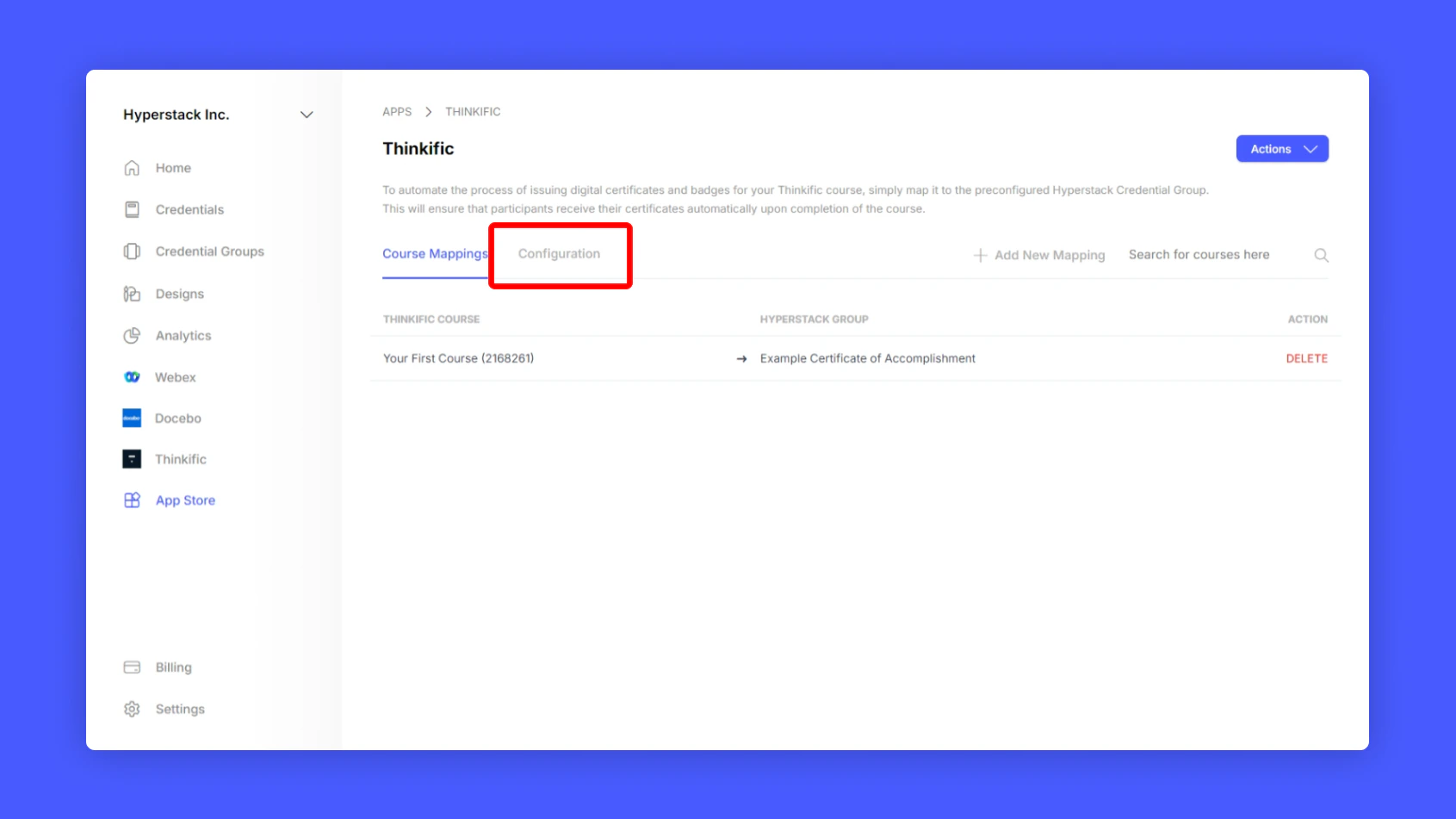
You have successfully mapped your Thinkific course with Hyperstack. Now enable auto-issuance of certificates
Click Configuration to enable auto-issuance of certificates
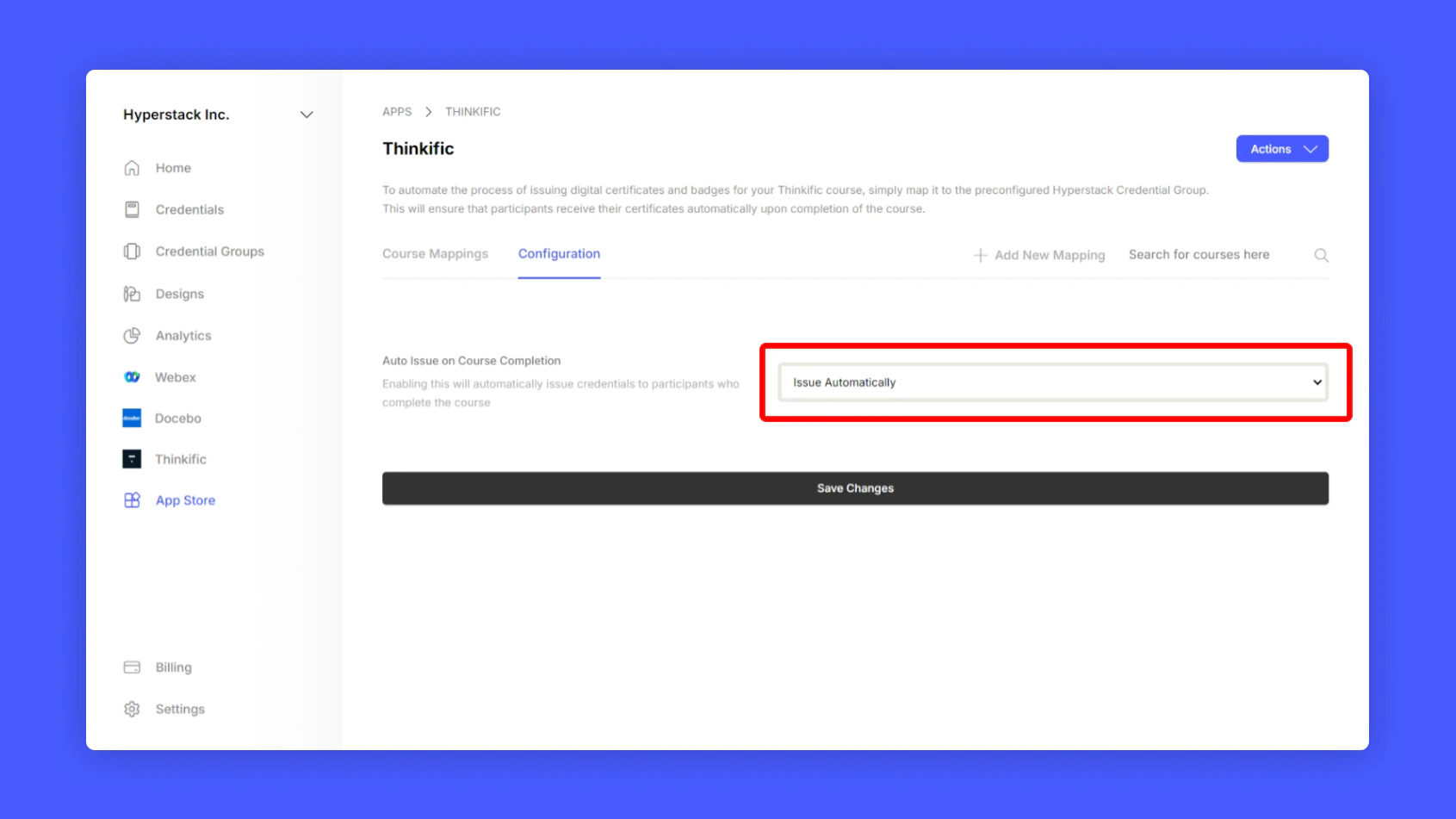
Enable the auto-issuance of certificates and click Save Changes
Uninstalling Thinkific Integration:
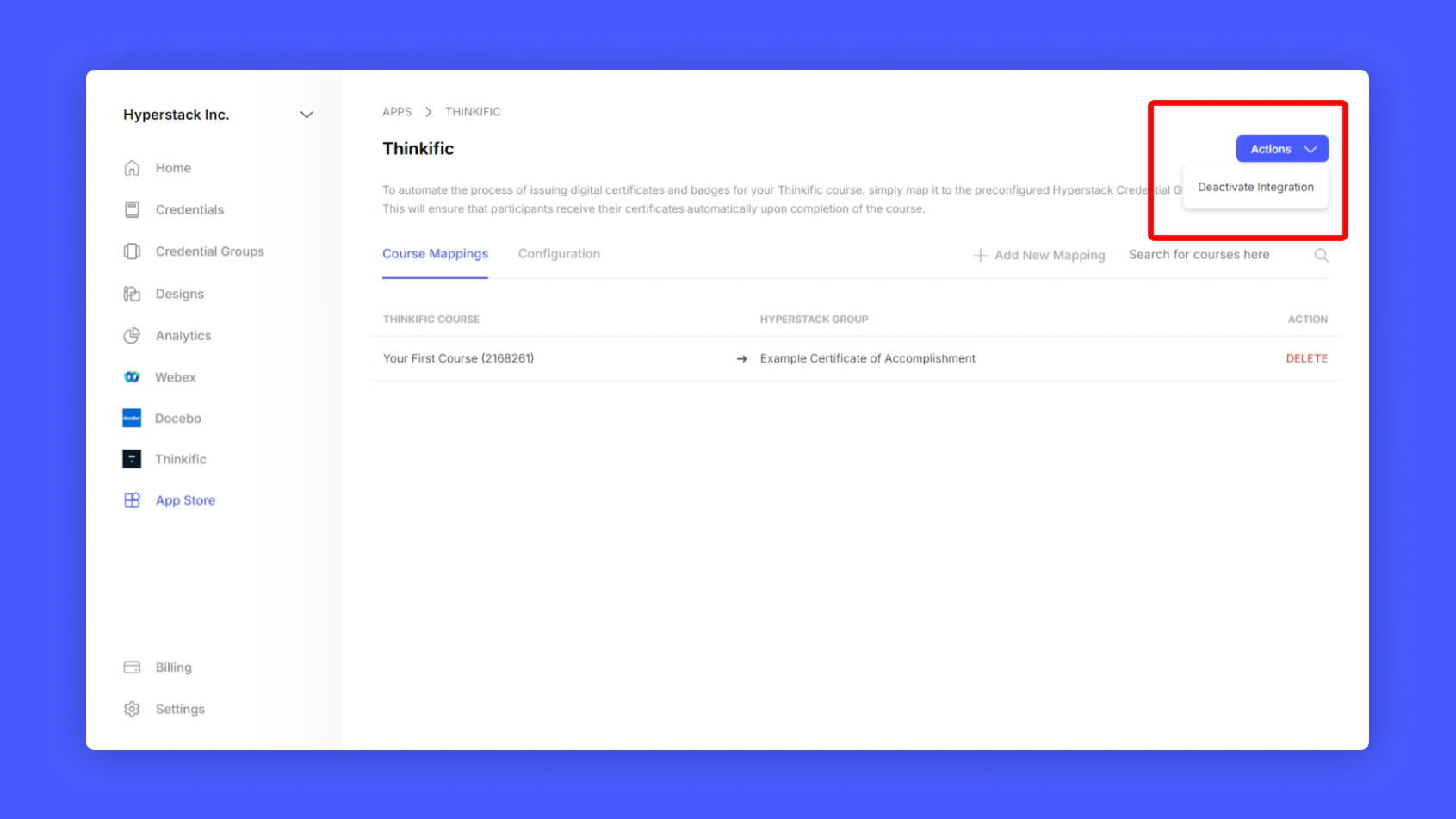
To uninstall Thinkific from Hyperstack. Simply go to the Thinkific Integration page in Hyperstack and Click Actions > Deactivate Integration to unlink Thinkific.
FAQs
How do I issue certificates to my students?
You can issue certificates to your students when they complete the course. You can easily integrate Thinkific into Hyperstack and issue certificates to your students in a hassle-free way.
How will Hyperstack Affect my Thinkific Site?
Hyperstack will not affect your Thinkific site in any way. It will only allow you to issue certificates to your students when they complete the course.
Can I issue certificates to my students automatically?
Yes, you can issue certificates to your students automatically when they complete the course. You can easily integrate Thinkific into Hyperstack and enable auto-issuance of certificates.
Can I issue certificates to my students manually?
Yes, you can issue certificates to your students manually as well. You can easily integrate Thinkific into Hyperstack and issue certificates to your students in a hassle-free way.
Can I customize the certificates issued to my students?
Yes, you can customize the certificates issued to your students. You can easily integrate Thinkific into Hyperstack and customize the certificates issued to your students.
Can I issue badges to my students?
Yes, you can issue badges to your students as well. You can easily integrate Thinkific into Hyperstack and issue badges to your students when they complete the course. Last modified on February 22, 2026