

How it works
- You connect the assistant once. It opens a Hyperstack page where you sign in, pick the organization and allow access.
- The assistant acts as you, with your roles, and never beyond them.
- Everything it does is written to the audit logs.
- Hyperstack tells the assistant to check with you before it publishes, suspends, revokes or changes credentials in bulk.
Connect an assistant
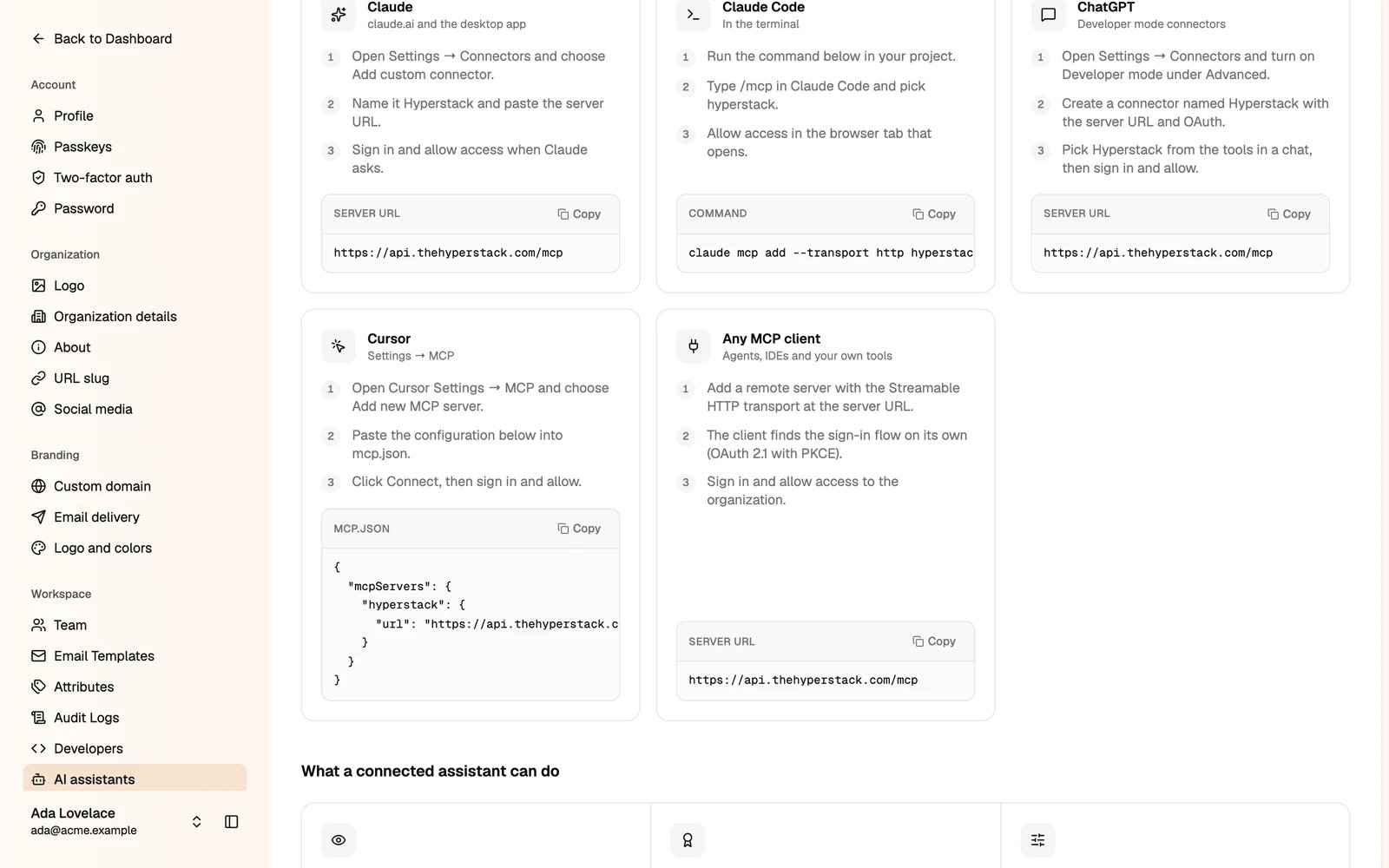
Go to Settings → AI assistants. The page shows the steps for each assistant, with the URL, command or configuration to copy.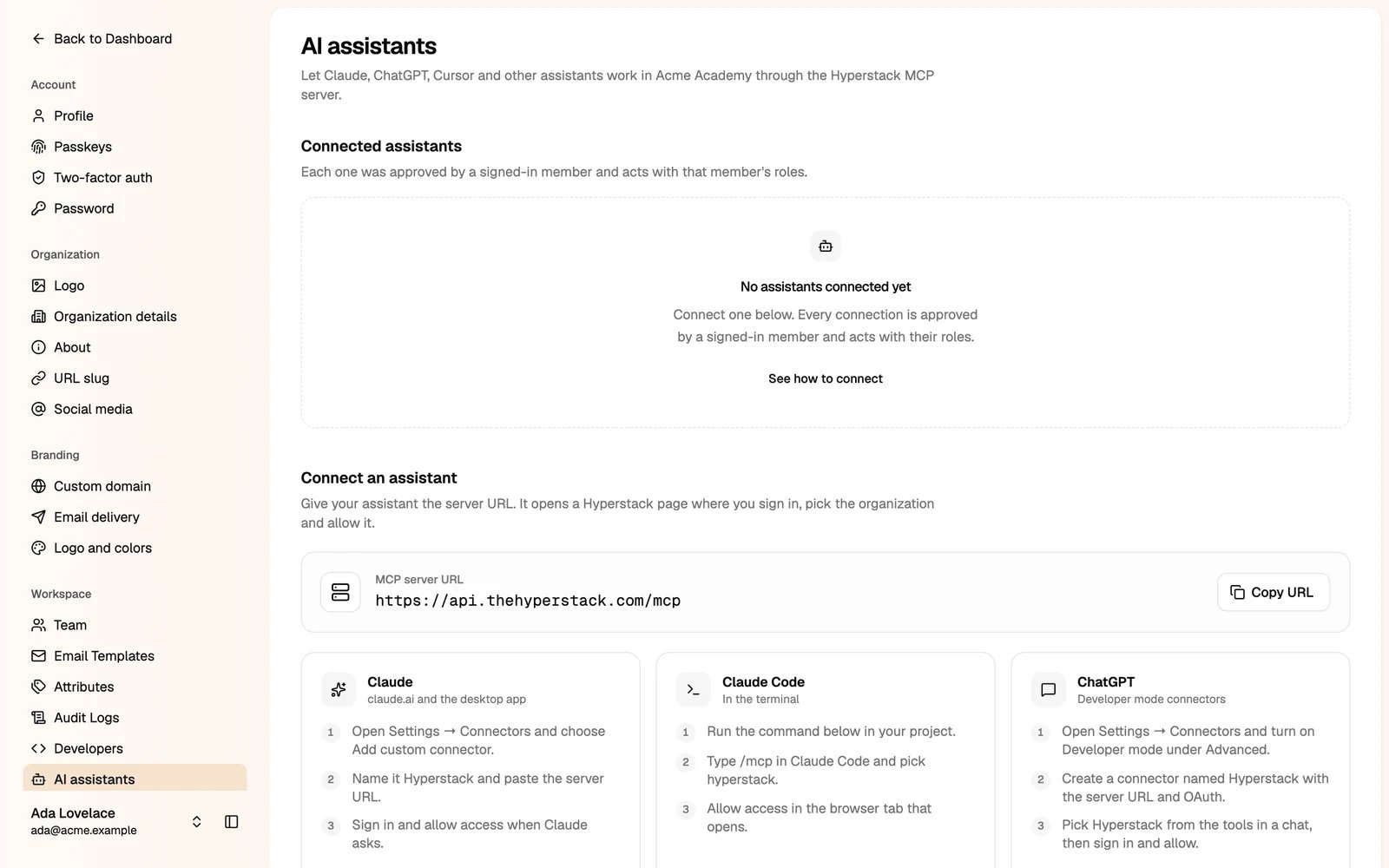
- Claude
- Claude Code
- ChatGPT
- Cursor
- Other
- In claude.ai or the desktop app, open Settings → Connectors and choose Add custom connector.
- Name it Hyperstack and paste the server URL.
- Sign in and allow access when Claude asks.
Disconnect an assistant
Your connected assistants are listed under Connected assistants. Click Disconnect to end a connection at once. When a member leaves the organization, their connections end too.Any member can connect an assistant for themselves. Only administrators can open this page and disconnect assistants. For your own apps and scripts, use an API key.