

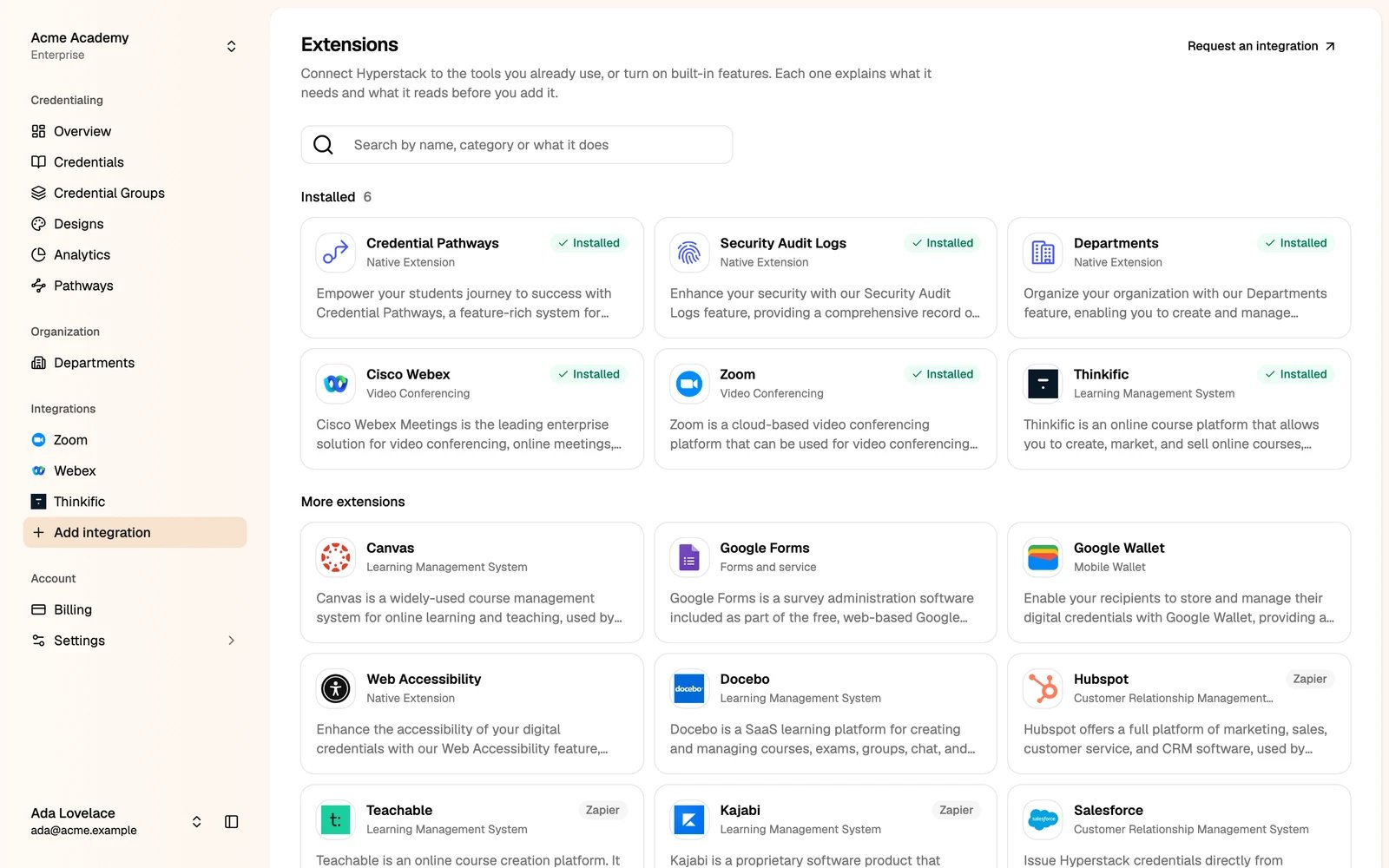
Only administrators can install extensions. Some extensions depend on your plan. Each extension’s page shows what it needs.
Built-in extensions
These add features to the Studio:Connected apps
These issue credentials from other platforms. See the Integration guide for step-by-step setup.- Video conferencing: Zoom and Cisco Webex.
- Learning platforms: Thinkific, Canvas and Docebo.
- Forms: Google Forms.
- Hundreds of other apps through Zapier, such as HubSpot, Teachable, Kajabi and Google Sheets.
Install an extension
1
Click the extension
Its page says what it does, what it needs, what it reads and changes, and which plans include it.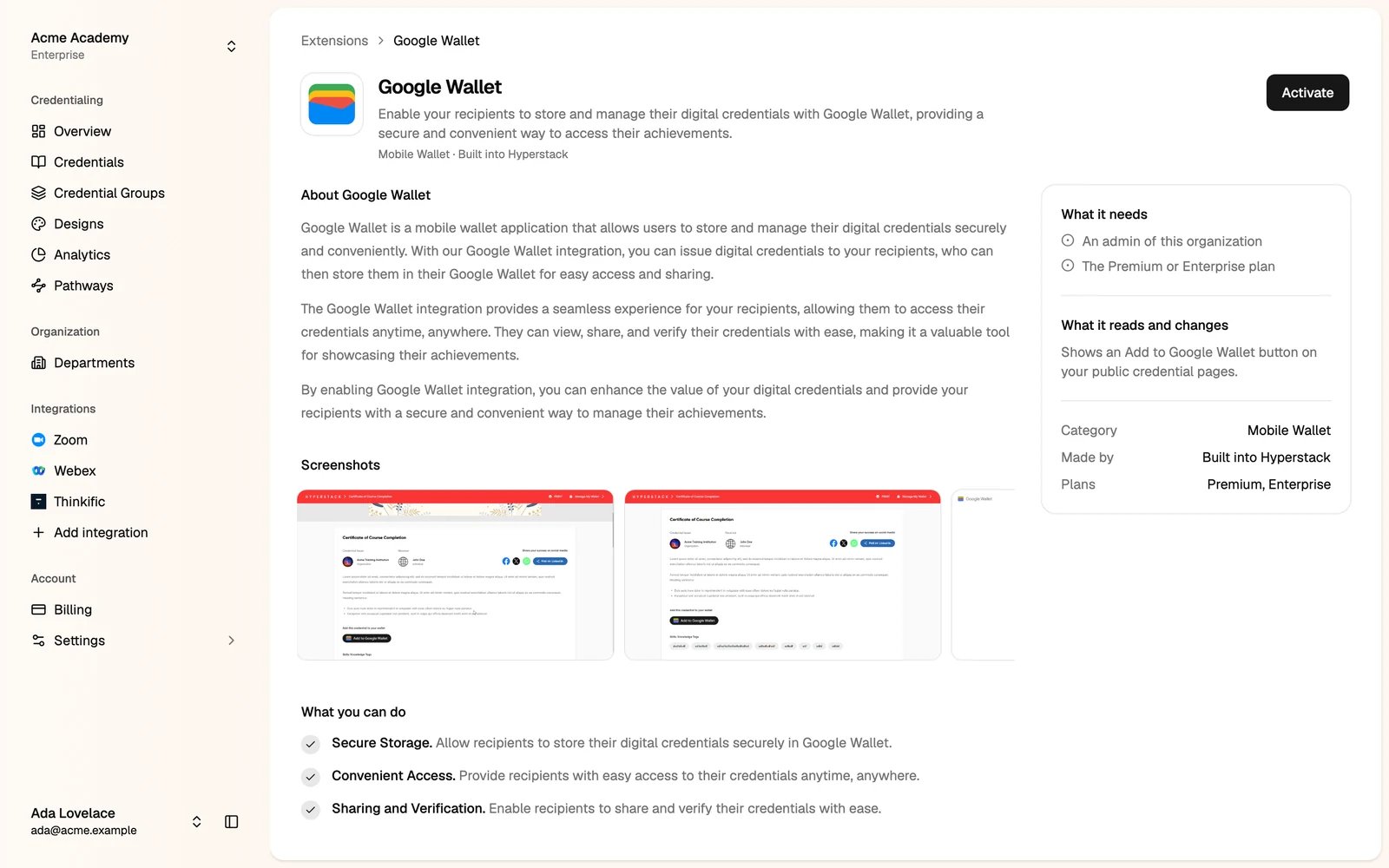
2
Click Install, Activate or Integrate
Apps that connect to another platform ask you to sign in to that platform and allow access.