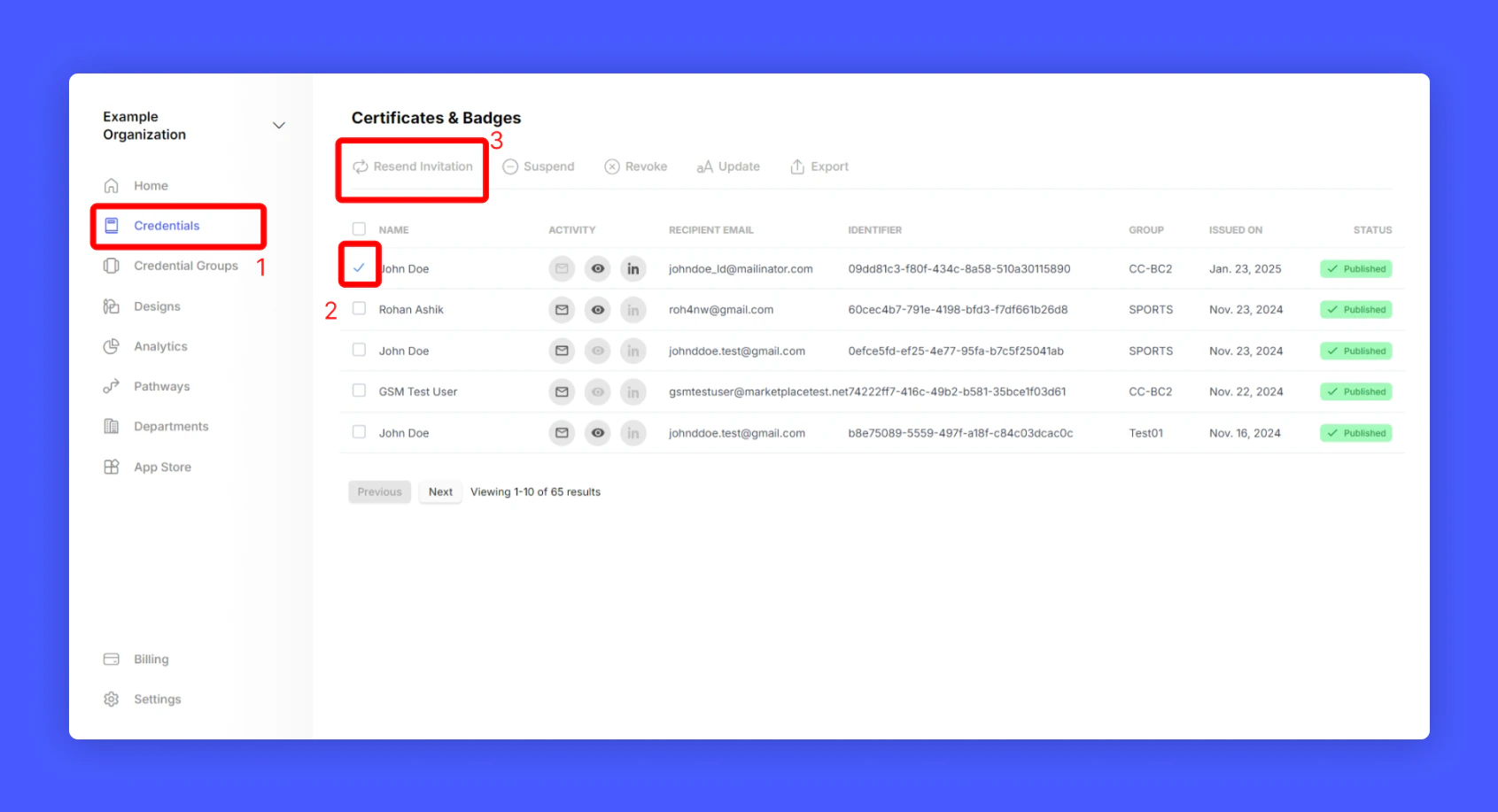
You can manually trigger the invitation email by following these simple steps:
-
Select the list of credentials from your account.
-
Click the “Resend Invitation” button.
This will send the credential invitations to your student email address.
Last modified on February 22, 2026