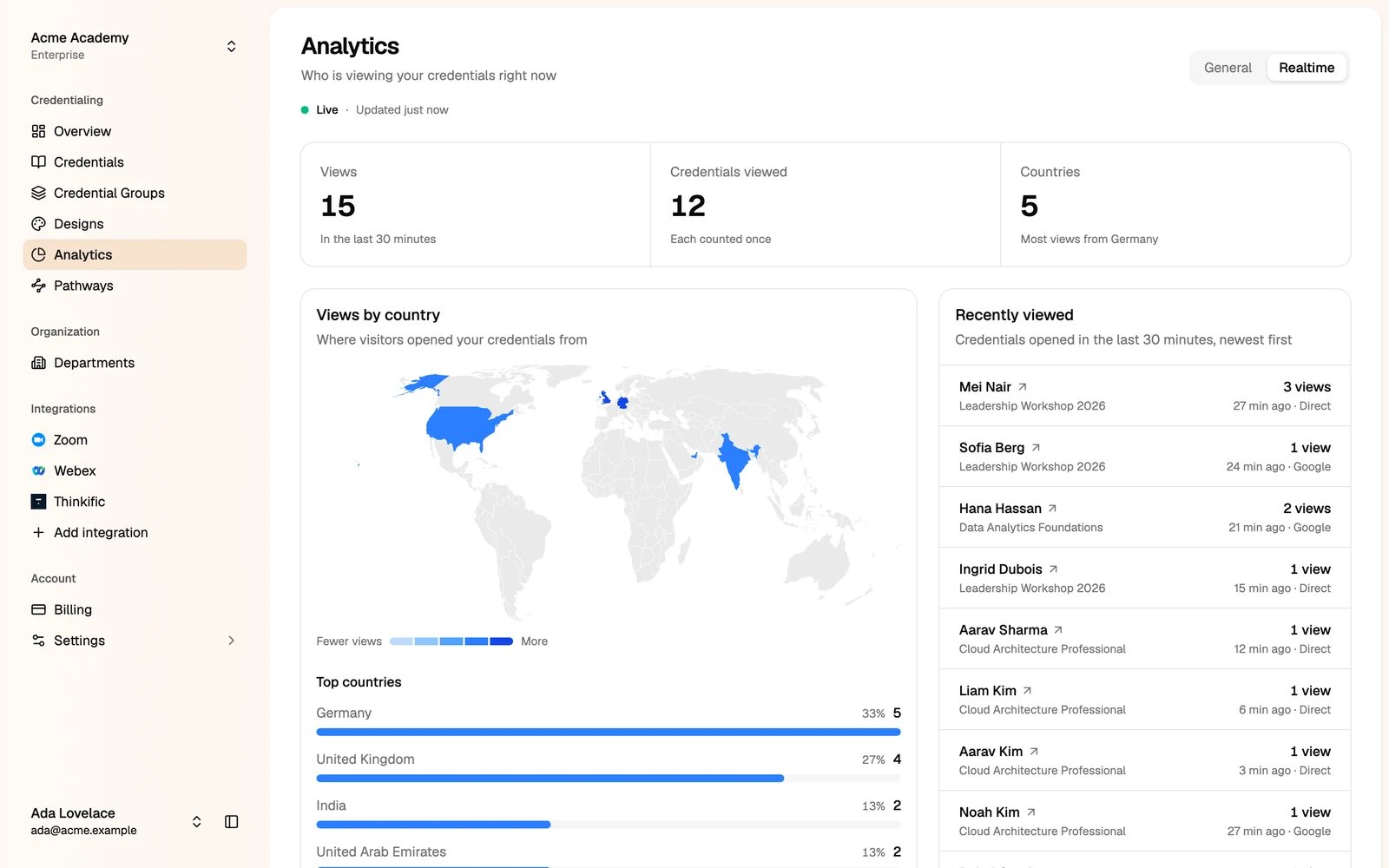
You need the Marketing manager or Administrator role to see analytics. Analytics depend on your plan.
General
Pick a date range and, if you like, one credential group.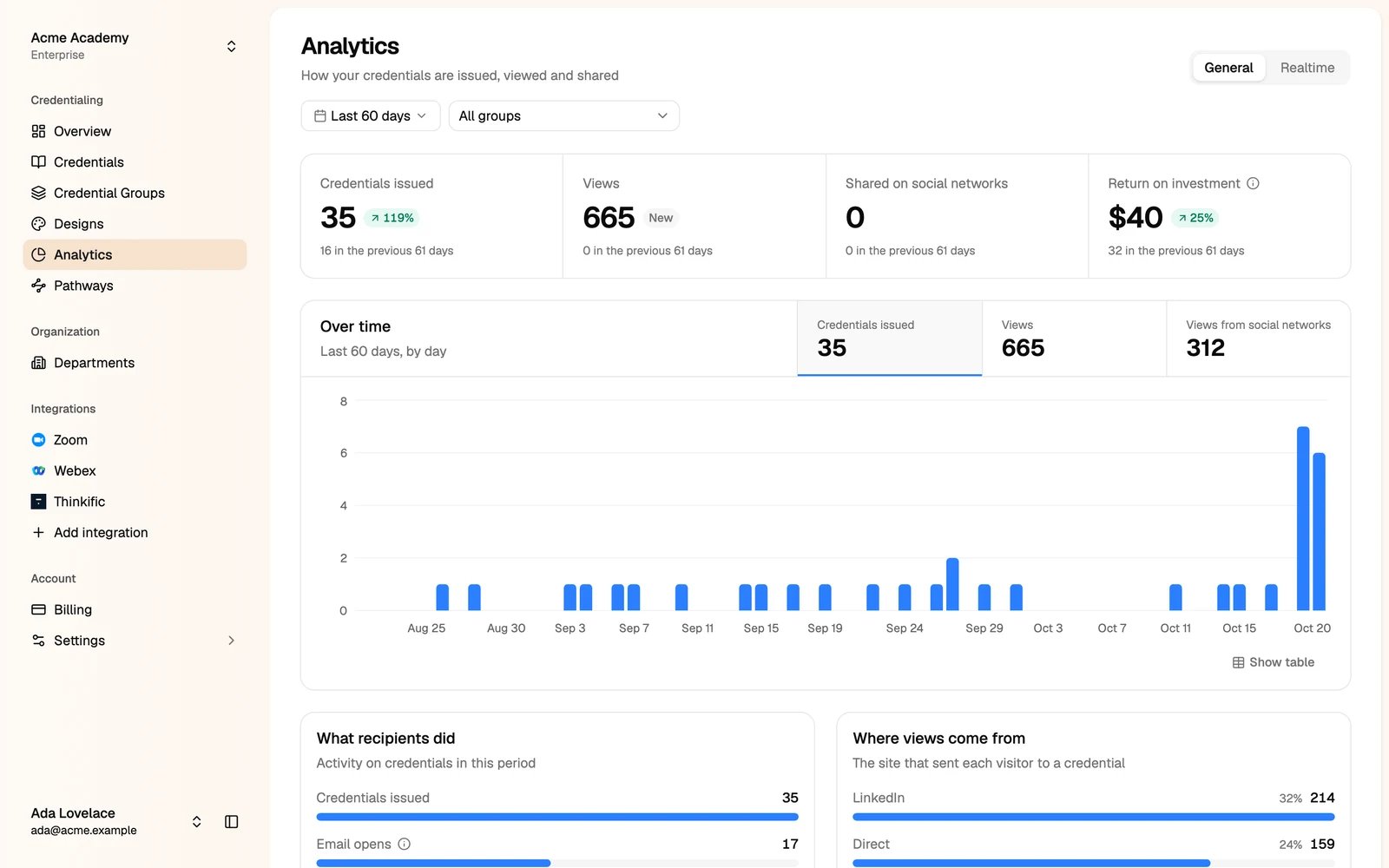
- Credentials issued, Views, Shared on social networks and Return on investment, each compared with the previous period.
- Over time: credentials issued, views and views from social networks, by day.
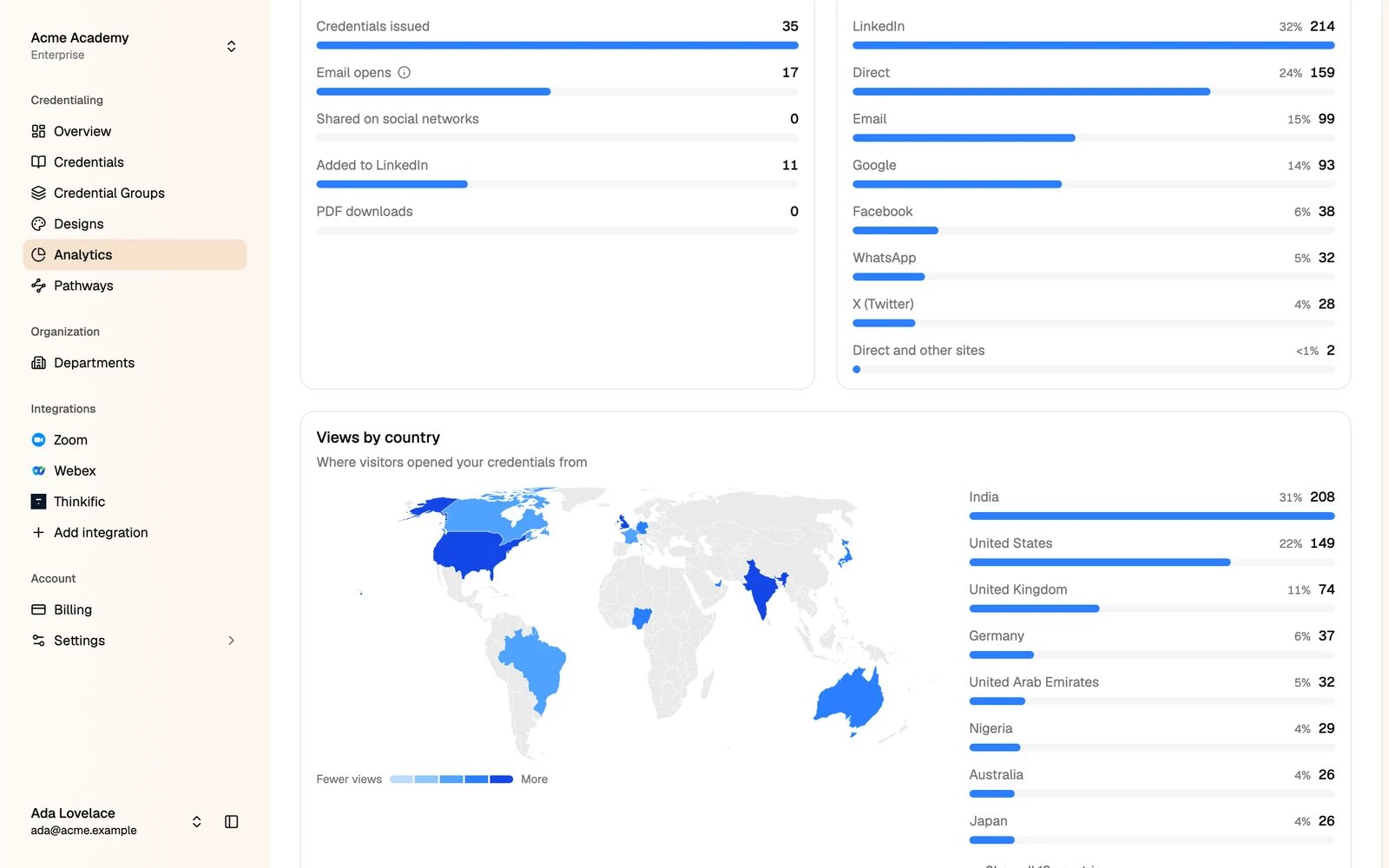
- What recipients did: email opens, social shares, LinkedIn additions and PDF downloads.
- Where views come from: LinkedIn, direct, email, Google and other sites.
- Views by country: a map and a list of the countries your viewers are in.
Realtime
Realtime shows who is viewing your credentials right now: the views in the last 30 minutes, the countries they come from, and the credentials opened, newest first.