

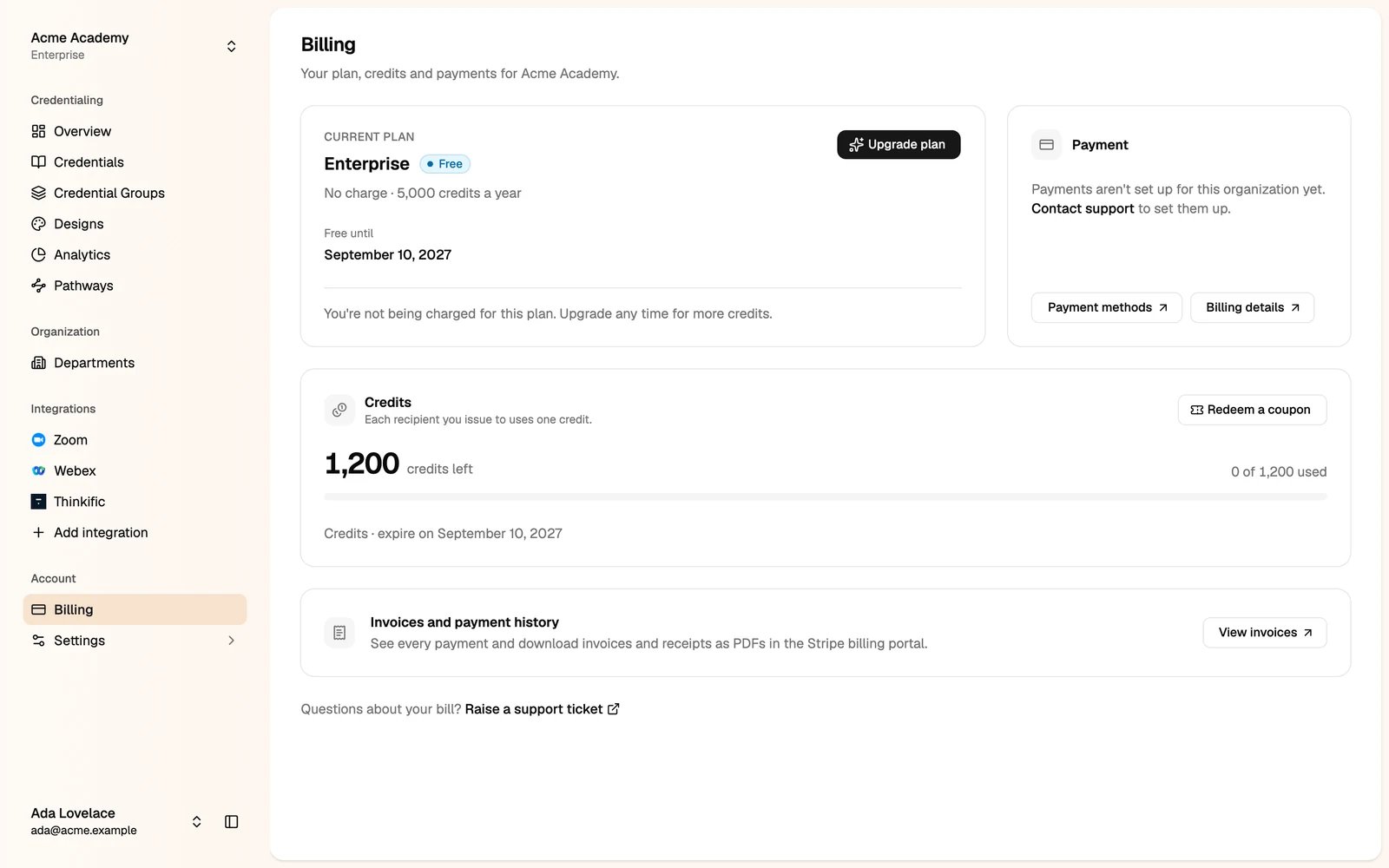
Only administrators and members with the Billing manager role can see billing.
Credits
You use credits to issue credentials. Each recipient you issue to uses one credit, when the credential is published. A recipient (by email) who is already covered uses none. The Credits card shows how many credits you have left and when they expire. When you run low, upgrade your plan or redeem a coupon. To redeem a coupon, click Redeem a coupon and enter the code. Each coupon can be redeemed once per organization.Your plan
The Current plan card shows your plan, its credits and when it renews.- Click Upgrade plan to compare the plans and pay on Stripe’s secure page. Plans are paid monthly or yearly. The yearly price is lower.
- Your plan renews automatically. If you pay by card, keep a valid card on file. If you pay by invoice, we email you an invoice to pay.
- Click Cancel subscription to stop the renewal. Credentials you have issued stay valid and verifiable.
Payments and invoices
- Payment methods and Billing details open the Stripe billing portal, where you change your card and your billing address.
- View invoices opens your payment history, with invoices and receipts as PDFs.
Earn free credits
You can earn up to $120 in credits when you help others discover Hyperstack. Open the Earn free credits page atstudio.thehyperstack.com/<your-slug>/earn-credits.
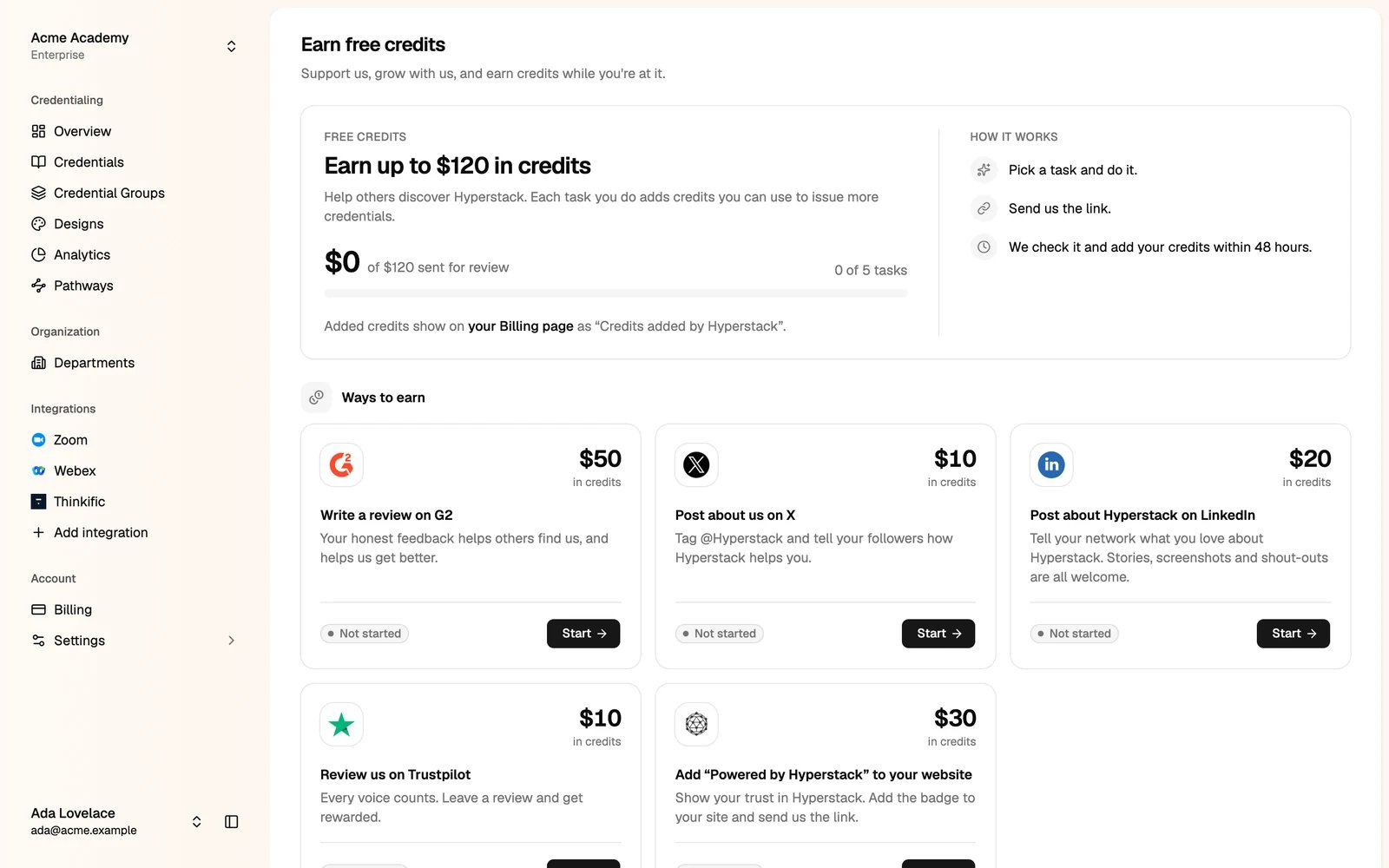
- Pick a task, for example a review on G2 or a post on LinkedIn, and do it.
- Click Start on the task and send us the link.
- We check it and add your credits within 48 hours.