

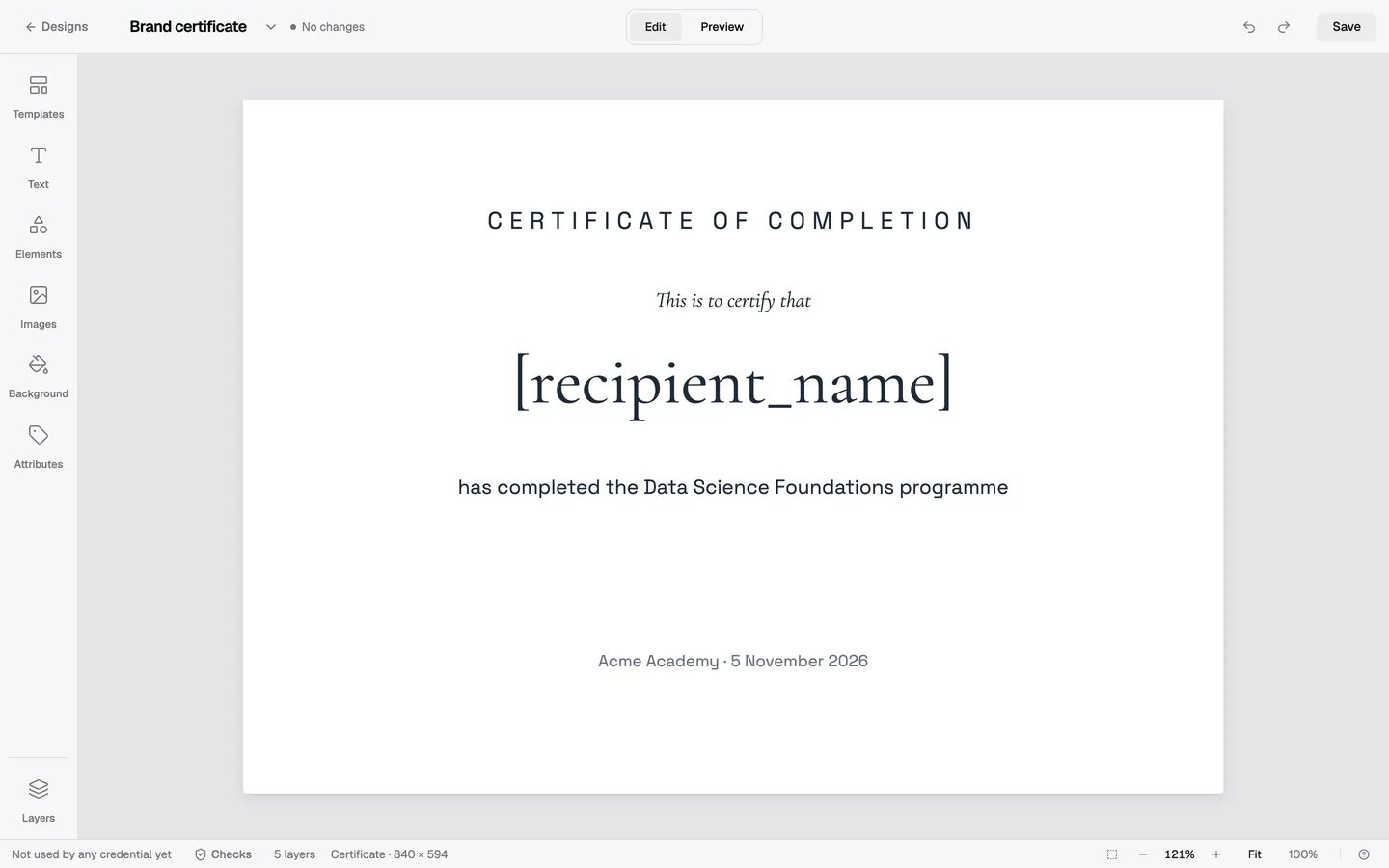
Brand fonts are on the Premium and Enterprise plans. Designers and administrators can upload fonts in the design editor. Only administrators can open Settings → Branding → Fonts.
Before you upload
- File types: TTF, OTF, WOFF or WOFF2, up to 5 MB each.
- One font, many files: upload the files of one font together, for example Regular, Bold, Italic and Bold Italic. They become one font in the picker. A font can have up to 8 styles.
- Variable fonts work. One file gives you all its weights.
- Up to 30 fonts in your organization. Archived fonts don’t count.
The licence
You must tick We have a licence to use this font on the web. before you can add a font. Hyperstack keeps who ticked it and when. Your credential pages are web pages, so the font file goes to everyone who opens them. Desktop licences often don’t allow this. If you are not sure, ask the font’s maker for a web licence. Some font files say in the file that they must not be embedded. Hyperstack refuses these files with This font’s licence doesn’t allow embedding. Ask the font’s maker for a web licence.Upload a font
There are three ways to start. All of them open the same Upload a font dialog.- From the font picker: select a text, open the font picker and click Upload font at the end of the list.
- From Settings: go to Settings → Branding → Fonts and click Upload font.
- Drop a font file on the editor: drag the files from your computer onto the design editor.
1
Add the font files
Drop the files on the dialog, or click choose files. You can add files of more than one font at a time.
2
Check the font
The dialog shows each font with a sample, the styles it found and the scripts it covers, for example Covers: Latin, Latin Extended. The name comes from the font file. You can change it.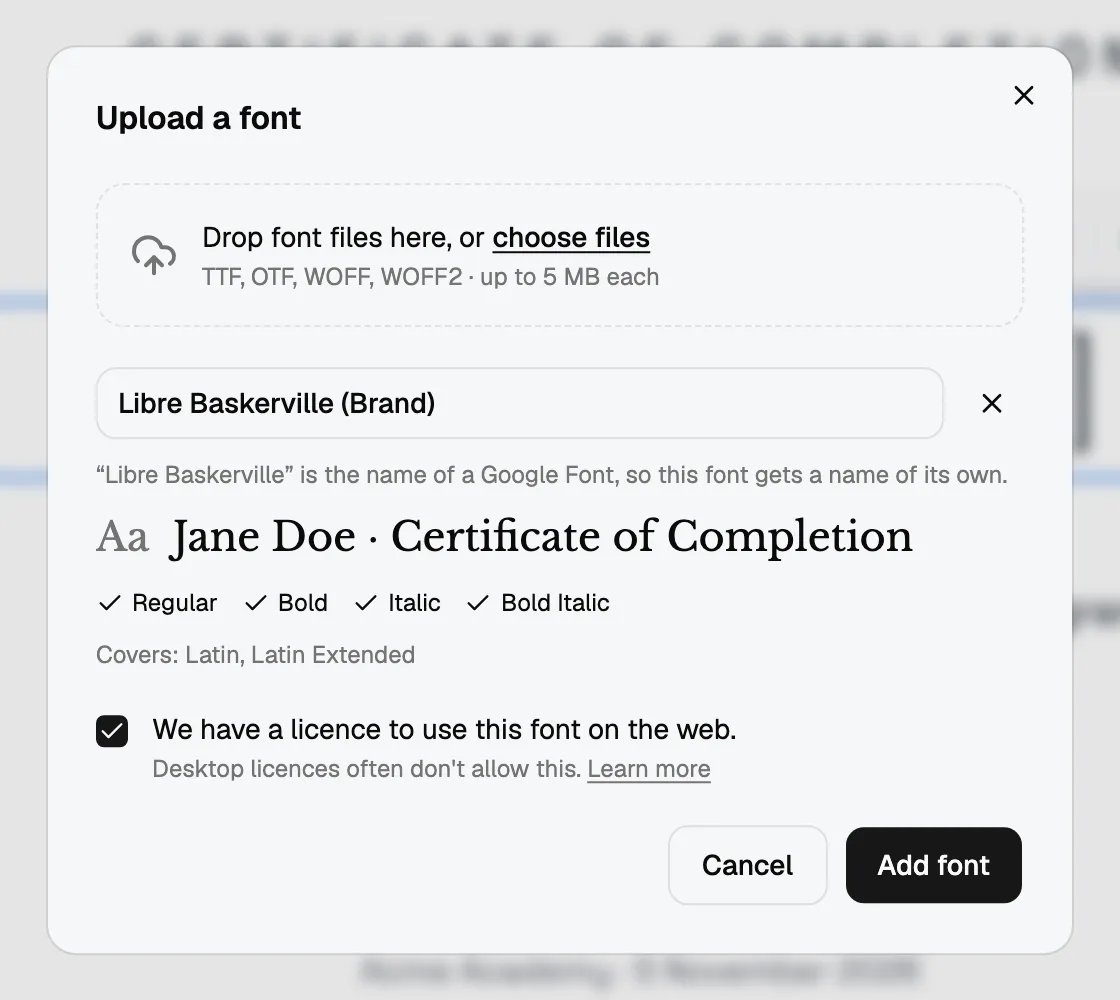
3
Tick the licence box and click Add font
The font is ready at once. A message says, for example, Acme Sans added.If you started from the font picker or dropped the files on the editor, the new font is also applied to the selected text.
A name that is also a Google Font
Your font can’t have the name of a Google Font. If it does, Hyperstack adds (Brand) to the name, for example Libre Baskerville (Brand). This keeps your file apart from the Google Font with the same name. You can change the name to any other name before you click Add font.If a file is refused
Use your font
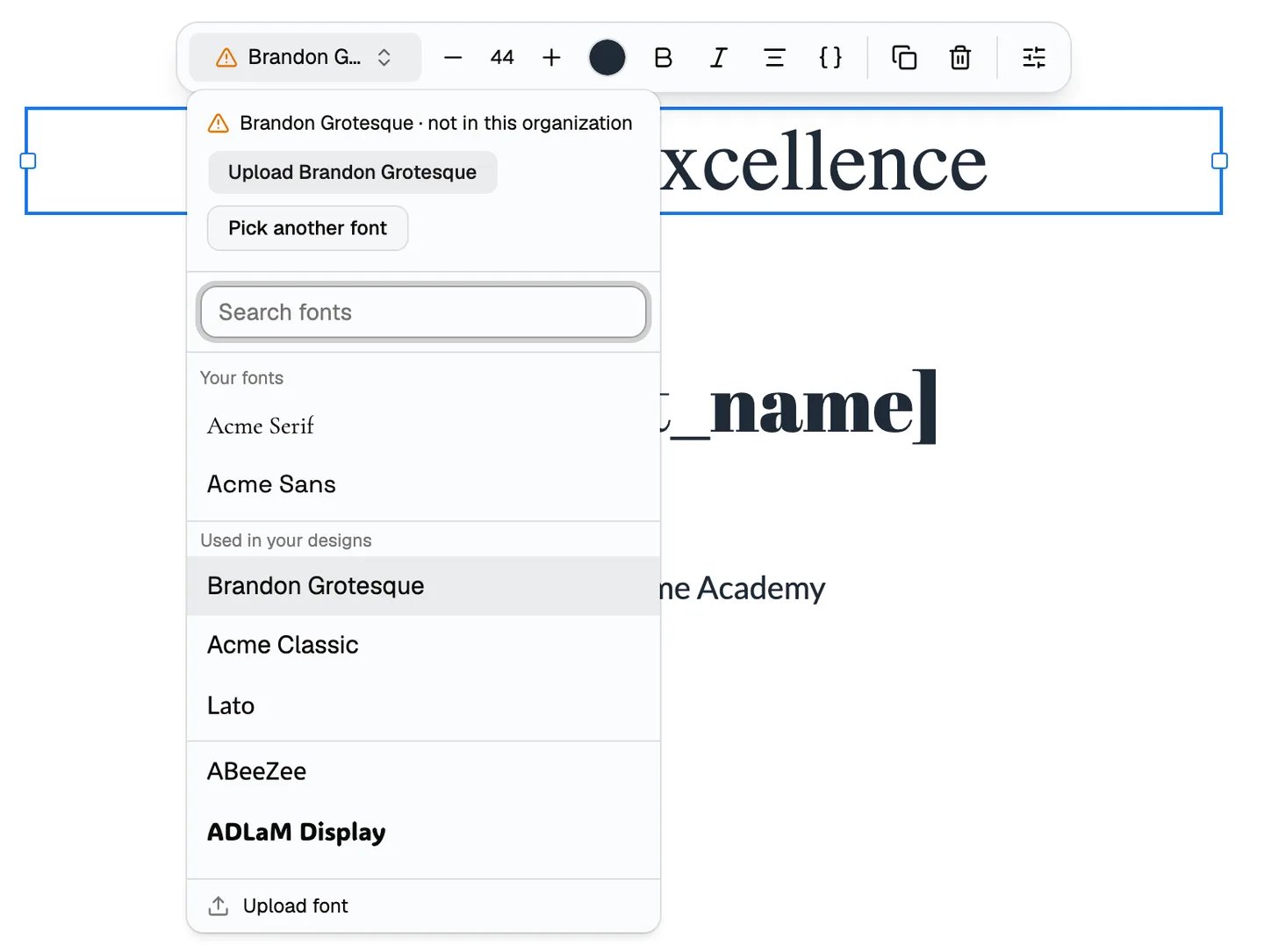
Select a text and open the font picker. Your fonts are at the top, under Your fonts. Each one is drawn in its own font. When you search, your fonts come first and are marked Yours.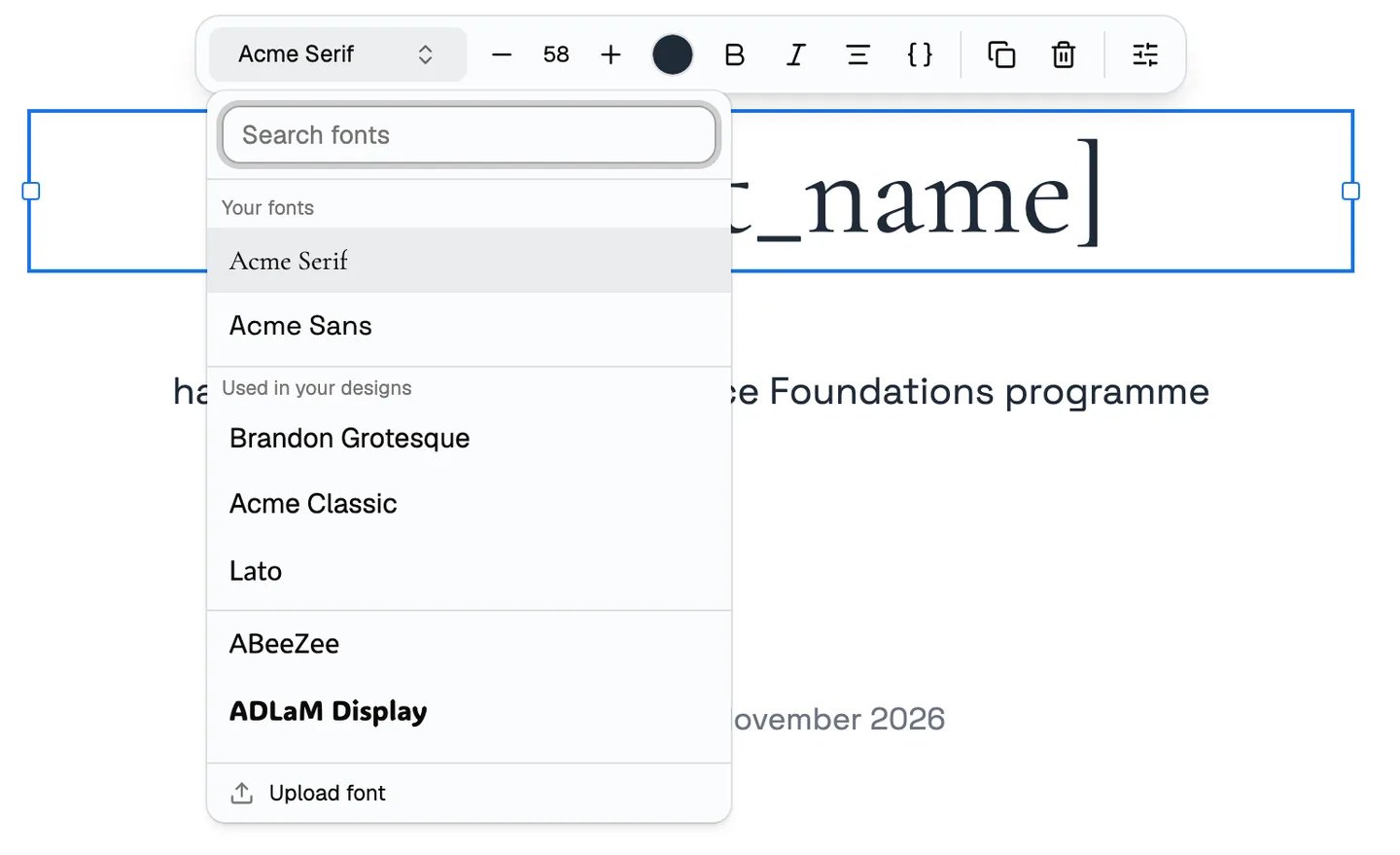
- In the design editor and in Preview.
- On the credential page, also on your custom domain.
- In the PDF, and in the credential image that recipients share on LinkedIn.
- In credentials you export as PDF or images.
Curved text is the one exception. In the PDF and the LinkedIn image, curved text shows in a standard font. This is the same for Google Fonts.
Manage your fonts
Go to Settings → Branding → Fonts. You see each font with a sample, its styles and how many designs use it, for example Used in 1 design.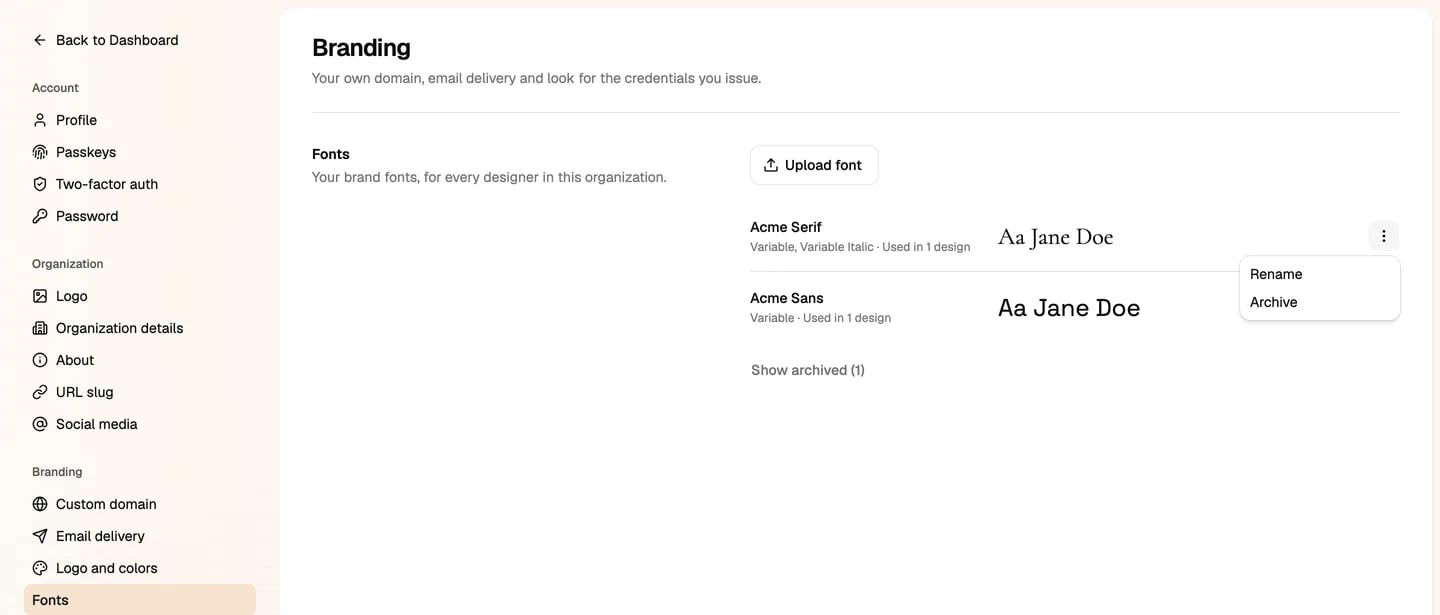
- Rename: changes the name that shows in the Studio. Designs and credentials don’t change.
- Archive: takes the font out of Your fonts in the font picker.
Archiving never changes your credentials
An archived font stays on every design that uses it, and on their credentials. Credentials you already issued never change. If designs use the font, the Studio asks before it archives it.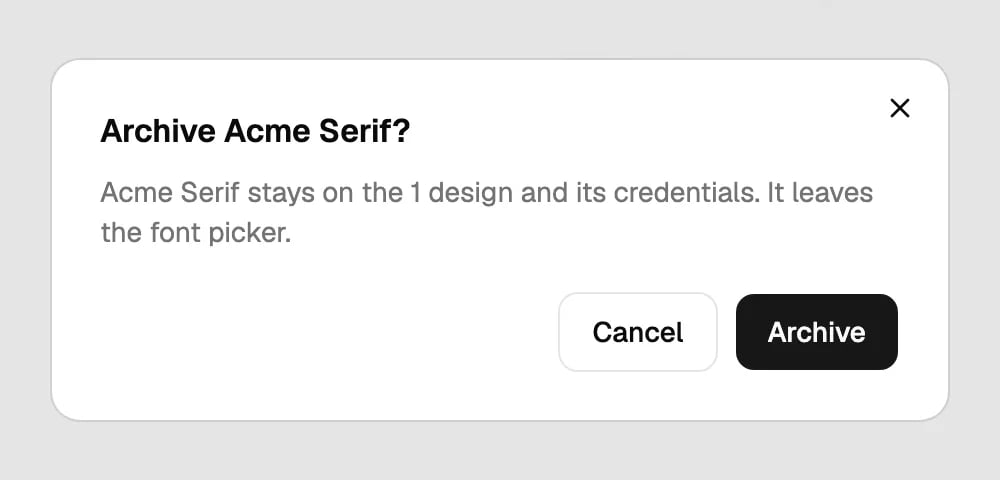
A font that is not in your organization
A design can use a font that your organization doesn’t have. For example, the design came from another organization. The editor then draws that text in a standard font. Select the text and open the font picker. It shows the name with not in this organization and two actions:- Upload the font, for example Upload Brandon Grotesque, if you have the files and a licence.
- Pick another font, to choose one of your fonts or a Google Font.
On the Standard plan
On the Standard plan, Upload font shows a lock. Click it to see which plans have brand fonts, and click Upgrade plan to change your plan.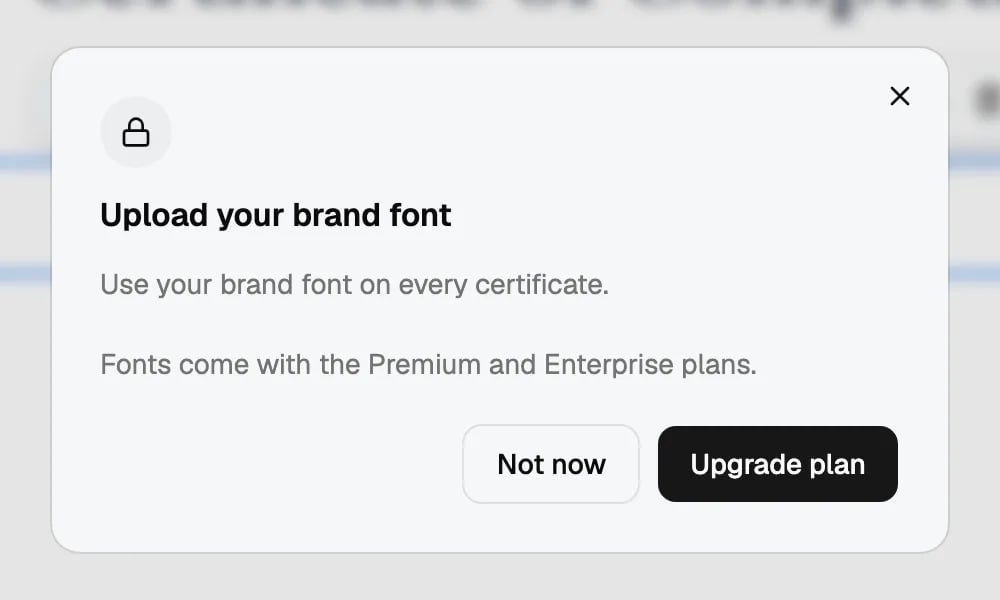
Questions
Names in other scripts, such as Arabic, look different. Why?
Names in other scripts, such as Arabic, look different. Why?
Your font only has the letters its maker drew. If a name has letters the font doesn’t have, those letters show in a fallback font. The upload dialog shows which scripts a font covers. For names in many scripts, pick a font that covers them all.
Can I delete a font?
Can I delete a font?
No. Archive it. An archived font leaves Your fonts, but designs and credentials that use it don’t change.
Do my certificates break if we move to a lower plan?
Do my certificates break if we move to a lower plan?
No. Your fonts keep working on your designs and credentials, and they stay in the font picker. Only new uploads stop. You can still rename, archive and restore them.
Why does bold text look different from our brand guide?
Why does bold text look different from our brand guide?
You didn’t upload the Bold file, so the browser makes the letters thicker itself. Upload the Bold file of the font. The upload dialog warns you when a font has no Bold file.
Can a font be in more than one organization?
Can a font be in more than one organization?
No. A font belongs to one organization. Upload it again in each organization that uses it.