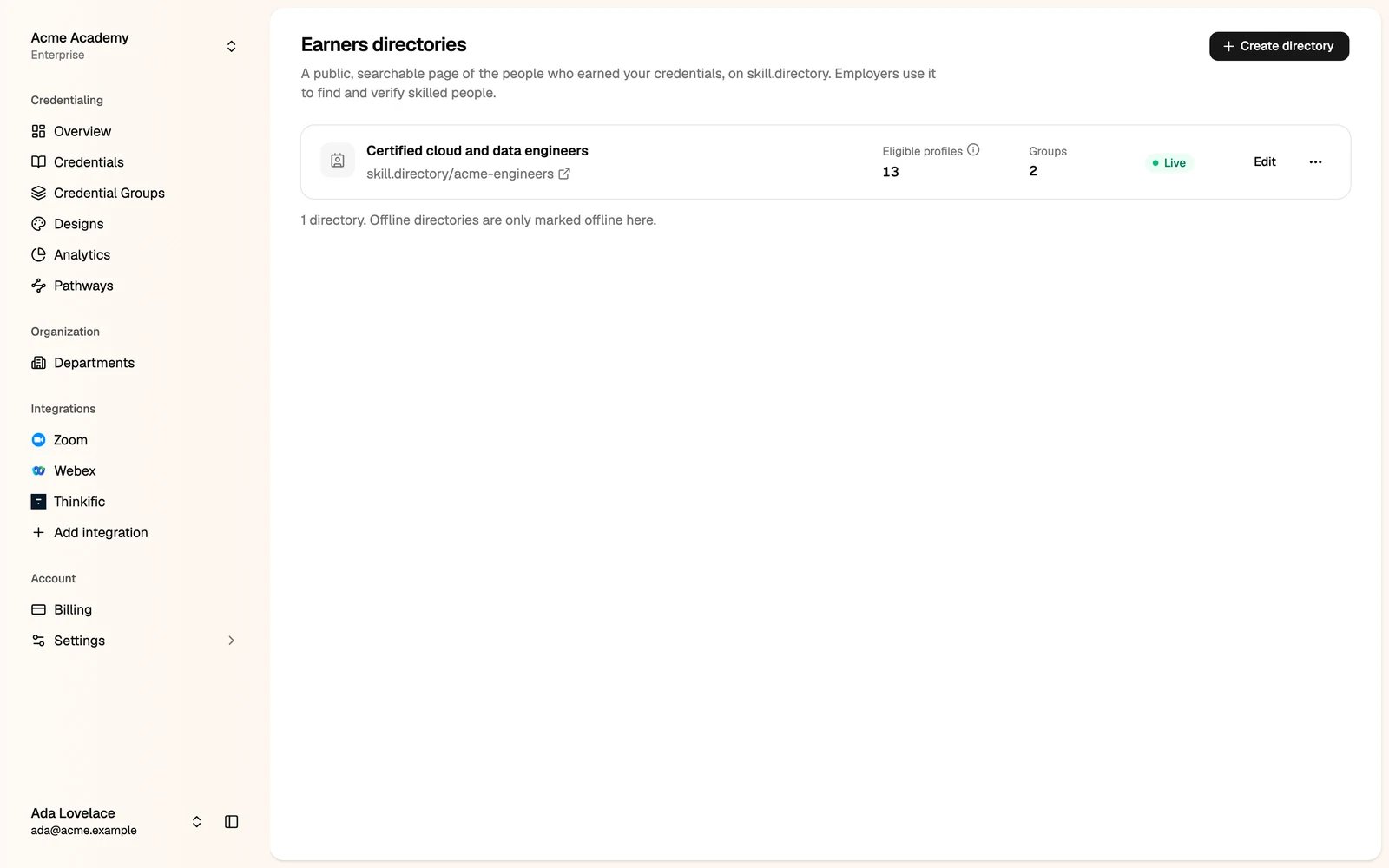
skill.directory. It lists the people who earned a credential in the groups you choose. Employers search it by skill, name or credential, and verify each person’s credentials.
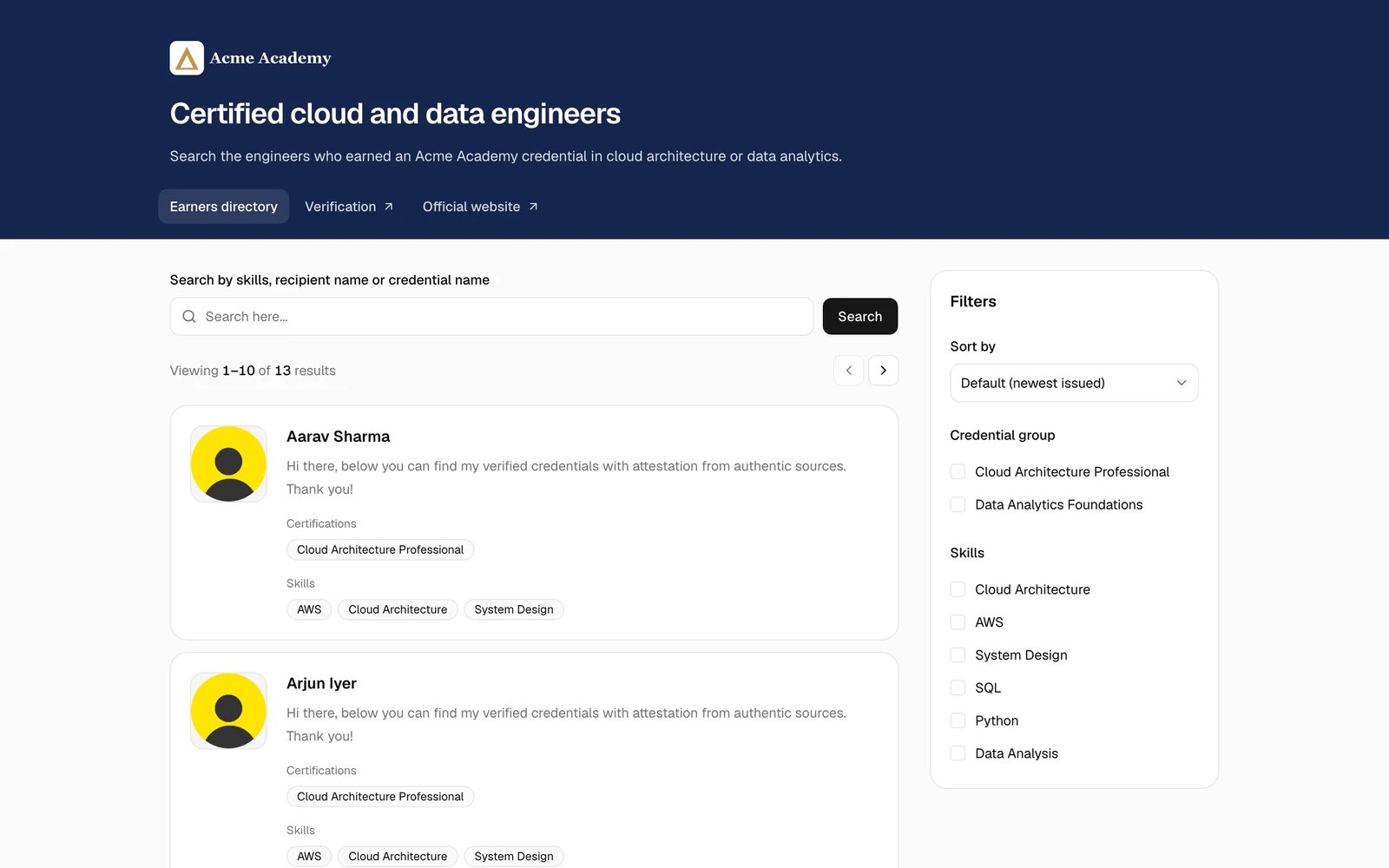
Earners directories are not on every plan. Only administrators can manage them. If you don’t see Earners Directory in the Organization part of the sidebar, contact us to turn it on.
Create a directory
1
Go to Earners Directory and click Create directory
2
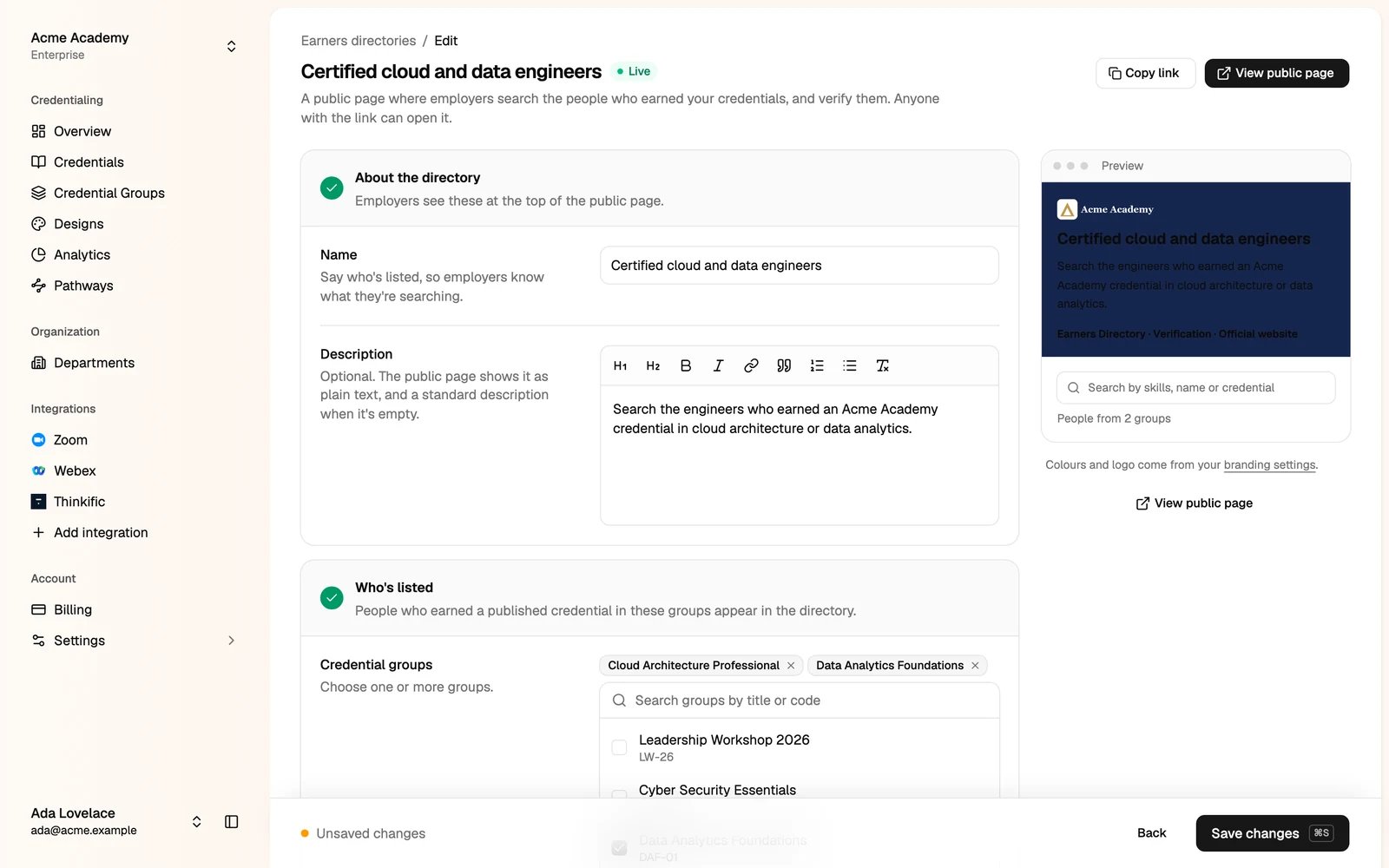
Describe the directory
- Name: say who is listed, so employers know what they search, for example Certified cloud and data engineers.
- Description (optional): shown at the top of the public page.
3
Choose who is listed
- Credential groups: people who earned a published credential in these groups appear in the directory.
- Expired credentials: include or leave out people whose credential has expired.
4
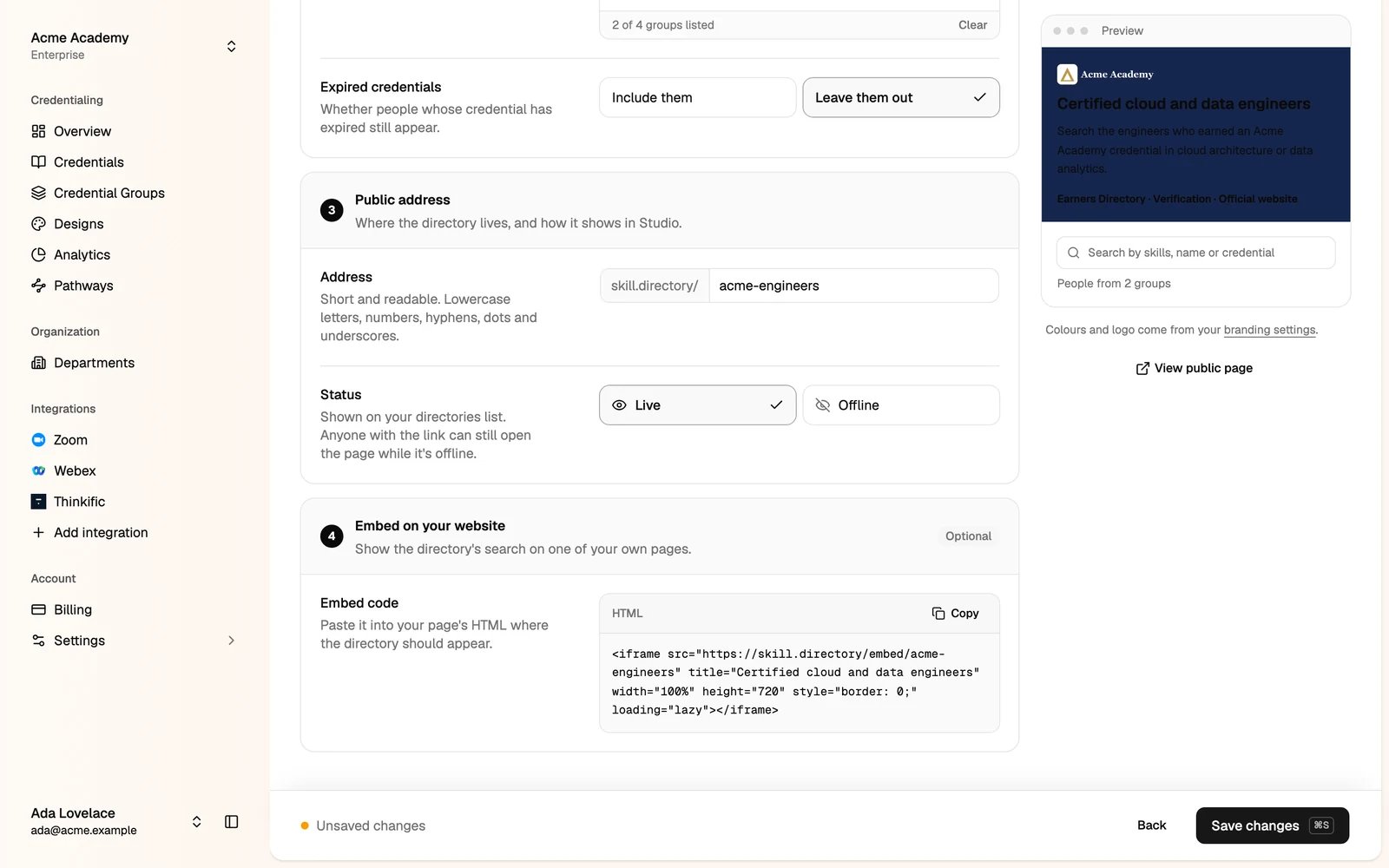
Set the public address
Type a short address, for example
acme-engineers. The directory lives at skill.directory/acme-engineers. Leave it empty and we make one.5
Click Create directory
Share or embed it
Open the directory to edit it. On its page:- Copy link or View public page.
- Status: Live or Offline. This only marks the directory in the Studio. Anyone with the link can still open the page.
- Embed on your website: copy the HTML code and paste it into your own page, where the directory’s search should appear.
Your directories
The Earners directories page lists your directories, with their address, status, groups and eligible profiles (published credentials in the listed groups that haven’t expired).