

Sign up
1
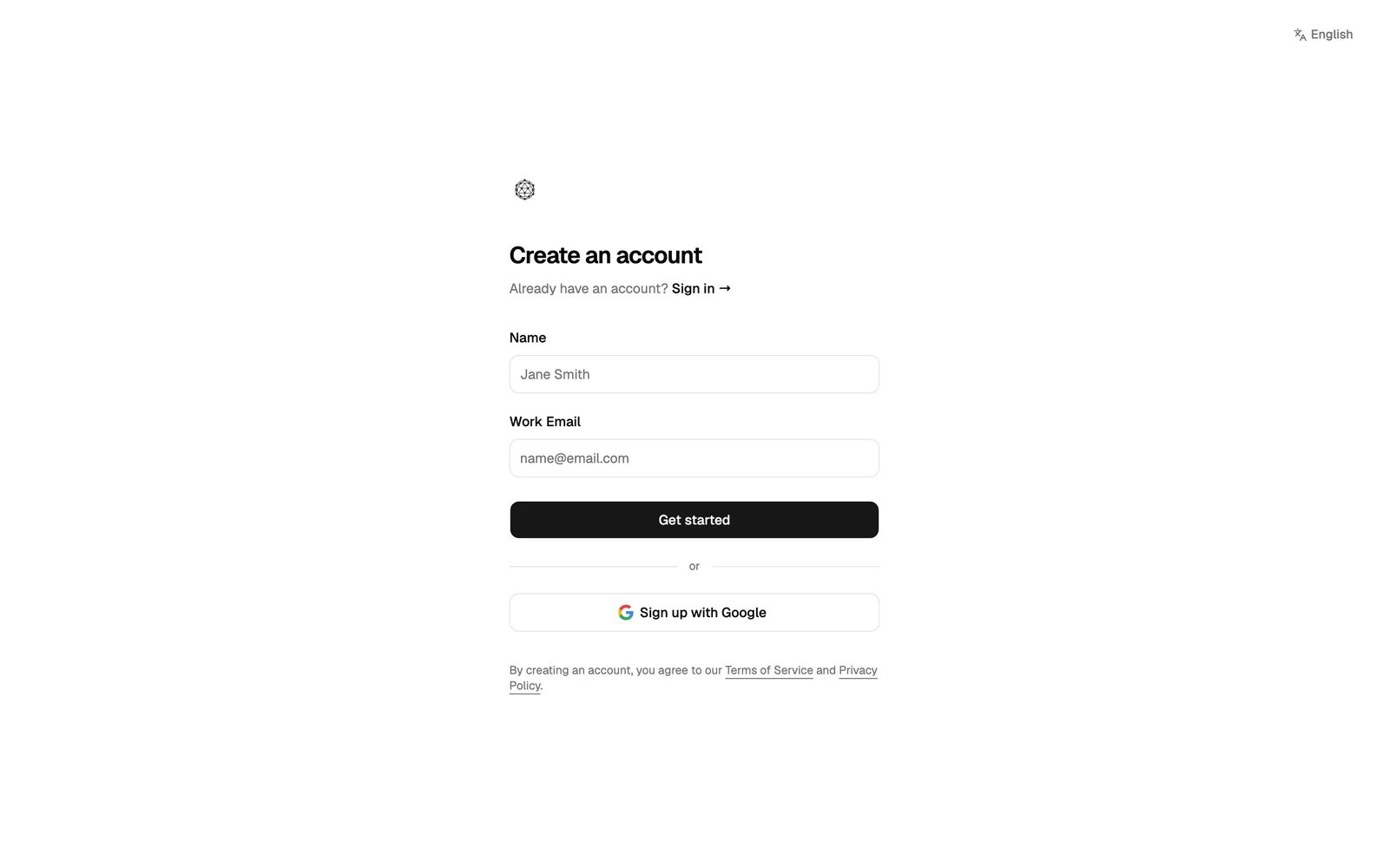
Open the sign-up page
2
Enter your name and work email, then click Get started
You can also click Sign up with Google to use your Google account. Then you skip the next step.
3
Verify your email
We send a verification link to your email. Open it and set your password. The password needs at least 8 characters, with an uppercase letter, a lowercase letter, a number and a symbol.
Create your organization
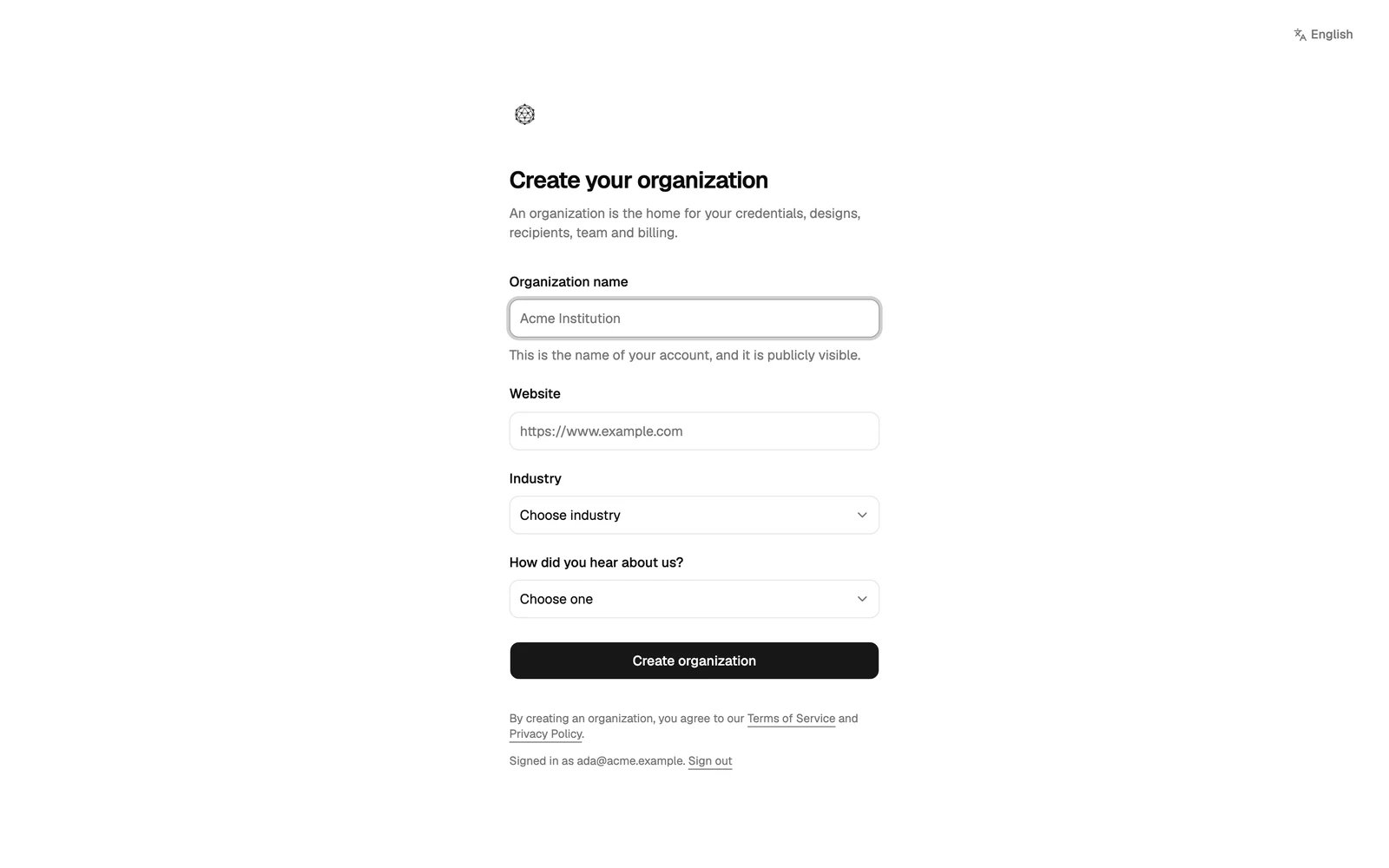
After you sign in for the first time, the Studio asks you to create your organization.1
Fill in your organization's details
- Organization name: the name recipients see on their credentials. It is public.
- Website: your organization’s website.
- Industry and How did you hear about us?
2
Click Create organization
The Studio opens your organization’s dashboard. You are its first admin.
Next steps
Studio tour
Find your way around the Studio.
Organization settings
Add your logo and details before you issue.