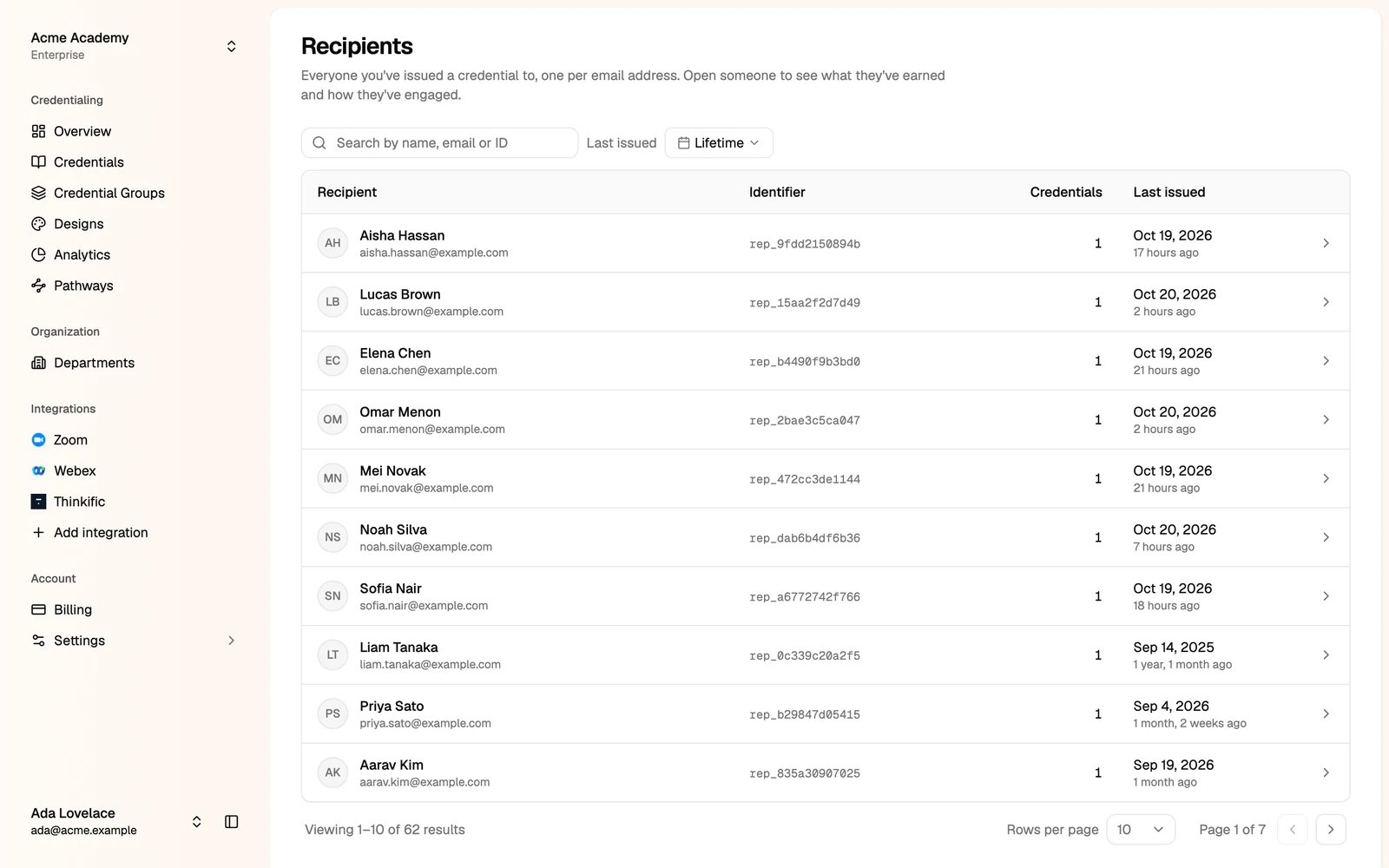
A recipient is one person you issued a credential to, by email address. Each email address is one recipient, however many credentials they have.
Only administrators can see the recipient list. Open it at studio.thehyperstack.com/<your-slug>/recipients.

The recipient list

The Recipients list
Search by name, email or ID, and filter by when they were last issued a credential. Click a recipient to open their page.

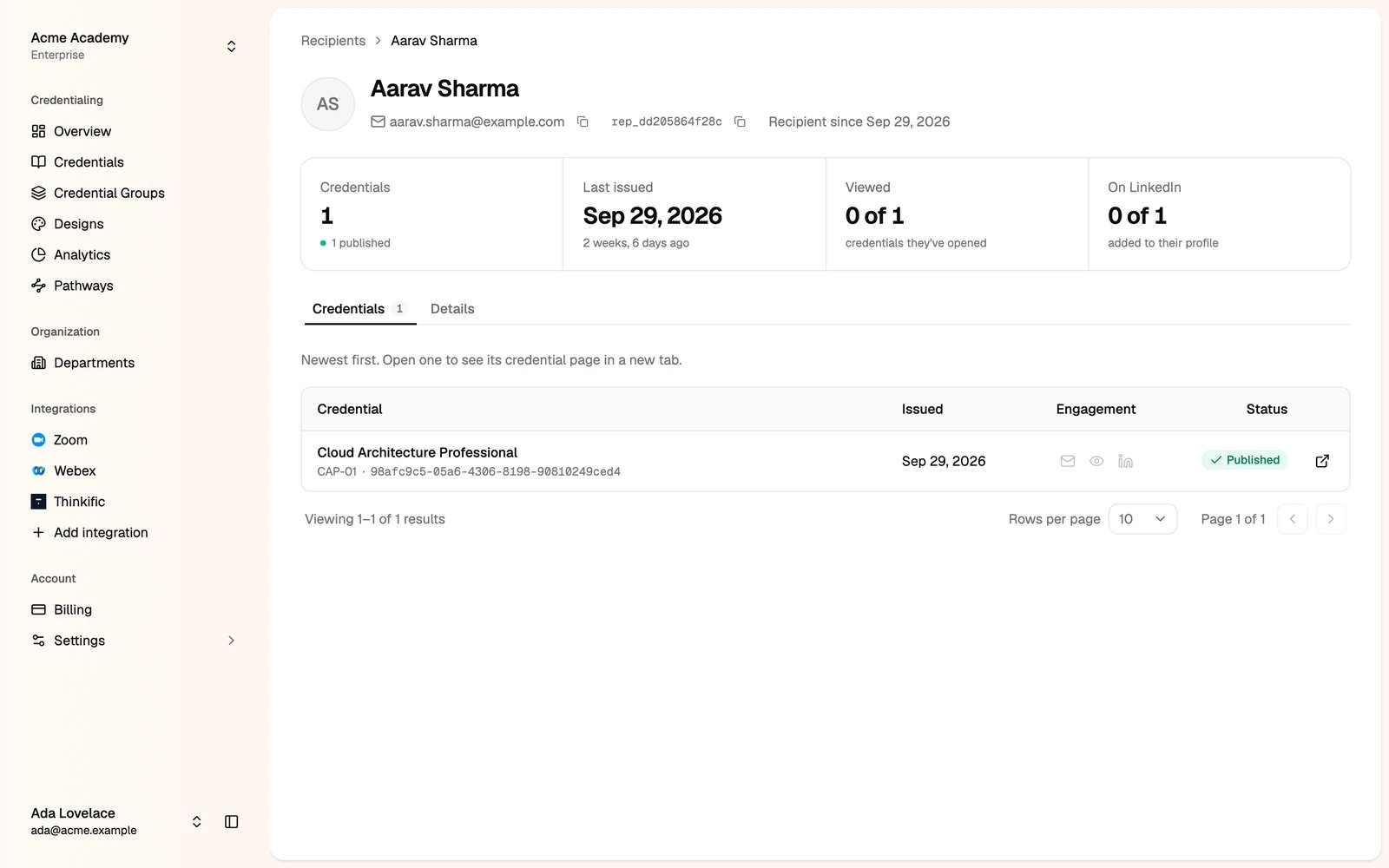
A recipient’s page

A recipient's page with their credentials
  • Credentials, Last issued, Viewed (the credentials they opened) and On LinkedIn (the credentials they added to their profile).
  • Credentials tab: every credential from your organization, newest first, with its email, view and LinkedIn activity. Open one to see its credential page.

Recipient details

Some attributes belong to the person, not to one credential, for example an employee ID or a department. They are on the Details tab.
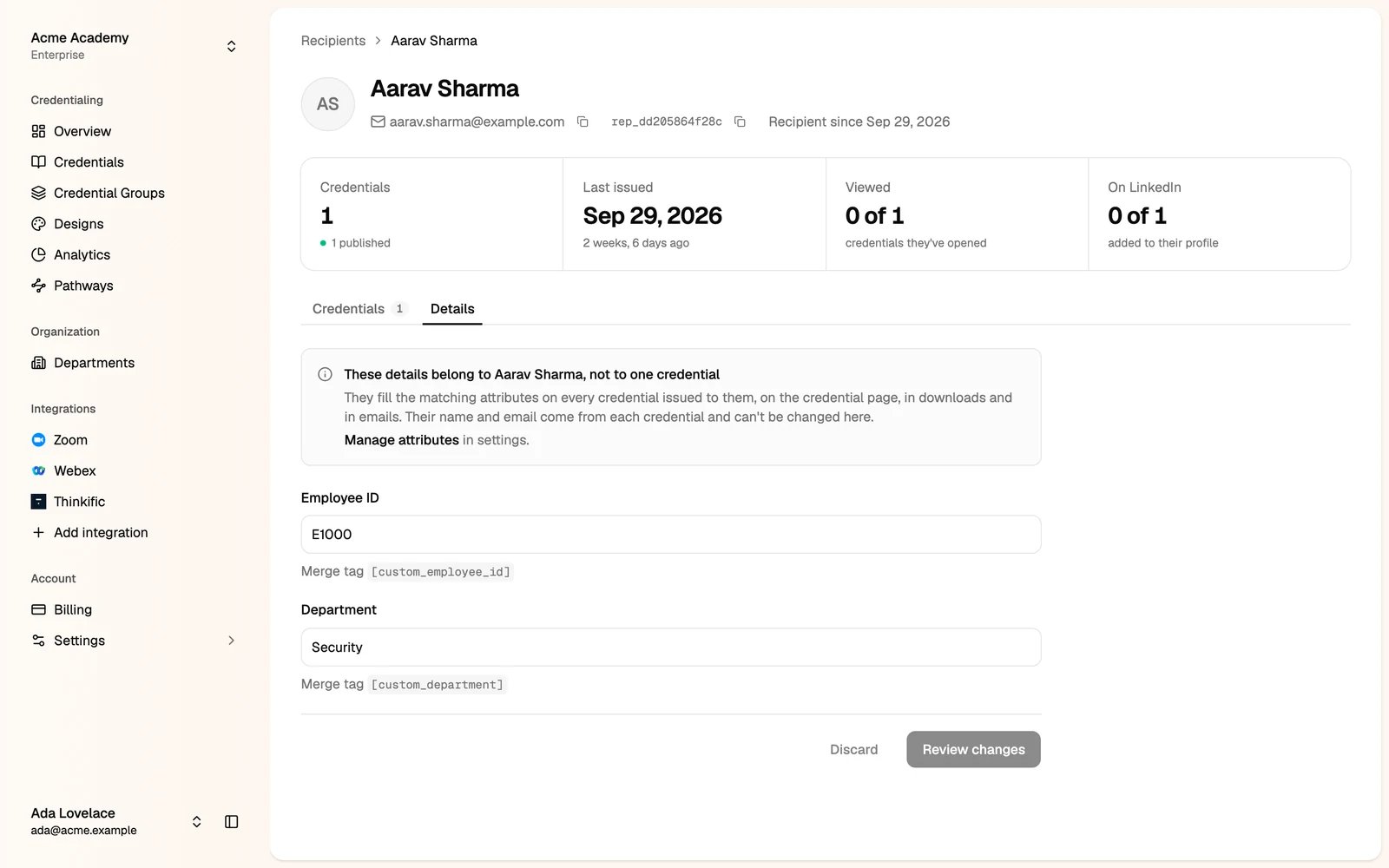
The Details tab with the recipient's employee ID and department
These values fill the matching attributes on every credential issued to this person: on the credential page, in downloads and in emails. Change a value, click Review changes, then save.
Create these attributes in Settings → Attributes. See Custom attributes. With the API, update them with Update Recipient.
Last modified on October 20, 2026