How to Suspend a Credential?

To suspend a credential

1

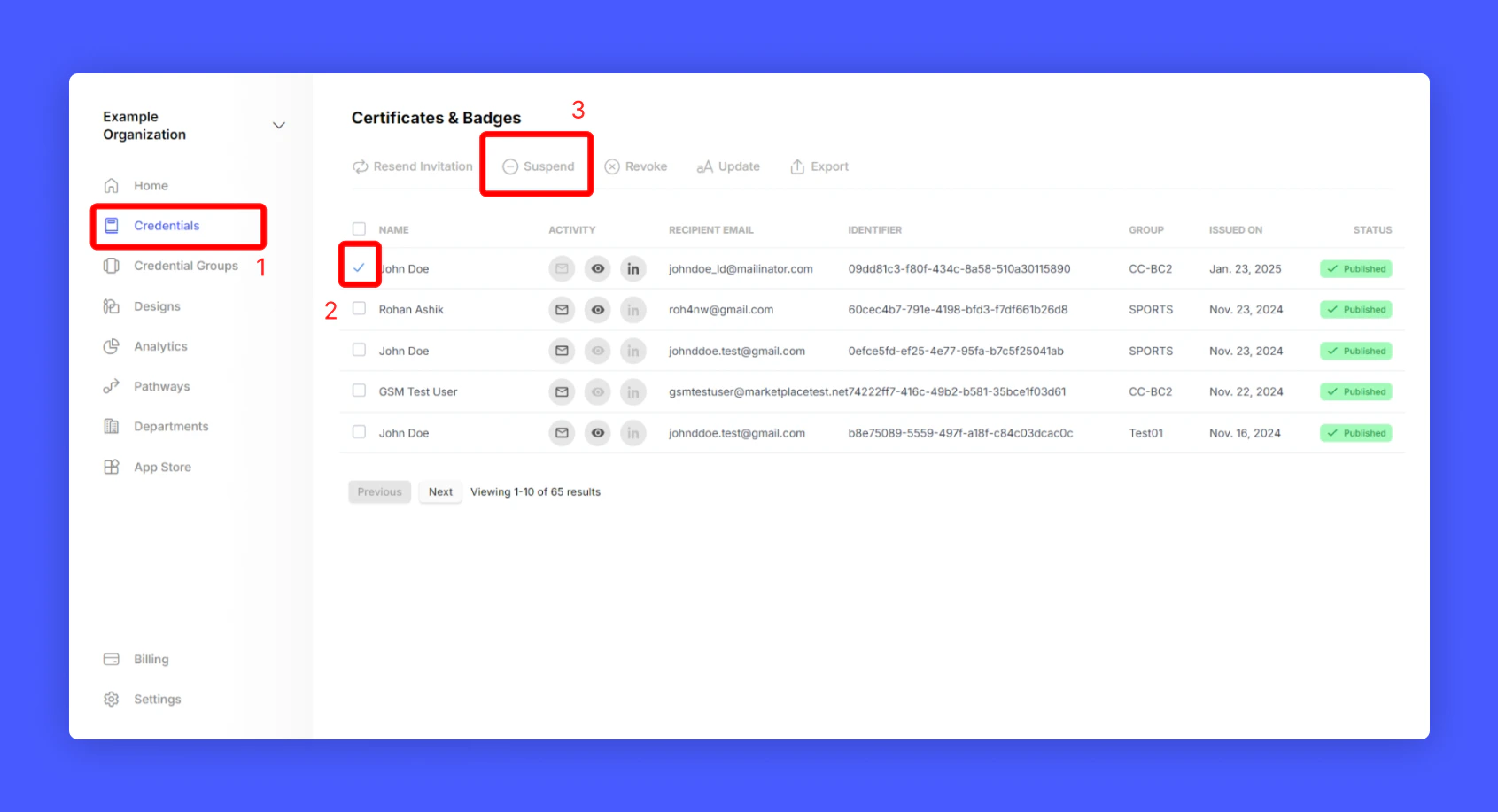
Navigate to your credential listing (Home > Credentials)

2

Select a credential that you want to Suspend

3

Click Suspend from top menu to suspend the credential
Screenshot of a deployment confirmation message that says All checks have passed.
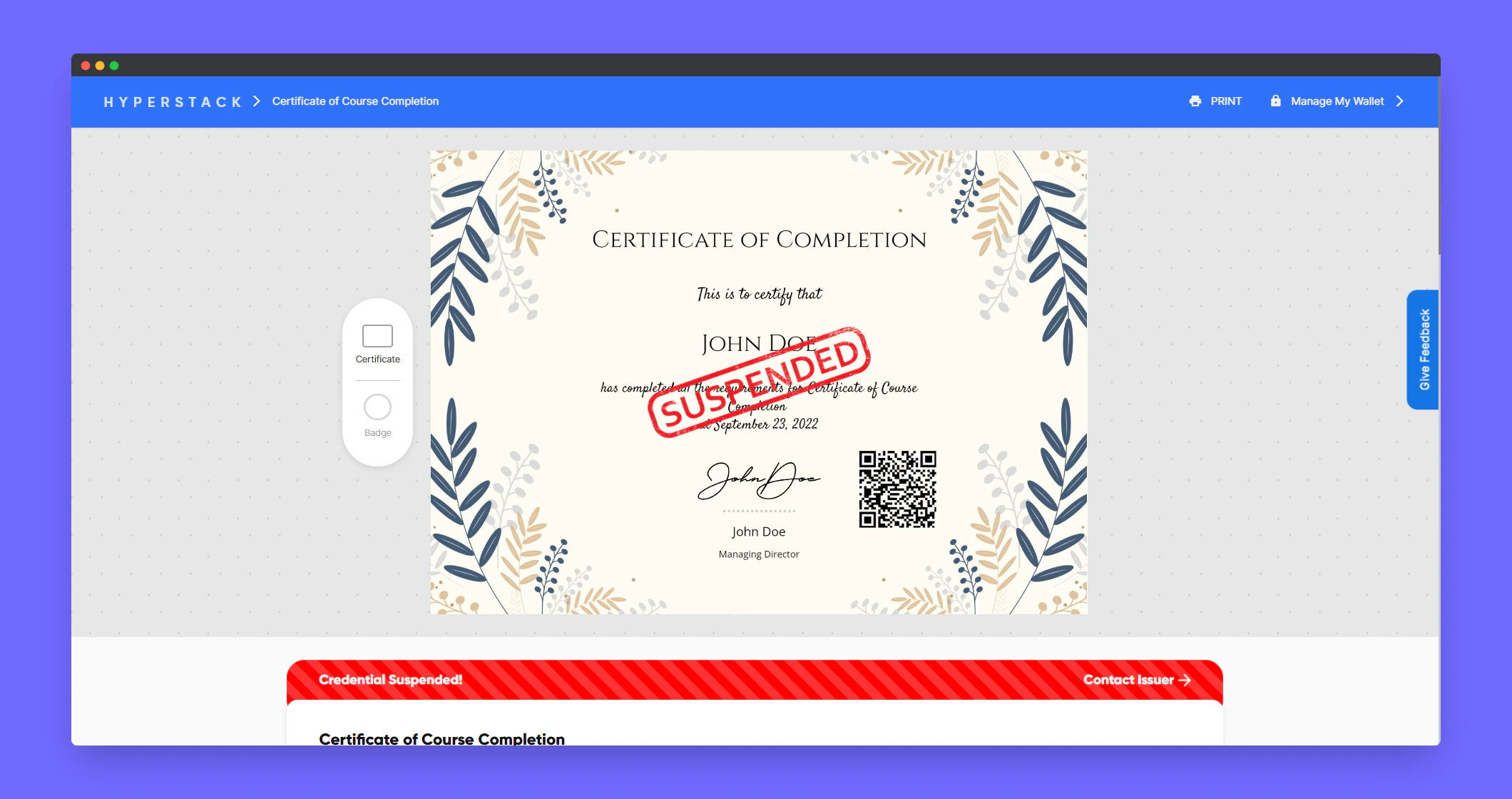
Sample preview of the Suspended credential
Screenshot of a deployment confirmation message that says All checks have passed.
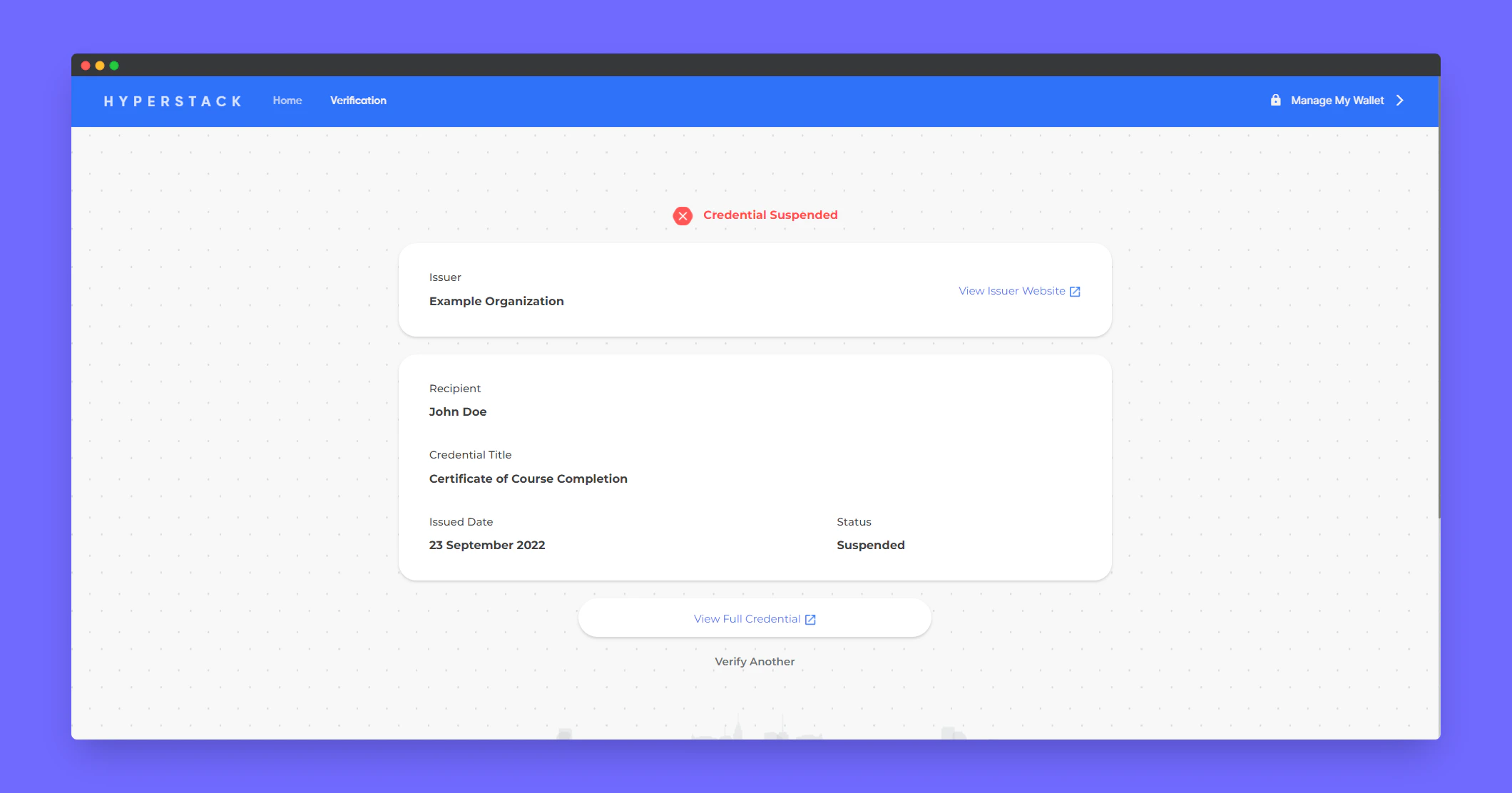
Sample preview of the Suspended credential in verification page
Screenshot of a deployment confirmation message that says All checks have passed.

To unsuspend a credential

1

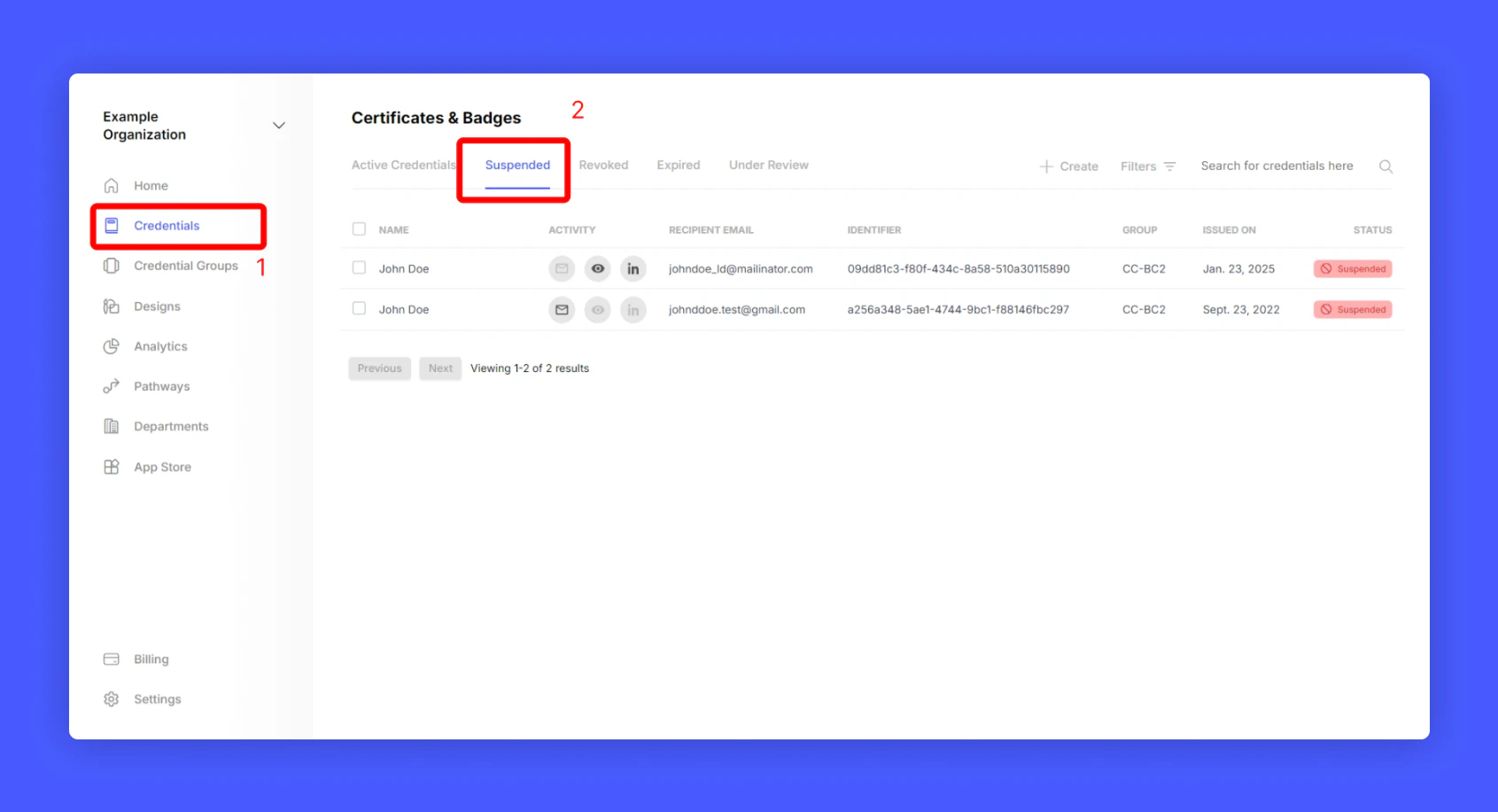
Go to Hyperstack Home > Credentials > Suspended
Screenshot of a deployment confirmation message that says All checks have passed.
2

Select the credential you want to unsuspend

3

Click Unsuspend
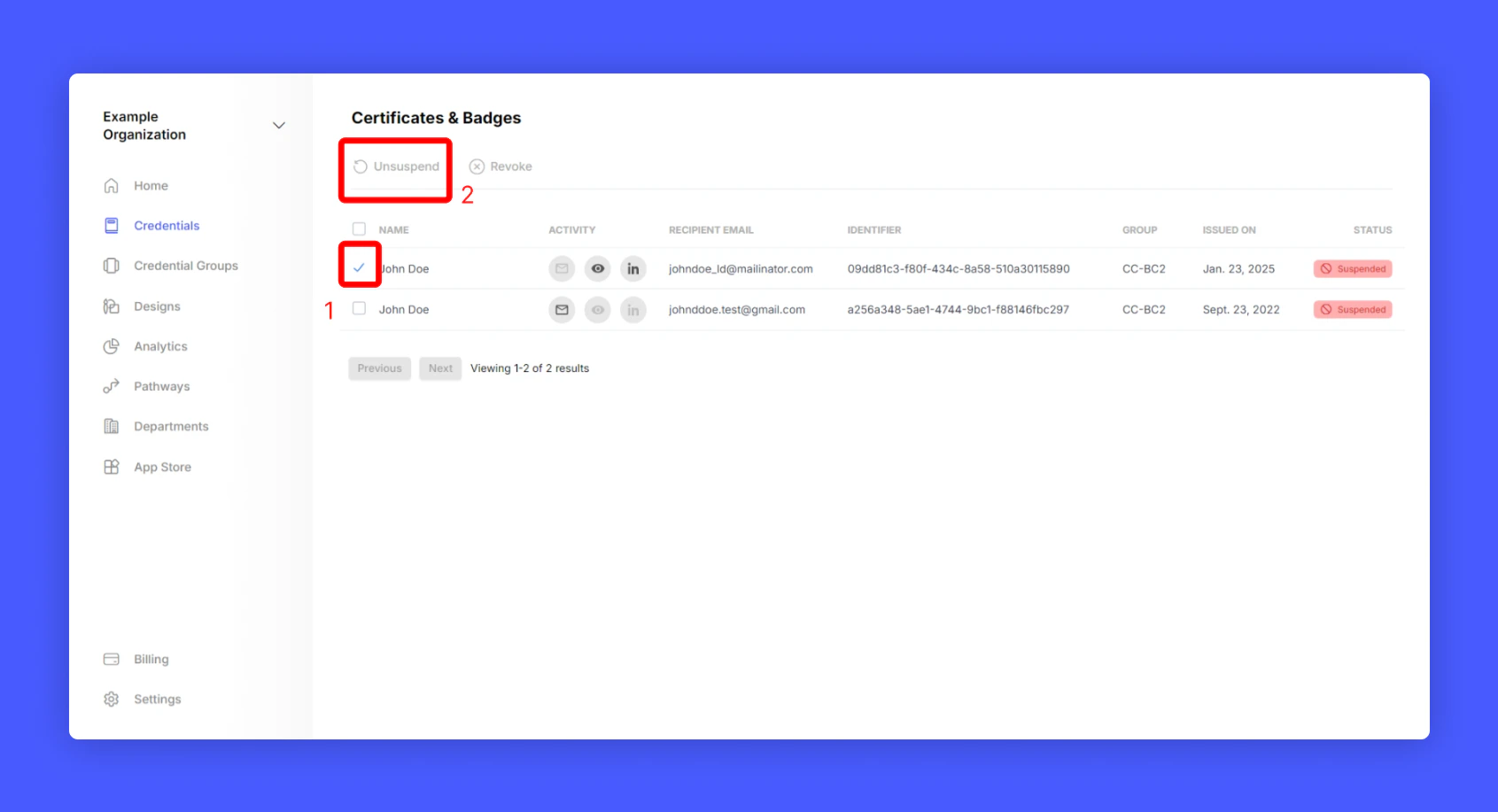
Screenshot of a deployment confirmation message that says All checks have passed.
Now you have learnt to suspend and unsuspend a credential 🎉🎉🎉!
Last modified on February 22, 2026