

[custom_grade].
Go to Settings → Attributes.
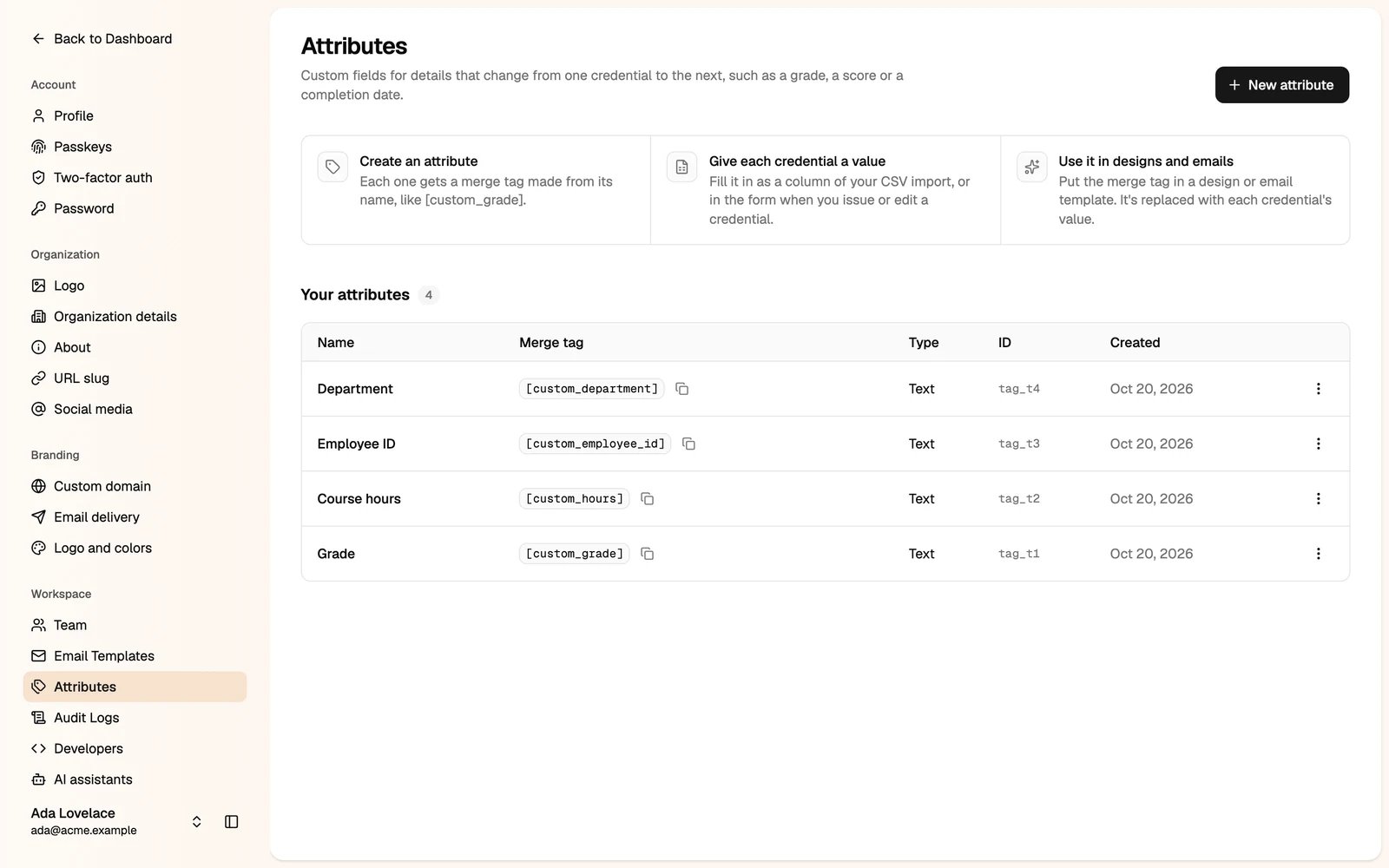
Only administrators can manage attributes. Custom attributes depend on your plan.
How it works
- Create an attribute. It gets a merge tag made from its name, like
[custom_grade]. - Give each credential a value. Fill it in as a column of your spreadsheet, or in the form, when you issue credentials. You can also change it when you edit a credential.
- Use it in designs and emails. Put the merge tag in a design or an email template. It is replaced with each credential’s value.
Create an attribute
1
Click New attribute
2
Enter a name
The merge tag is made from the name and can’t be changed later.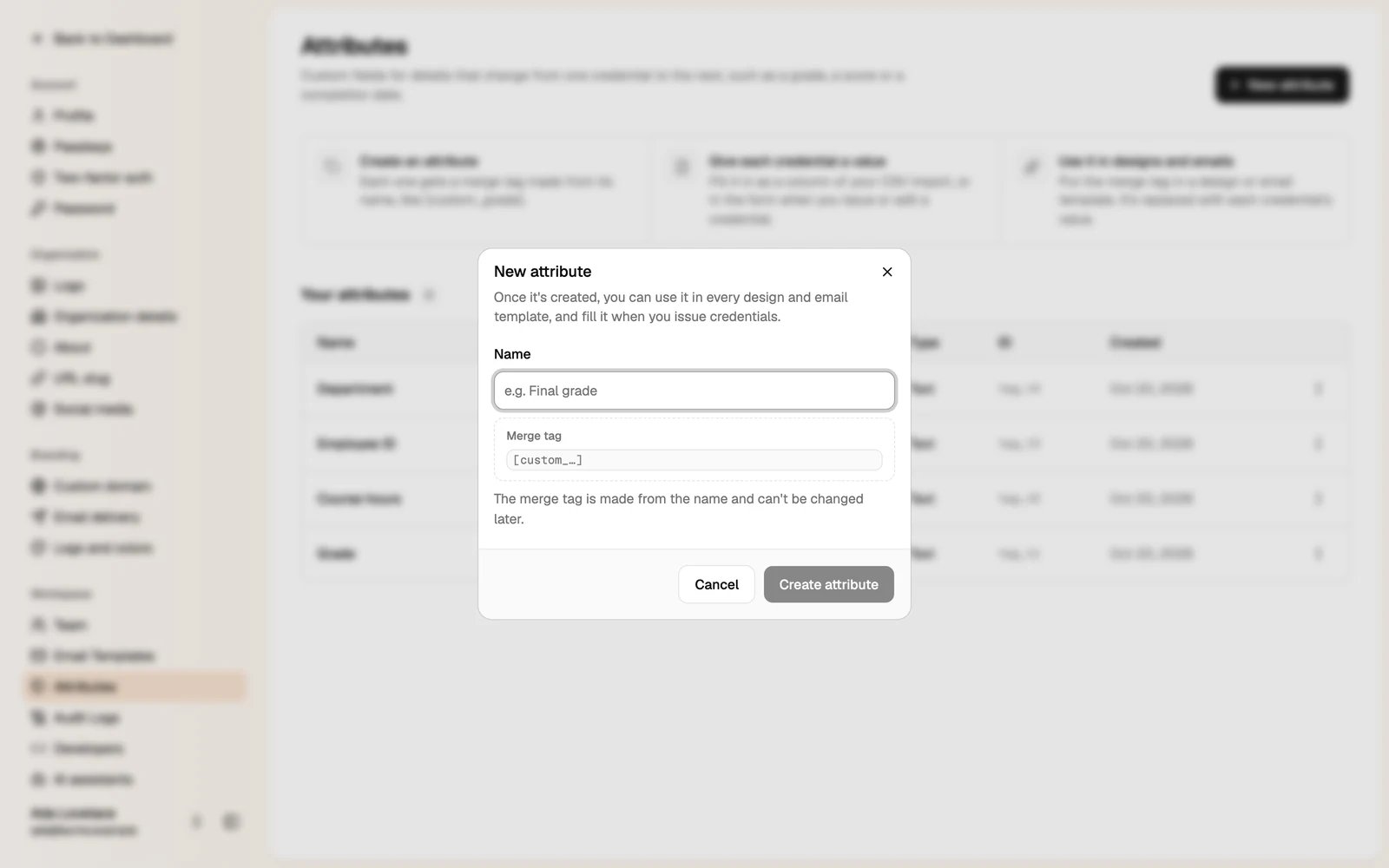
3
Click Create attribute
You can now use it in every design and email template.