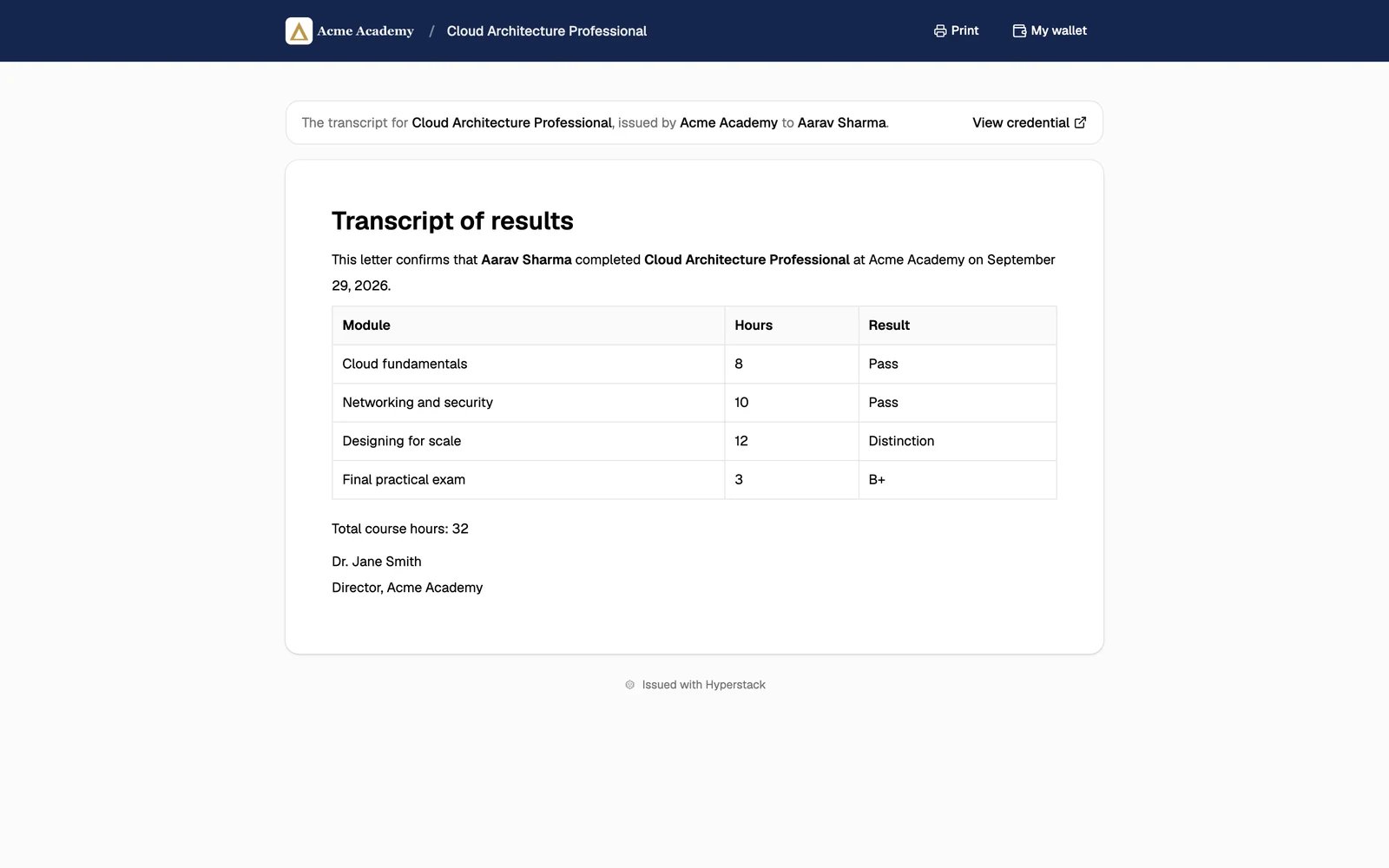
Transcripts are an add-on. Contact us to add it to your plan. You need the Credential issuer or Administrator role to edit a group’s transcript.
Add a transcript to a group
1
Open the credential group
Go to Credential Groups and click the group.
2
Under Extra details, click Add transcript
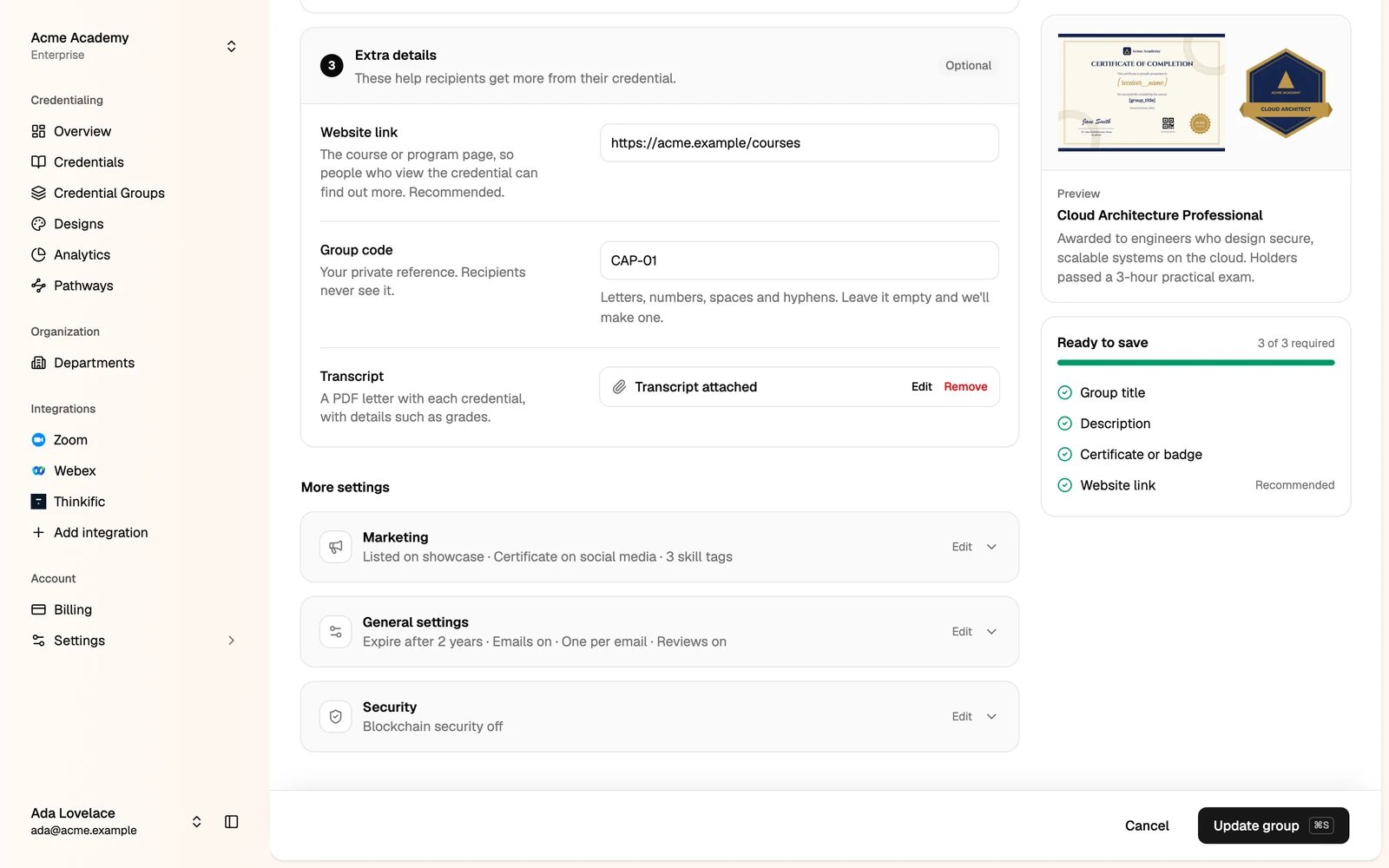
3
Write the transcript
Use the toolbar for headings, text styles, lists, links and tables. Copy an attribute from the right, such as 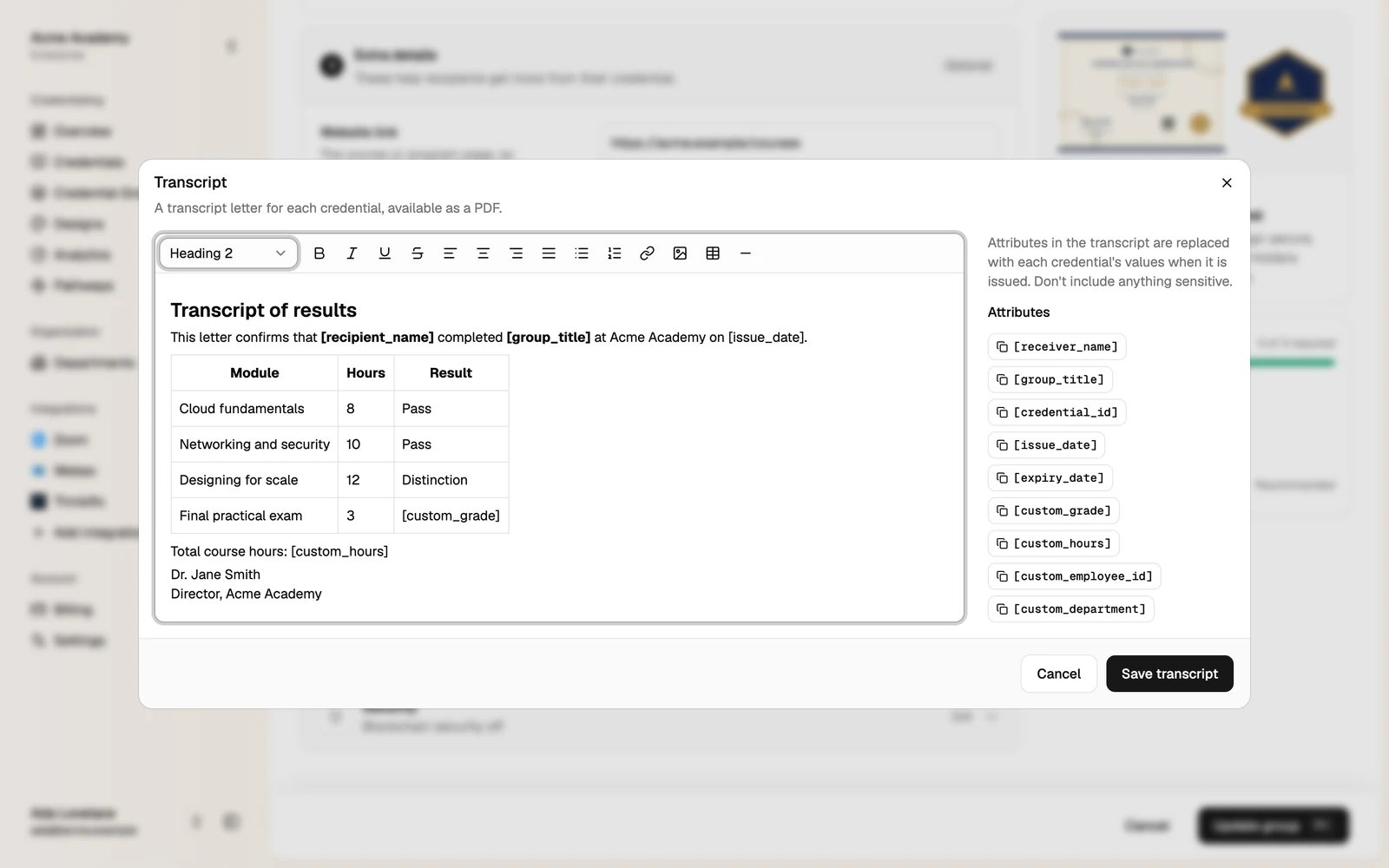
[recipient_name] or [custom_grade], and paste it into the text. Each attribute is replaced with the credential’s value.4
Click Save transcript, then Update group
What recipients see
The credential page shows a Transcript Letter card. The recipient clicks View transcript and signs in with the email the credential was sent to. Only the recipient and your team can open it.