

NFT credentials is an add-on. Contact us to turn it on for your organization. You need the Credential issuer or Administrator role to change a group.
Turn on NFT credentials
1
Open the group
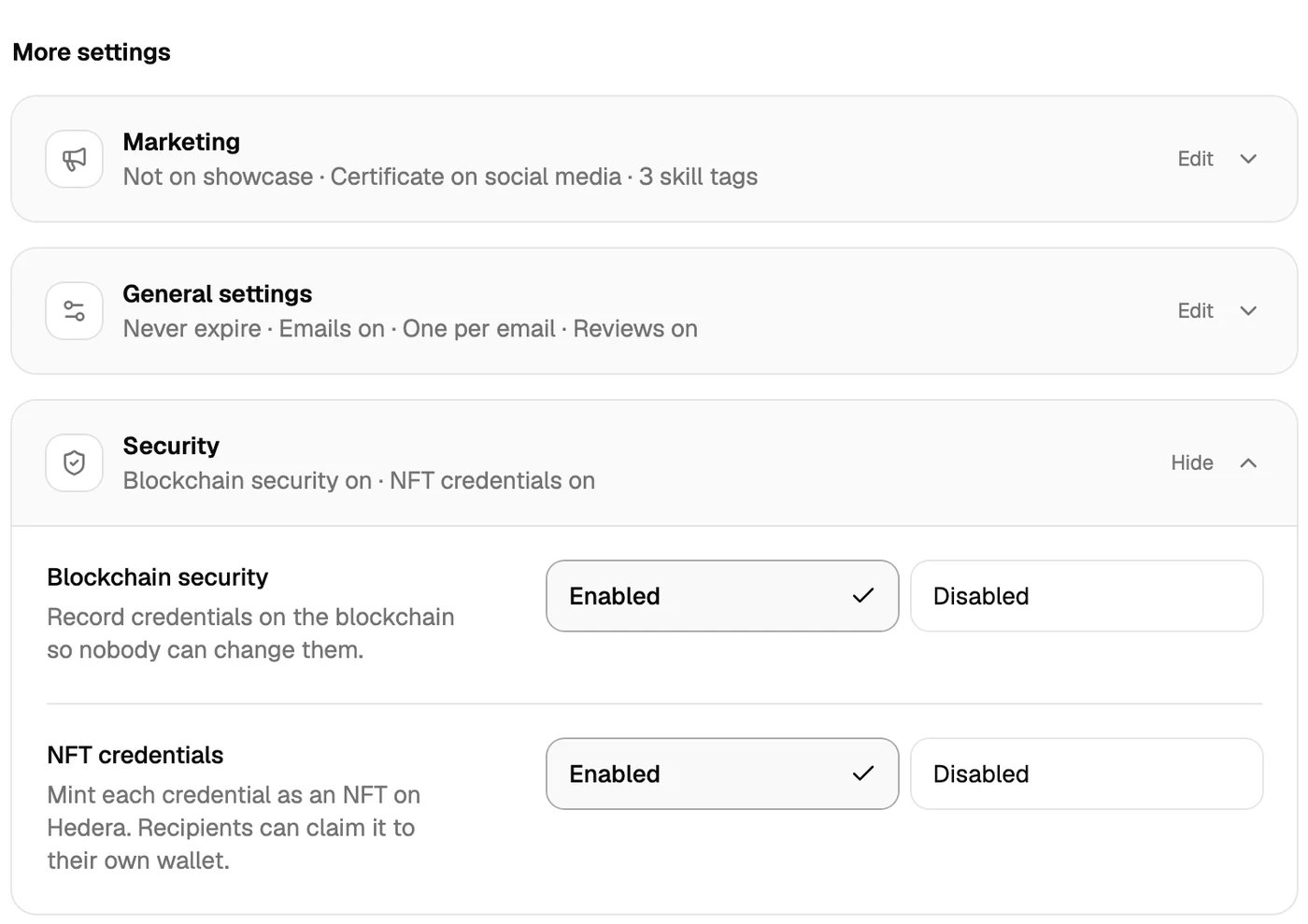
Go to Credential Groups and click the group. For a new group, click Create group.
2
Open the Security settings
Under More settings, click Security.
3
Set NFT credentials to Enabled
The row then reads NFT credentials on.
4
Save the group
Click Update group, or Create group for a new group.
What happens when you publish
- You publish credentials as usual. Publishing is as fast as before: it does not wait for the NFTs.
- In the background, Hyperstack mints one NFT for each credential. A single credential is usually minted in under a minute. A large group takes longer, for example about an hour for 10,000 credentials.
- Each NFT stays in the Hyperstack vault until its recipient claims it.
What goes on the blockchain
Only the link to the public credential page goes into the NFT. Names, email addresses, titles and other credential data do not. The credential page shows the design and the details, as it does today.Existing credentials
Only credentials that you publish after you turn on the setting get an NFT. Credentials that you published before do not.How recipients claim the NFT
The recipient signs in to their wallet. The credential card reads NFT ready to claim.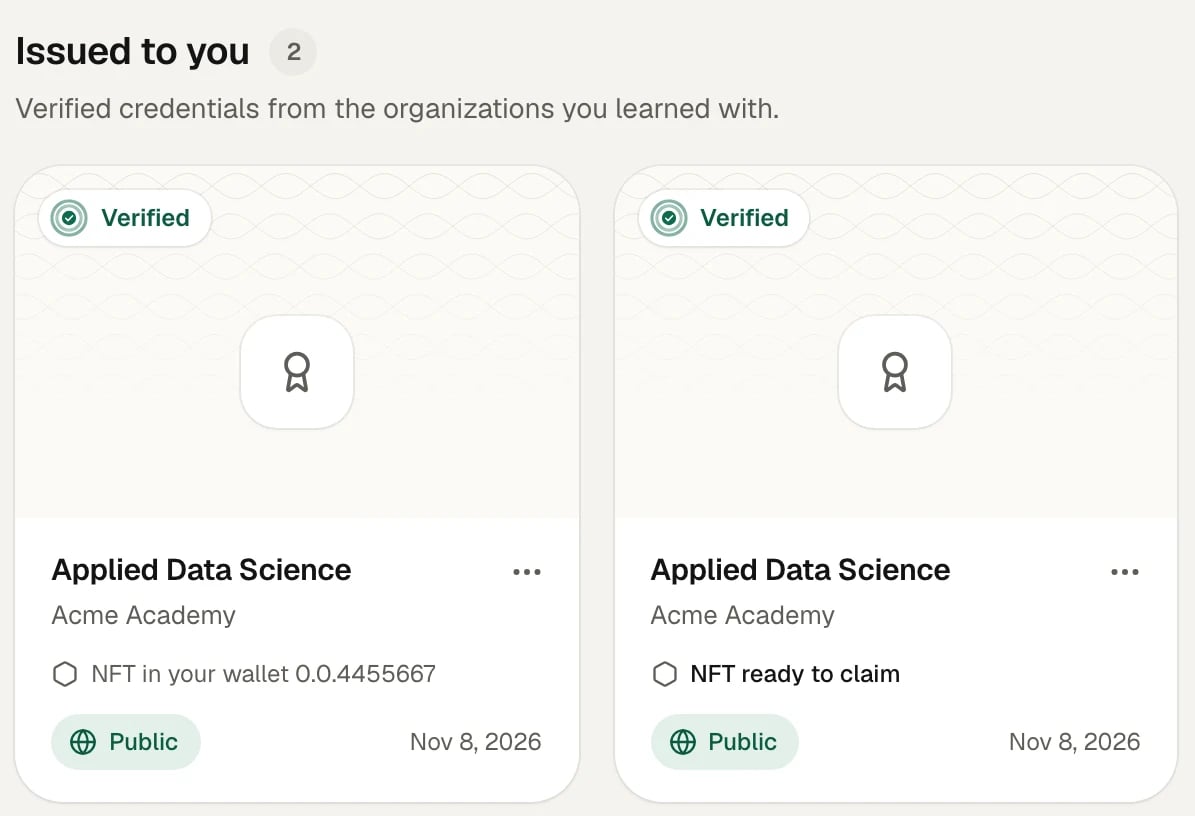
- A Hedera account ID, for example
0.0.4455667(HashPack and other Hedera wallets). - An EVM address that starts with
0x(MetaMask and other Ethereum-style wallets).
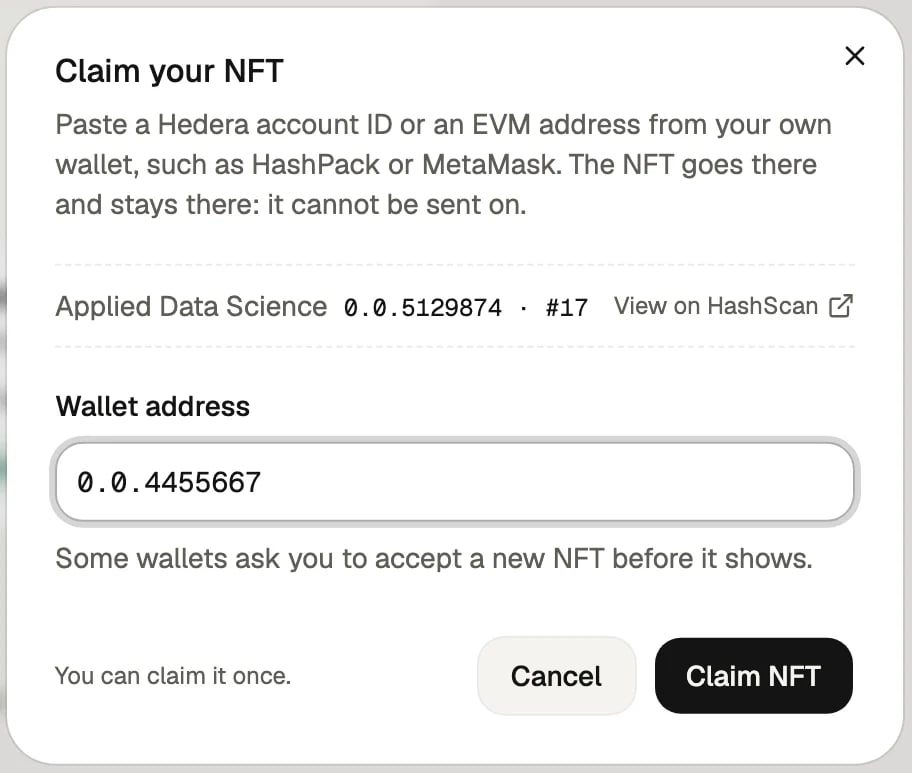
- Each credential’s NFT can be claimed once.
- Only the recipient of the credential can claim it.
- The NFT cannot be sent on to another wallet. It stays with the recipient, like the credential.
What verifiers see
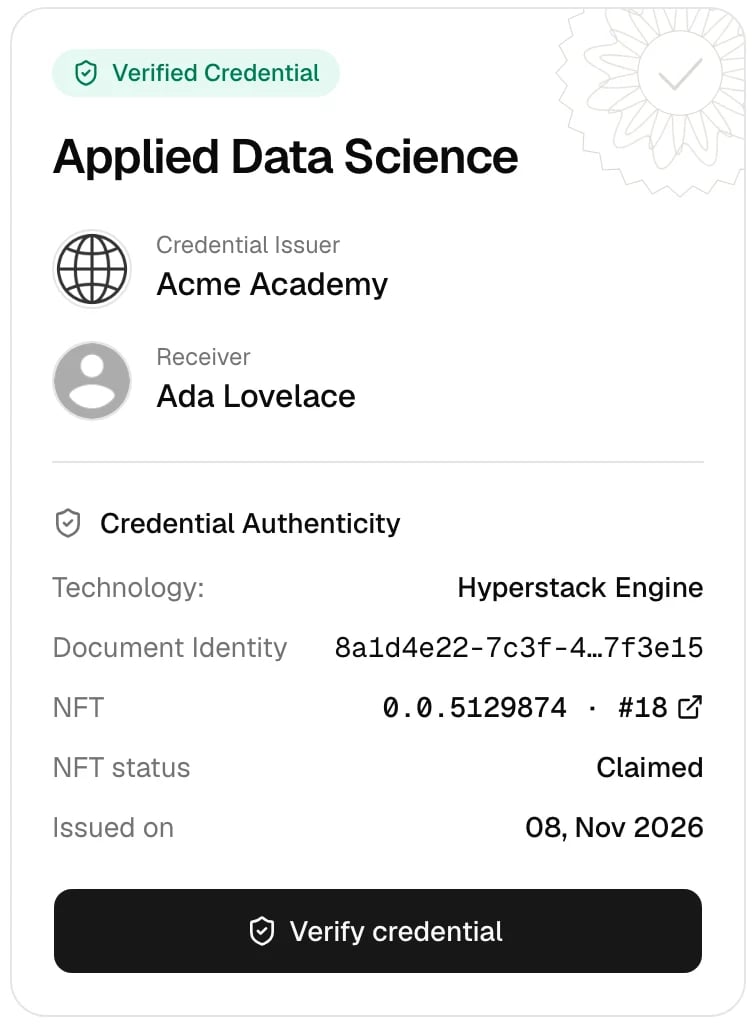
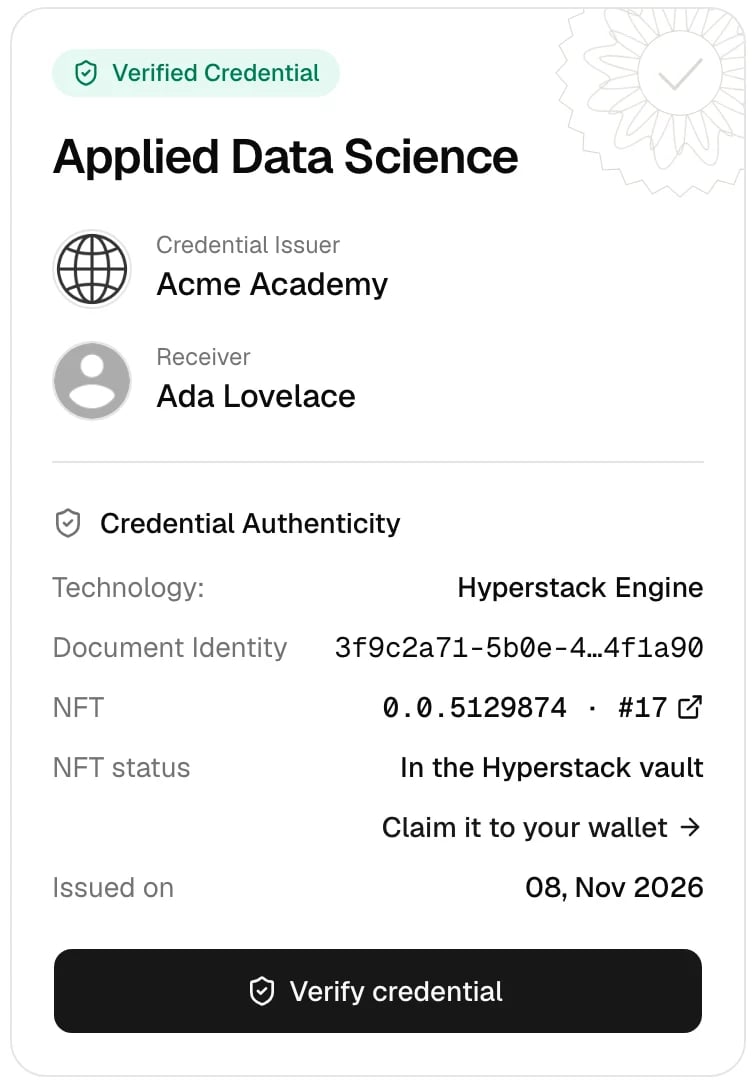
On the credential page, the Credential Authenticity section shows two more rows:- NFT: the collection ID and the NFT number, for example
0.0.5129874 · #18. Click it to open the NFT on HashScan, a public Hedera explorer. - NFT status: In the Hyperstack vault before the recipient claims it, then Claimed.
When you revoke or delete a credential
Hyperstack removes the NFT from the blockchain:- If the recipient has not claimed it, the NFT is burned.
- If the recipient has claimed it, the NFT is taken back from their wallet and removed.
If the add-on ends
- Hyperstack stops minting new NFTs at once.
- NFTs that already exist stay. Recipients can still claim them, and they are still removed if you revoke the credential.
- The NFT credentials setting is hidden from the group form.
Technical details
- Network: Hedera mainnet, using the Hedera Token Service (HTS).
- Collection: one non-fungible token per organization. Hyperstack holds the supply, freeze and wipe keys.
- NFT metadata: the URL of the public credential page.
- Non-transferable: after the NFT reaches the recipient’s account, Hyperstack freezes that account for the collection, so the NFT cannot be sent on.
- Delivery: a Hedera token airdrop. If the wallet has no free slot for a new token, the airdrop waits until the recipient accepts it in the wallet.